



You can find more information about other types of services, as well as reviews of Hostinger.com, in the following articles.
Objective expert review Hostinger.com
Hostinger hPanel 2025 Review
For a very long time now, probably more than a decade even, the control panel landscape for web hosting has been a one-horse town, and that horse’s name is cPanel. This panel is the industry's go-to option and by far the most popular, it is the familiar face we have gotten used to, even with its somewhat cluttered interface and sometimes bewildering complexity. As a developer and IT professional who’s been in the business for longer than I care to remember, I’ve had a pretty good relationship with it. For me personally, it’s easy to use and very powerful.
So, when Hostinger designed their very own, custom-created control panel, the hPanel, my first thought was one of skepticism. Was this just another cheap, stripped-down imitation meant to cut costs? The reviews seemed great, but to really know, you need to test it out yourself..and that’s exactly what I did. I looked at how one can manage websites, configure settings, and set up SSL certificates, and more with this panel. This isn’t a superficial overview of their panel - it’s a thorough review from someone who is in the industry and who understands what it takes to manage a server day in and day out.
What Exactly Is Hostinger's hPanel?
More Than Just a Sleek & Pretty Interface.
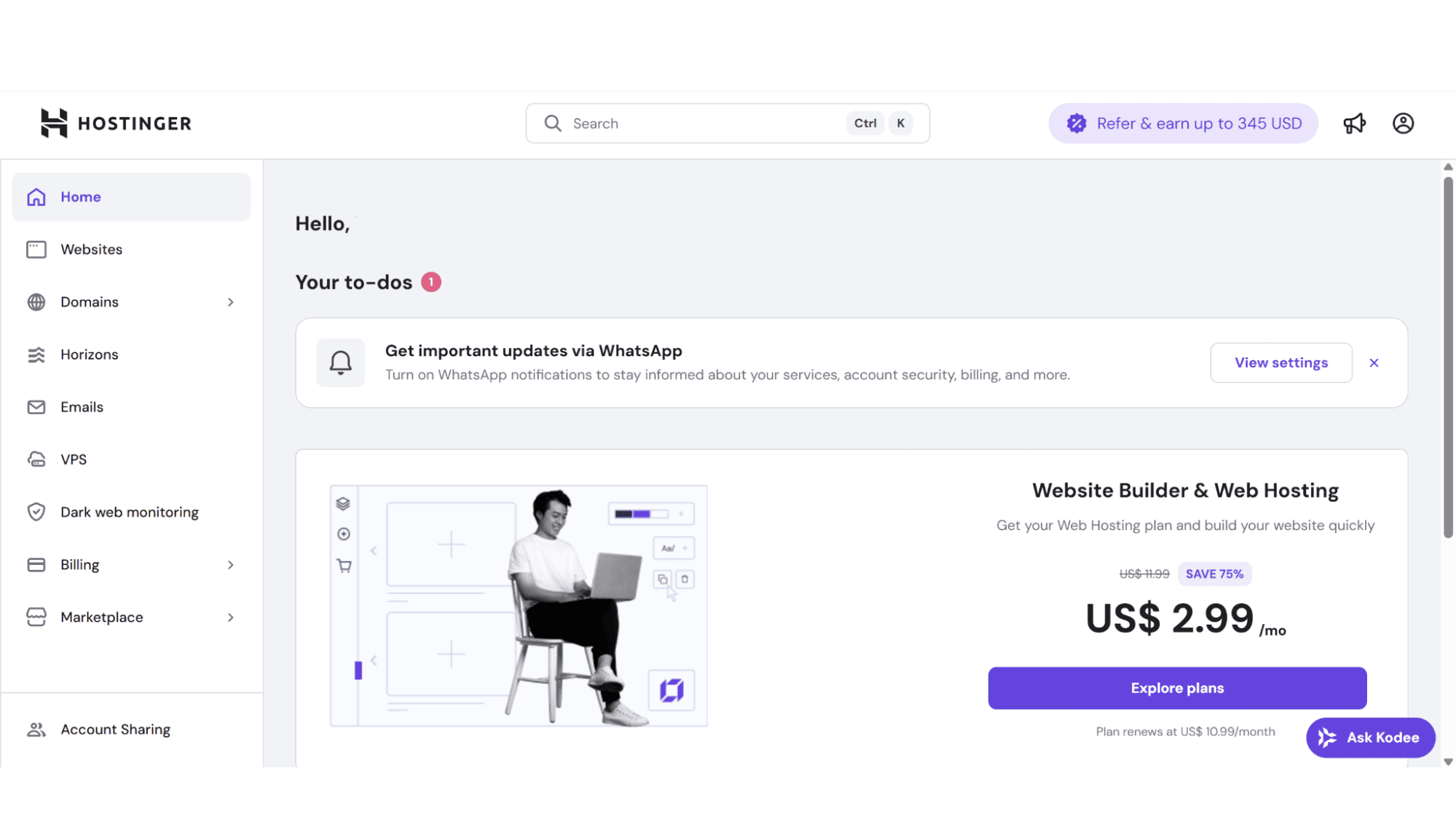
Think of hPanel as a centralized spot from where you can manage all aspects of your VPS plan with ease. hPanel is Hostinger's very own, custom-created control panel that offers a straightforward and “clean” dashboard with powerful tools that put you in charge of pretty much every part of your hosting account or plan, anything from managing your domains and emails, to files, databases, DNS, SSL certificates, server settings, and more. But for me to just list its functions really doesn't do it justice. So I will explain why I rate this panel as excellent later in this review.
The hPanel brings a big shift in philosophy. While cPanel almost offers every single option possible in terms of settings, hPanel was more designed for today's needs, and to deliver the right options intuitively, at the right time. It's a user-friendly experience that doesn’t create confusion, and it is not visually straining, yet it never lacks in capability.
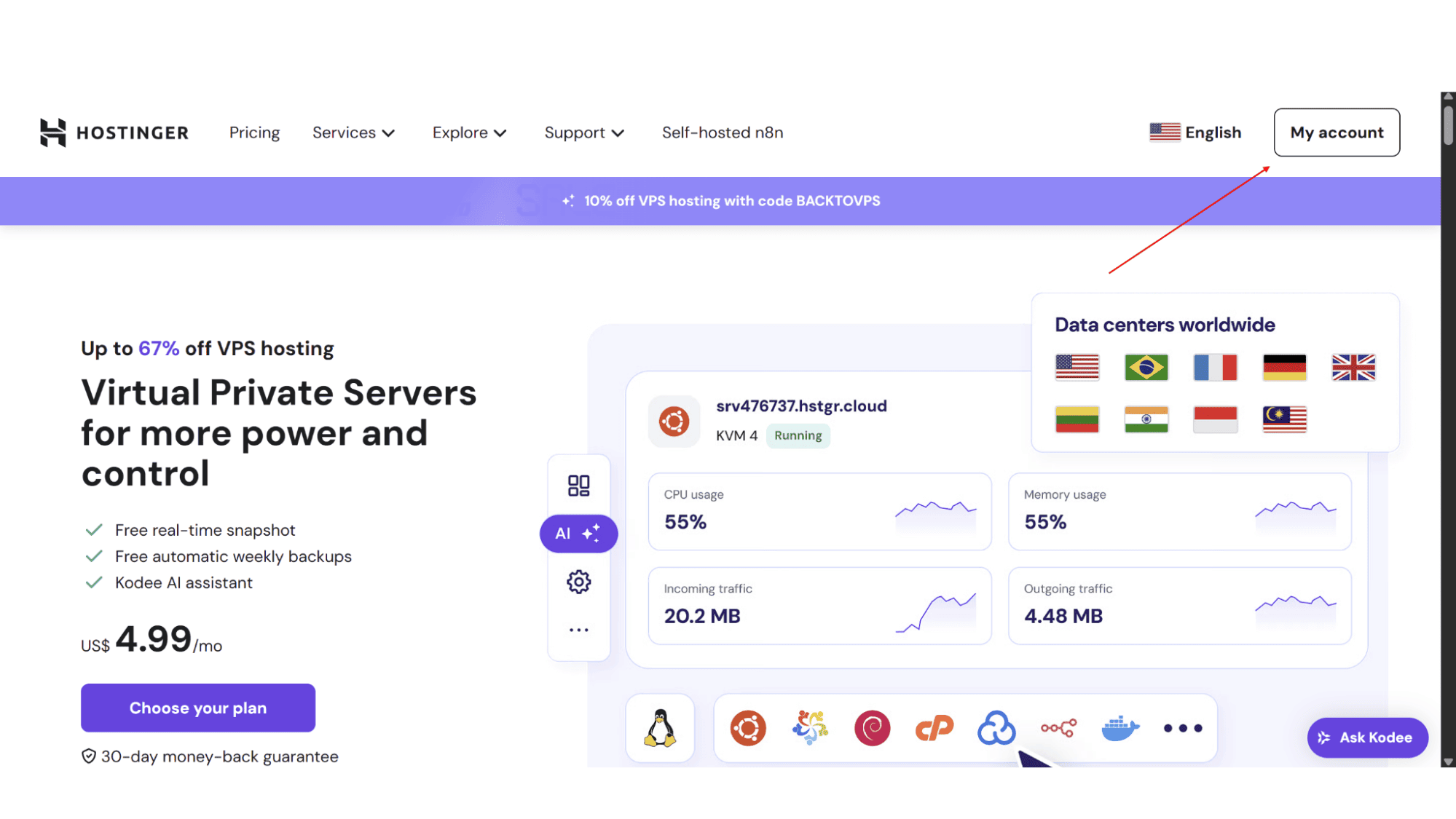
Once you log in, you'll feel the difference immediately (and this is coming from someone who is a huge cPanel fan!). The interface is clean, modern, and remarkably fast. The layout just makes sense, with a straightforward menu on the left that neatly displays all the tools like hosting, domains, emails, files, and databases. To access your hPanel, simply click on “My Account” in the top left corner of their home page (this is assuming that you have already signed up for their services), and it will then ask for your username and password. After entering this, click on “login”, and you will be redirected to the hPanel.
Key Features
Personally, using hPanel feels very efficient. Tasks that are buried in cPanel are often front-and-center here, and hard to miss.
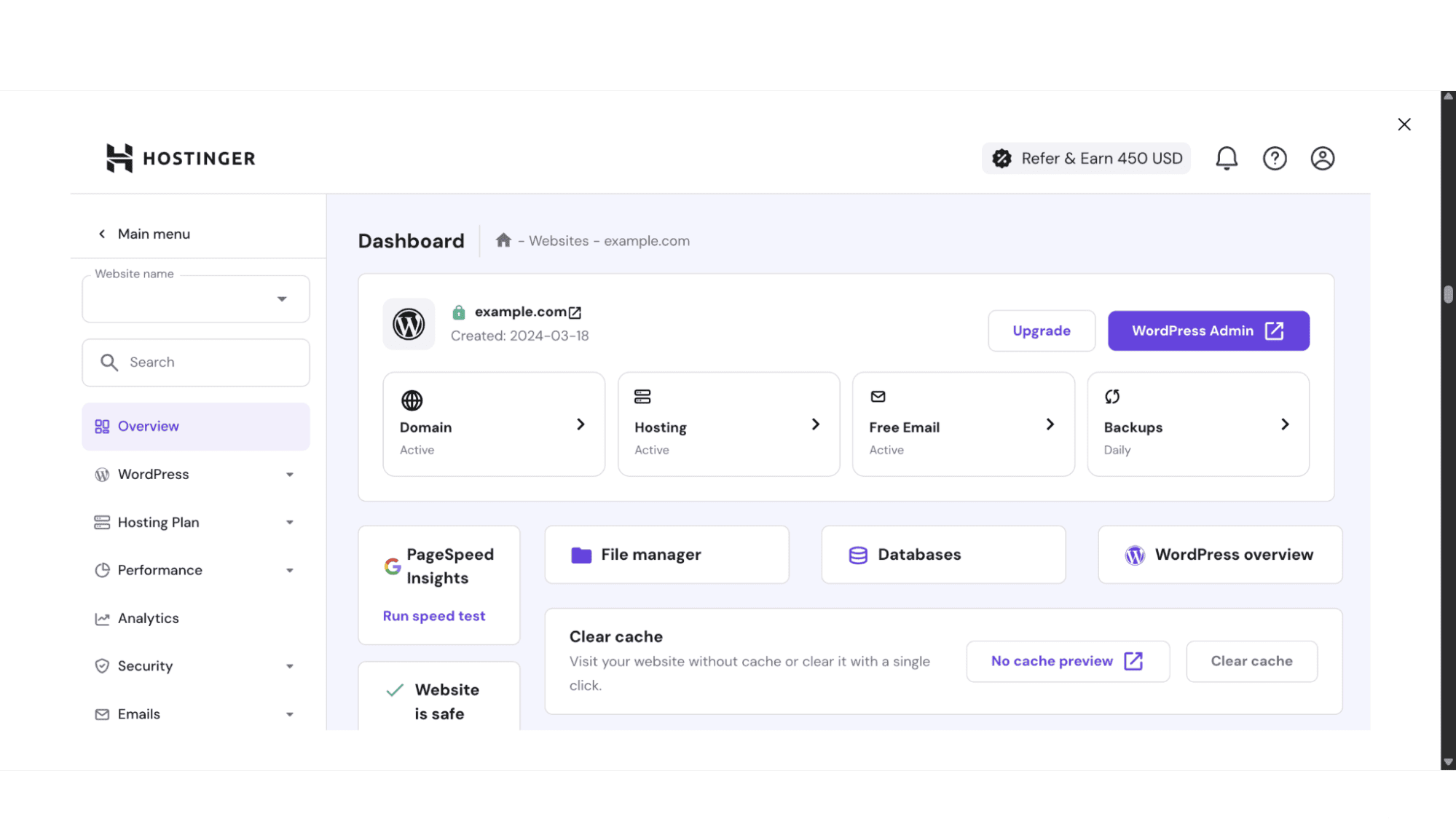
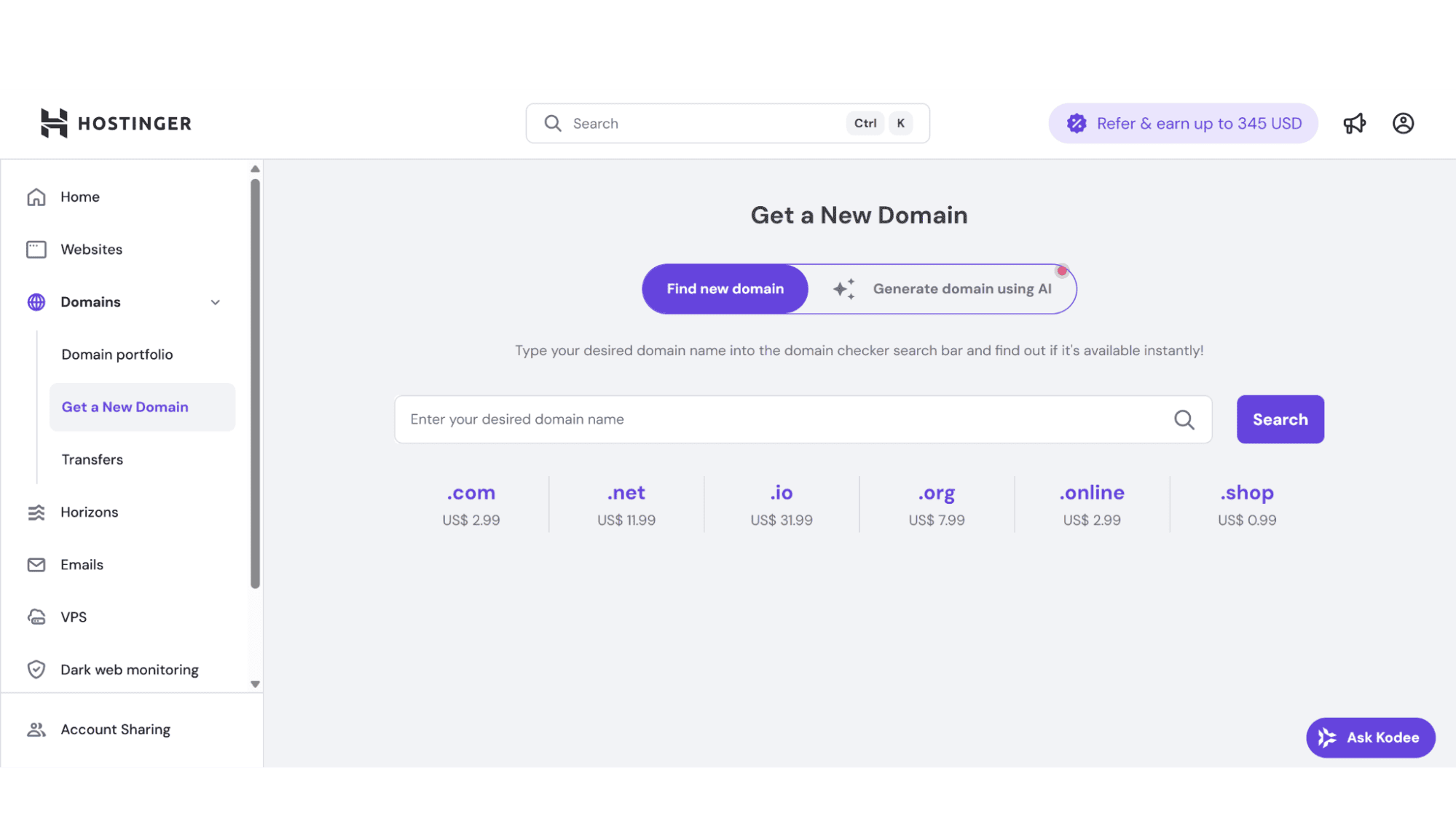
The Dashboard: Upon login, you're greeted with a clean, informative overview of all your services and plans. You can see your active services, resource usage (like CPU, RAM, etc) in clear graphs, and quick links to common tasks like managing your existing domains or by registering a new one. It’s useful and straightforward, but not overwhelming.
Website Management: Adding a website, installing WordPress (or another CMS) with a single click, or managing your SSL certificates are streamlined into simple, guided processes. The "Auto Installer" is robust and much easier to navigate than cPanel’s equivalent.
File Management: The file manager is sleek and functional. While it does the same job as cPanel, it feels more responsive and modern. Uploading, editing, and managing files is a smooth experience, even newbies would have no trouble with this.
Database Management: Managing your MySQL databases with this panel is straightforward. You can easily create new databases and users, or access phpMyAdmin with a single click, much like you would with cPanel.
The Backup System: This is one of its best features for me. To manage your backups in hPanel is very easy. You can set up automated backups and, more importantly, restore your site from snapshots should something go wrong. The process is quick and easy. The backups of hPanel, I would say, is definitely a more user-friendly experience than restoring backups from cPanel’s backup menus.
Security Features: Again, very visible and easy to access. You can manage SSL certificates or do HTTPS redirects, and more easily from the "dedicated security section" without hassle.
It is worth noting that their hPanel won’t ever lock you out. You still have full root access to your VPS server, so when you need to access the terminal, you can SSH into your server and operate with complete freedom. hPanel handles the day-to-day management, but the terminal is always there for when you need it.
The Ultimate Comparison: hPanel vs. cPanel
This is probably the comparison everyone wants to see. It’s not about which one is "better" in an absolute sense, but which one is better for your specific needs. Let's take a look at a couple of key areas.
User Experience (UX) and Design
hPanel: Definitely comes out on top in this area. The interface is a well-thought-through product of modern design principles. It’s clean, intuitive, and super-easy to use. The learning curve is almost non-existent. Finding the settings is fast and straightforward, and it also comes with an excellent search function. It feels designed for 2025 and doesn’t feel outdated at all.
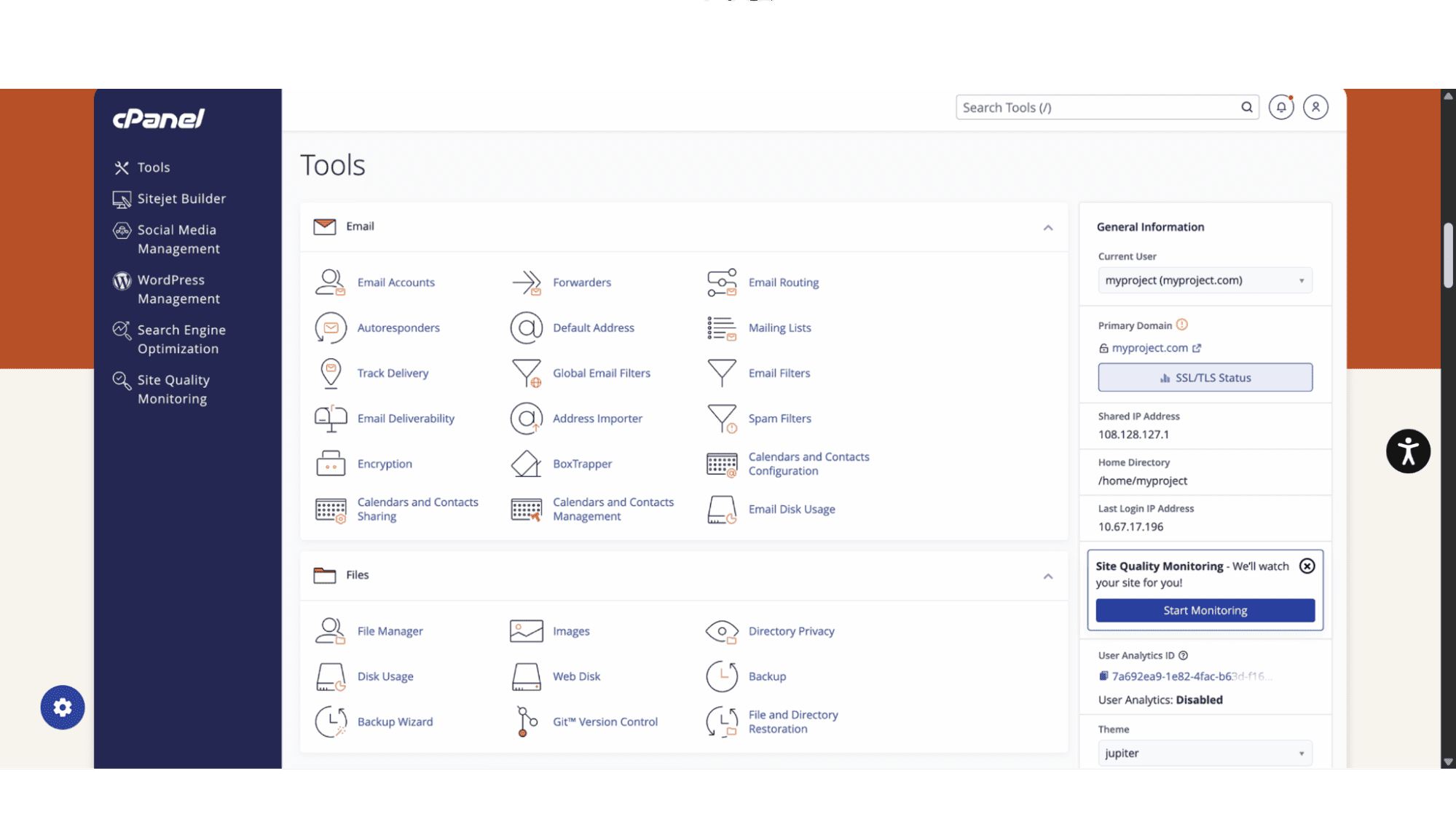
cPanel: Unfortunately, this is where it shows its age. The interface is crowded, cluttered, and relies on users already knowing where things are. For beginners, it might be a bit overwhelming, even, but for seasoned users, it should feel fine, as they are already familiar with where everything is.
Depth and Customization
cPanel: Wins this battle. It comes with more granular controls, especially for advanced email filtering, it has multi-user access management, and Apache configurations. For most things needed, there would be a setting for it somewhere.
hPanel: Has all the essential features covered, and it covers them well. It may lack some of the very specific and advanced settings options of cPanel, but for the majority of users, from bloggers to small business owners and developers, it should be just fine.
Performance and Integration
hPanel: Because Hostinger built the hPanel themselves, it obviously works seamlessly with their systems. This tight integration is a big reason why hPanel often feels so much faster and more responsive than a standard cPanel setup. Actions happen without delay.
CPanel: On the other hand, this control panel is a third-party product. Since it's installed on countless different servers, its performance totally depends on the host's hardware and setup. Because of this, it can sometimes feel a bit sluggish. Don’t get me wrong, it is a great control panel with the correct setup.
The bottom line: The choice boils down to philosophy. cPanel is the powerful, sprawling workshop with every tool you could ever need, but you have to know where to find them. hPanel is the sleek, modern toolkit with the perfect set of curated tools laid out intuitively, making it (and you in the process) more efficient at the most common jobs.
The Bottom Line
hPanel Is Excellent For:
Beginners: Its intuitive design makes server management approachable, not frightening.
Developers and Agencies: It streamlines repetitive tasks (like site creation and backups), saving precious time, while still granting full root access and terminal control for custom work.
Anyone Who Values Efficiency: If you’re tired of the cluttered cPanel interface and want a control panel that feels like it was designed this decade, hPanel will feel like a breath of fresh air.
cPanel Is Better When:
You Need Maximum Granular Control: If your workflow depends on deeply advanced, niche cPanel-specific features, especially for email.
You’re Deeply Entrenched in the Ecosystem: If you’ve been using it for 15 years and have no desire to learn a new system, the switch might not be worth it for you.
My Final Verdict: Hostinger’s hPanel is far more than a cost-saving alternative. It is a legitimate, thoughtfully designed, and often superior modern challenger to cPanel. It proves that power does not have to come at the expense of usability. For most people managing a website today, hPanel offers a more intuitive, efficient, and pleasant experience that finally drags control panel design into the modern era. In my opinion, it’s not just competing - it’s leading the way.








