



For more details on other services and a closer look at Bluehost, check out the articles below.
Objective expert review Bluehost.com
Bluehost Website Builder Review 2025
Building a Site with Bluehost – Spoiler Alert - It’s WordPress, and Here’s What That Means For You.
If you’ve been crawling the web for reviews, looking for ways to create an online presence, you’ve most likely seen ads for Bluehost as a trusted web hosting provider and domains registrar. They are used by millions of users worldwide, so they seem a good choice to be your hosting company, right? However, there’s a very important piece of information that many of those online reviews seem to either not mention at all or get outright wrong.
Bluehost does not have a proprietary, drag-and-drop website builder as part of its offerings. So, when you see "Bluehost Website Builder", it is actually referring to their managed WordPress plans. If you use them to create your website, then your entire site will be built with the WordPress CMS (content management system).
I am a massive fan of WordPress and have been working with this CMS for longer than I can remember. With WordPress, you are not getting a simplified, all-in-one builder like Wix or Squarespace, but rather a powerful and incredibly flexible content management system that is pre-installed and optimized for their hosting environment.
In this review, I will give you a transparent breakdown of their services and what this actually means for your business, blog, or e-commerce store to use them (and WordPress) to create your site.
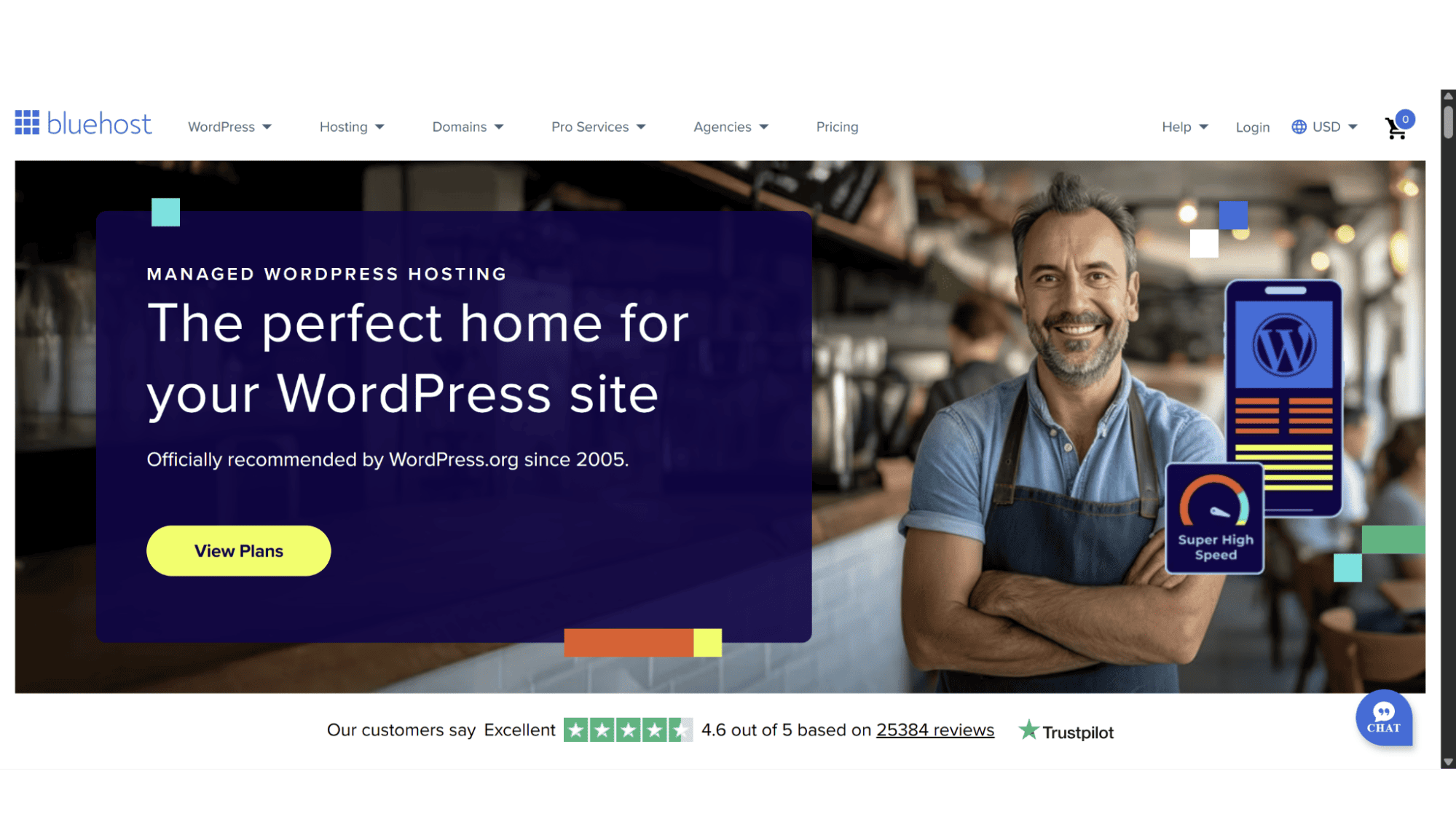
Bluehost Website Builder Plans Overview
This hosting giant offers potential users various scalable plans to choose from. It is split into two main categories, “Standard” and “High Performance”. All plans run on blazing-fast NVMe storage disks, come with a 30-day money-back guarantee, a free SSL certificate by Let’s Encrypt, as well as a complimentary AI website builder tool (Wonderstart AI) and decent security, which I will explain later in this review. So, let’s take a look at the plans:
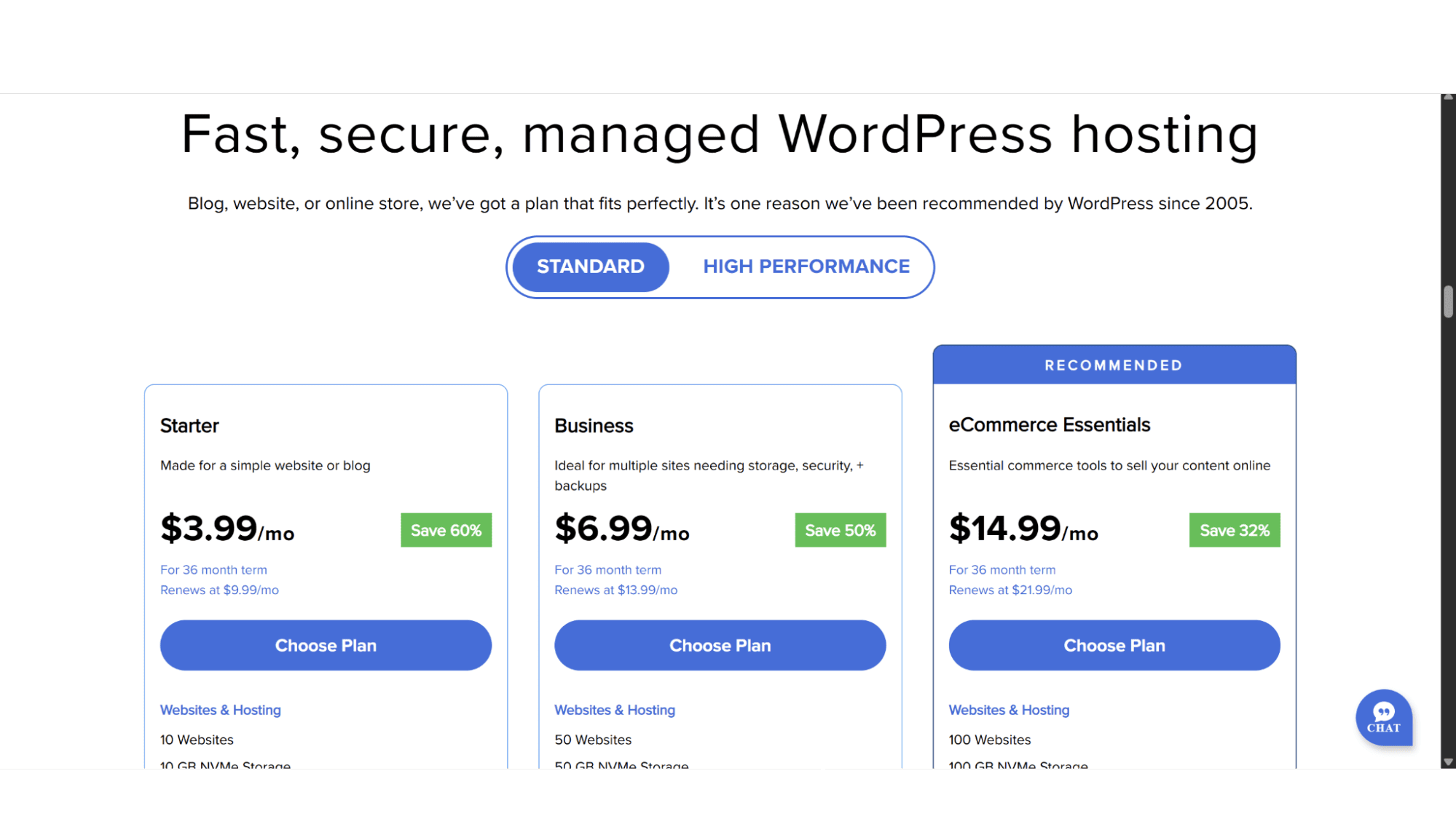
1. The Starter Plan
Ideal for small websites or personal blogs
This plan comes in at a very affordable price of $3.99 per month, but you are locked in for 36 months to get this rate, and it renews at $9.99 per month. It is worth noting that this plan doesn’t come with phone support, although the rest do. This plan includes:
- 10GB NVMe Disk Space;
- A Limit of 10 Websites.
2. The Business Plan
Great for Multiple Sites
Slightly more expensive at $6.99 per month with a renewal price of $13.99 after 36 months. It includes:
- 50GB NVMe Storage Space;
- A Limit of 50 Websites.
3. The E-commerce Plan
Includes All the Tools Needed for an Online Store
The price on this plan jumps considerably to $14.99 per month with a renewal price of $21.99 per month. It does, however, include a one-click WooCommerce installation for your store, as well as custom email templates and “easy” social media connections. I am not entirely convinced it justifies the massive increase, though. This plan includes:
- 100GB NVMe Disk Space;
- A Limit of 100 Websites;
- Secure Payment Processing;
- Creative Mail (Email Marketing);
- YOAST SEO plugin.
These three plans fall under the “Standard” options, while the next four will be under the ”High Performance” plans. The only difference is the amount of CPU power, storage space, and, of course, the price for each of these plans.
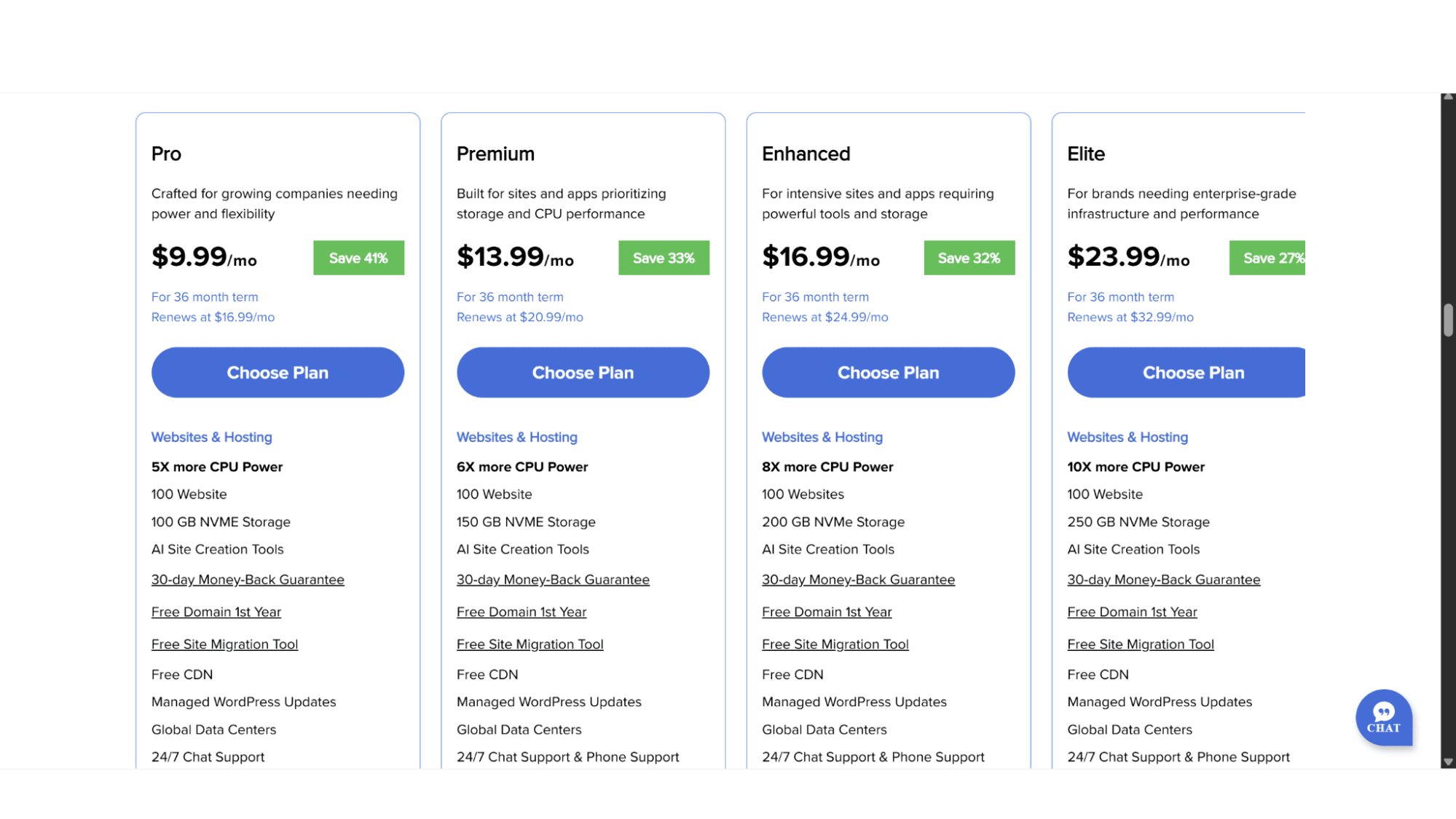
4. The Pro Plan
For Growing Sites that Need More Power & Flexibility
- 5x more CPU power than the “Standard plans;
- 100GB NVMe Disk Space;
- $9.99 per month. Renews at $16.99 per month.
5. The Premium Plan
Suited for Apps or Sites Needing More Space
- 6x More CPU Power
- 150GB NVMe Storage Space;
- $13.99 per month. Renews at $20.99 per month.
6. The Enhanced Plan
For Intensive Websites & Applications
- 8x More CPU Power than “Standard Plans”;
- 200GB NVMe Disk Space;
- $16.99 per month. Renews at $24.99 per month.
7. The Elite Plan
Their Top-Tier, Enterprise-Grade Option
- 10x More CPU power than “Standard Plans”;
- 250GB NVMe Storage Space;
- $23.99 per month. Renews at $24.99 per month.
This wide variety of plans is sure to cater to pretty much anyone and any type of website. To avoid confusion, I feel it is important to mention that even if you take the entry-level plan, you can still run WooCommerce on it - you will just need to install the plugin and payment gateways yourself.
Key Features:
Flexibility: With this CMS you can create anything from a personal blog website or simple business sites, right through to complex e-commerce stores (using the WooCommerce plugin). There really are no limits.
Themes and Plugins: Your design and functionality are powered by the massive WordPress library of themes and plugins. Bluehost suggests a selection, but the entire internet of WordPress resources is still available to you. This could be both a pro (unmatched power) and a con (an overwhelming range of choices).
E-commerce: Building an e-commerce site is easy and entirely possible through free WooCommerce plugins. Bluehost often includes this in some of its plans.
AI Tools: Many third-party WordPress plugins now use AI to help with writing text, creating images, or optimizing your SEO. Bluehost’s role is to provide the hosting, but they also include the “Wonderstart AI” tool that allows AI to help with the building process of your site.
Registration Process:
To sign up for one of their plans is super-easy and shouldn’t take more than 5 minutes of your time. Simply navigate to their website landing page (bluehost.com) and then either click on “WordPress” and then “WordPress Hosting” or “Hosting” and then “WordPress Hosting” in the top main menu, as these go to the same page. You can then click on “View Plans” or scroll down till you can see the options. Here you will notice the two options – Standard & High Performance.
After making your choice, click on “Choose Plan”, which will bring you to a page where you can choose the free domain name that is included. Enter the name you would like and if it is available it will direct you to the next page where you need to select your billing cycle (1 month, 1 year, or 3 years) and a button on the right-hand side under the summary (Continue to Checkout) that will bring you to the last page where you need to enter your personal details and payment method to complete the process.
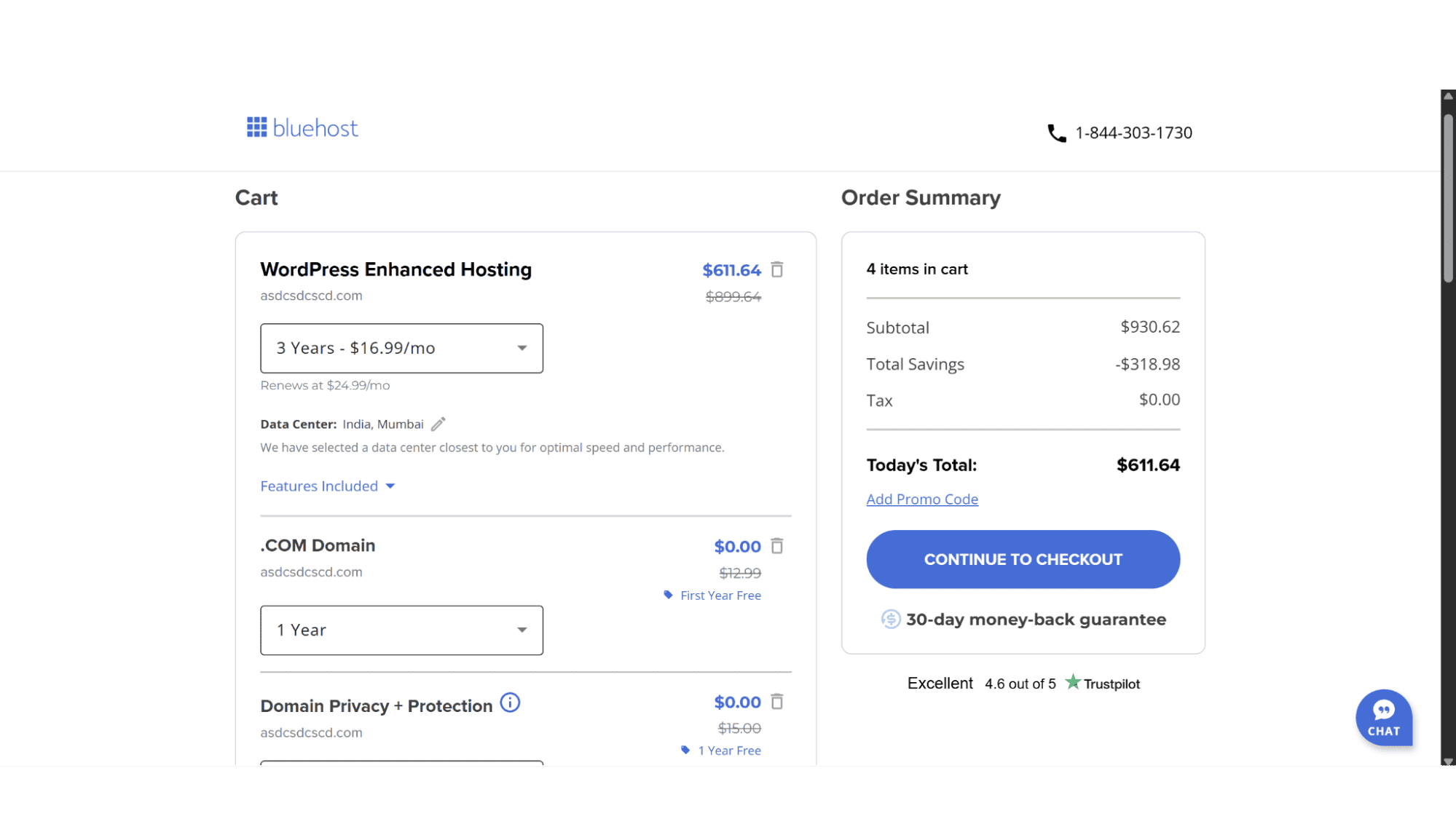
Immediately after completing your registration, you are funnelled into a setup wizard that will guide you through the next steps.
This is where the potential for confusion begins. The interface presents you with a theme selection tool. You can browse through dozens of modern, mobile-responsive WordPress themes, filter them by industry (like business, blog, or ecommerce), and preview how they might look. Once you select a theme that you feel might be a good fit, Bluehost offers a one-click installation. The comfort level here is high, they hand-hold you through picking a design and getting WordPress installed without you ever needing to touch code or cPanel.
The WordPress Block Editor
After the initial setup, you are dropped into the WordPress dashboard. This is where you will edit your site and build your pages. You will be using the standard WordPress editor, known as Gutenberg. This is a block-based editor, which means you construct your pages and posts by adding and arranging individual "blocks" for text, images, buttons, galleries, and more. One can also install more user-friendly “builders” such as “WP Bakery” or “Elementor”, but these do come at an additional cost.
If you were expecting a true visual builder where you drag elements anywhere on the page, I have some bad news, as this is not what WordPress is. However, the WordPress editor has changed and improved massively since it started in 2003. It now offers easy customization and is far more intuitive than the classic WordPress editor that was included a decade ago. The learning curve is gentler than full-scale code editing but steeper than a simplistic drag-and-drop app. Bluehost aids this by including a set of starter templates and patterns to help you begin.
Support:
If you get stuck, you can get in touch with one of Bluehost’s very capable and friendly agents via live chat (bottom right of their website) or by phone, with the exception of the “Starter” plan, which only comes with Live Chat support. Responses are quick, and if you like to do the troubleshooting yourself, you can browse through their knowledge. It comes with a wide range of helpful articles on most of the common issues you are likely to encounter.
Who Is This "Builder" Actually Good For?
I am glad I got to evaluate them, and I can confidently say the Bluehost/WordPress combo is good for:
1. Beginners who want to learn: If you are comfortable with a moderate learning curve and want a platform you won't outgrow, this is a perfect start.
2. Bloggers: WordPress was born as a blogging platform and remains the undisputed king for blog creation and management.
3. Business owners planning to scale: You might start with a simple five-page site, but if you plan to add a store, membership areas, or forums later, WordPress can handle it without you needing to migrate to a new platform.
My Final Verdict
Labeling this as a "website builder" is a marketing simplification that does a disservice to what Bluehost actually offers - a supremely streamlined onboarding ramp into the world of WordPress. Don't come expecting a closed-system, foolproof app. Instead, you are getting a ticket into the vast, powerful, and sometimes complex universe of WordPress, but with training wheels provided by a top-tier hosting company.
For the right user, this is a far better long-term investment than any proprietary builder. You retain full control, own your content completely, and have access to the entire online ecosystem WordPress supports. My advice? Watch a modern WordPress tutorial from 2024/2025 (there are hundreds online) to see the block editor in action. If that interface looks like something you can work with, then Bluehost provides one of the most comfortable and good value entry points available on the internet today.








