



For more details on other services and a closer look at Bluehost, check out the articles below.
Objective expert review Bluehost.com
Bluehost Support 2025
What Are The Best Ways of Reaching Their Support When You Get Stuck?
If you've, in the last decade at least, spent more than five minutes online scanning the internet looking for web hosting providers, you have probably seen ads for Bluehost pop up. They are well known and their name is everywhere, thanks largely to their excellent marketing campaigns and level of service they provided thousands of users over the years. It’s impossible to miss them, to be honest.
But as anyone who has ever run a website, whether it is a personal blog, a small business site, or even a large e-commerce store, knows, the real test of a hosting provider doesn't happen when you're clicking the "buy now" button. It happens days, weeks, or months later, usually at the worst times possible, when something goes wrong. That’s when the shiny marketing fades away, and you’re left with the raw, unfiltered reality of their customer support.
Your website is your digital window to the world, and when it goes down, or your emails are malfunctioning, or maybe a plugin displays a critical error, it’s not just an inconvenience - it can mean losing clients, a damaged reputation, and a whole lot of unwanted stress. In this review, I am not going to go through all their hosting features, but I will write about their whole support system in detail, and list how you can get hold of their agents when you need help, as well as which channels are the best.

The Bluehost Support Structure
One area where Bluehost immediately stands out from some budget competitors is that when you get stuck and need urgent assistance there’s immediate help available. They’ve built a multi-channel support system that, on the surface, seems designed to cater to every type of user, but in my opinion, they lack two important ones – channels one would expect would be included from such a major provider. Let’s take a look at their key support channels:
1. The 24/7 Live Chat
For me personally, and I strongly suspect the majority of users, a live chat function is typically the preferred way of getting in touch with support, and for good reason. It’s quick, it’s convenient, and it feels immediate. To use this feature of Bluehost, simply navigate to their website (any page), and you will notice the live chat widget at the bottom right side of the screen. When you click on it, it will ask for your name and surname and if you would like a copy of the transcript, the next step would be to describe your issues, and after that you will be connected to an agent for assistance. The whole process takes less than a minute, and replies are swift! Existing users can also access it by logging into their Bluehost dashboard, and the chat icon is usually prominently displayed in a corner of the screen.

My experiences with the chat support have been a great experience. The agents' replies are pretty much instantaneous, and they are friendly and, more importantly, thorough in their answers. I’ve never waited more than a minute or two to be connected with an agent, even during what I’d assume would be their peak hours. The agents follow a clear script, and if your problem is something common, such as "how do I point my domain nameservers?", or "I can't access my WordPress admin area", the support agents are remarkably efficient and quick to provide solutions. They often provide pre-written, step-by-step instructions or direct links to relevant knowledge base articles (we will take a look at their knowledge base later in this review).
One thing I have noticed is that as soon as you venture outside the realm of basic troubleshooting, their agents, while still super-friendly, sometimes seem out of their depth, and will first consult, with what I assume would be more senior technicians, before providing an answer.

2. Phone Support
This is probably Bluehost's headline support feature, and it's a big one. Having the option to pick up the phone and speak to someone when your site is completely down, giving errors, or just not sure what to do when you get stuck with mail issues, is invaluable. The phone number is easy to find on their website, prominently displayed in the center of the top menu bar (sales & support is the same number). This method of contact is available everyday between the hours of 7 AM and 12 AM Eastern Time, but one should note that there are different numbers for US-based clients and international clients.
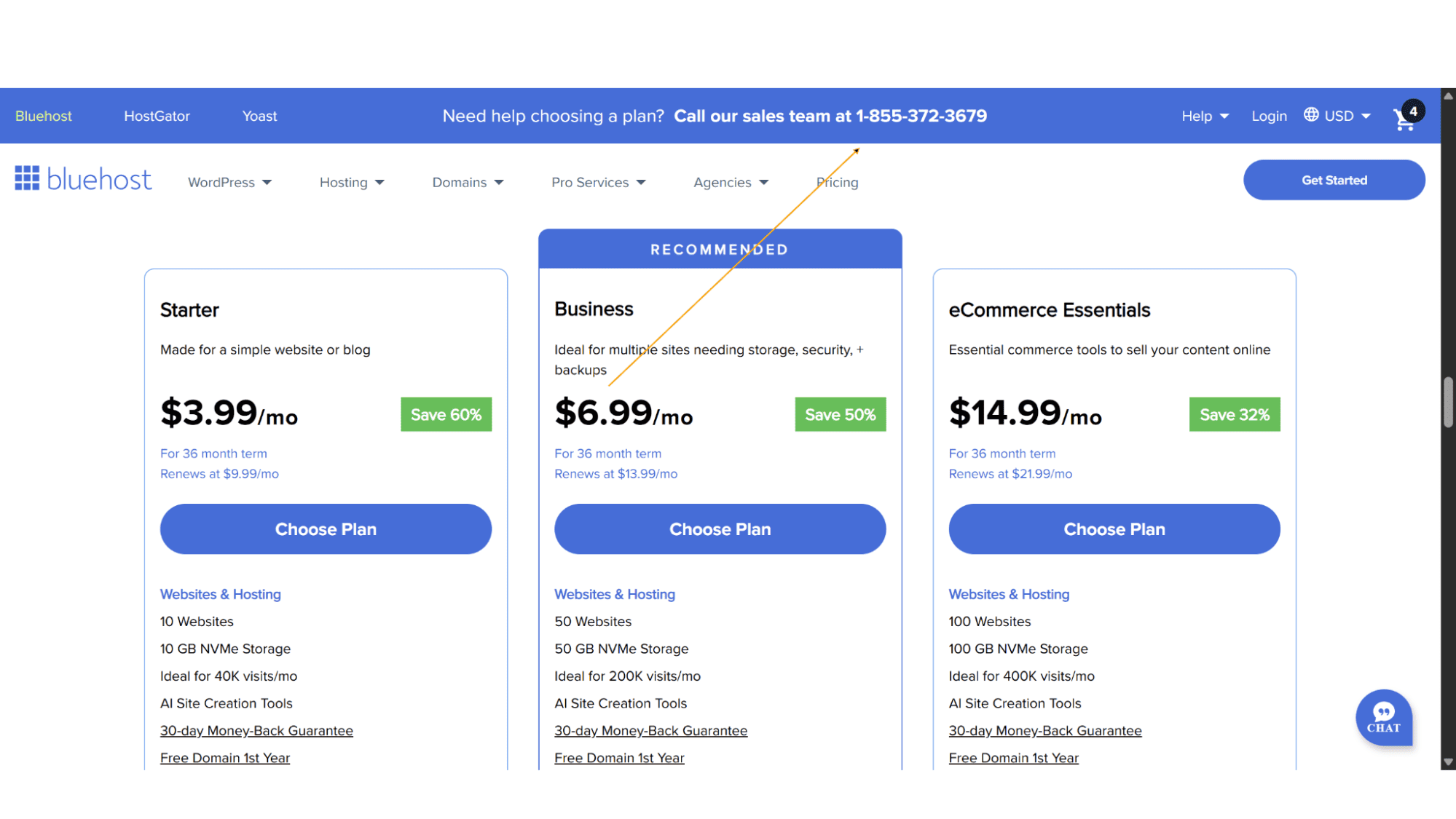
Calls are answered within seconds by genuinely knowledgeable technical support agents that will patiently walk you through fixes, from server-level configurations and database diagnostics to basic POP/IMAP email settings. The ability to have a real-time conversation, to ask follow-up questions immediately, and to hear a calm, professional voice is a massive stress-reliever (especially for newbies).
So, while the phone support is a powerful tool in Bluehost's support arsenal, it’s not available around the clock, and sometimes you will be forced to get hold of them via live chat, rather than a phone call.
3. The Knowledge Base
Before you even think about contacting one of their agents, you should maybe explore the Bluehost Knowledge Base, as it can definitely be worth your while. It’s an extensive, well-organized, and surprisingly detailed collection of support articles. The articles are well written and provide step-by-step tutorials, complete with screenshots and videos, to most of the common issues you might encounter. Whether it's configuring email clients, understanding CDN settings, or troubleshooting WordPress errors, the information is there, at your disposal. One of the best knowledge bases I have seen!

Now that we have looked at what channels they offer, let’s take a look at the two they lack.
Most providers offer basic email support, where you can send an email to a support address as soon as you run into problems. Their tech agents normally then respond back on email if it is a quick fix, or convert that email into a support ticket, of which users can keep track of the progress from within a client dashboard. Well, Bluehost doesn’t offer this. If you thought you could send them a quick mail, or view all your past support tickets, or even keep track of updates on new tickets – you are out of luck!
This is one area where I feel a hosting giant such as Bluehost dropped the ball. But luckily, their other channels function very well so one can probably overlook this.
My Real-World Verdict
Is Bluehost Support Actually Good?
After all this testing and interaction, the question remains: does Bluehost support live up to its massive presence in the hosting world?
My answer would be yes. Bluehost offers a robust, multi-layered support system that is far superior to budget providers who only offer email, and sometimes live chat support. The presence of phone support alone is a massive benefit, providing a crucial lifeline for panicked users, and the knowledge base is excellent. However, the system isn't perfect. The lack of email support and support tickets is disappointing.
My Bottom Line
Bluehost support in 2025 is solid, reliable, and well-structured. It’s not the absolute best in the industry, and there’s a very noticeable lack of email support and support tickets, but it is still very good, especially for the price point. For a beginner, the array of contact options, particularly the phone and live chat support, provides essential peace of mind.
If you’re looking for a new host and prioritize having multiple ways to contact support, including that vital human voice on the phone, Bluehost is a very strong contender. Just go in with the right expectations: use the knowledge base first, use chat for quick fixes, and pick up the phone for the tougher problems. For the vast majority of website owners, Bluehost’s support will be more than adequate to keep your digital presence running smoothly.








