



For more details on other services and a closer look at Bluehost, check out the articles below.
Objective expert review Bluehost.com
Bluehost Cloud Hosting Review 2025
Bluehost is one of those very recognizable names in the web hosting world, especially when it comes to getting a domain registered, a WordPress site going, or standard shared hosting plans and email solutions. But one thing that often goes unnoticed in their vast array of solutions is their cloud offerings. When your personal blog or business website starts getting serious traffic, or your small online ecommerce store begins to get regular sales, that's when you probably should start eyeing the next tier of hosting. It is usually in these moments that you realize you need more power, more stability, more... well, oomph, in terms of hosting.
That is exactly where Bluehost's Cloud Hosting plans are supposed to come in. Over my years as a web developer and IT professional, I have seen hosting providers come and go, and I've had my fair share (more than is good for any person) of late-night panic attacks when a server decides it has had enough and refuses to cooperate. So, when I set out to evaluate Bluehost's cloud solutions for this 2025 review, I wasn't just looking at their spec sheet, but rather at how they rate as a real-world partner for growth.

What is Bluehost's "Cloud" Hosting Actually?
This term can be confusing, and in the hosting world, "cloud" can actually mean a couple of different things. With hosting giants, such as AWS and Google Cloud, it often implies a very complex, and more often than not, pay-as-you-go infrastructure built for developers who thrive working with command lines. Bluehost, however, takes a different, and frankly, more accessible approach to “Cloud”.
Their cloud hosting is a managed, resource-isolated environment. One can think of it as a powerful middle ground. It's not a single physical server (the old-school way), and it's not a hyper-scalable, developer-centric option either. Instead, their cloud solutions use a cluster of servers to power your site, which means if one hardware component has an issue, others can step in. This built-in redundancy is the core of its reliability promise. Your site's resources (CPU, RAM, storage, etc.) are dedicated to you, so you're not fighting for power with other users on a shared server.
The "managed" part is very important, as it means that Bluehost handles all the underlying server maintenance, security patches, and core software updates. For the website owner who understands the value of powerful hosting but has no desire to become a part-time system administrator, this is a godsend. It’s a solution built for the SMB owner, the ambitious blogger, or the freelance developer managing a portfolio of client sites, not for a Fortune 500 company building a custom, headless computing architecture.
Bluehost Cloud Hosting Plans Overview
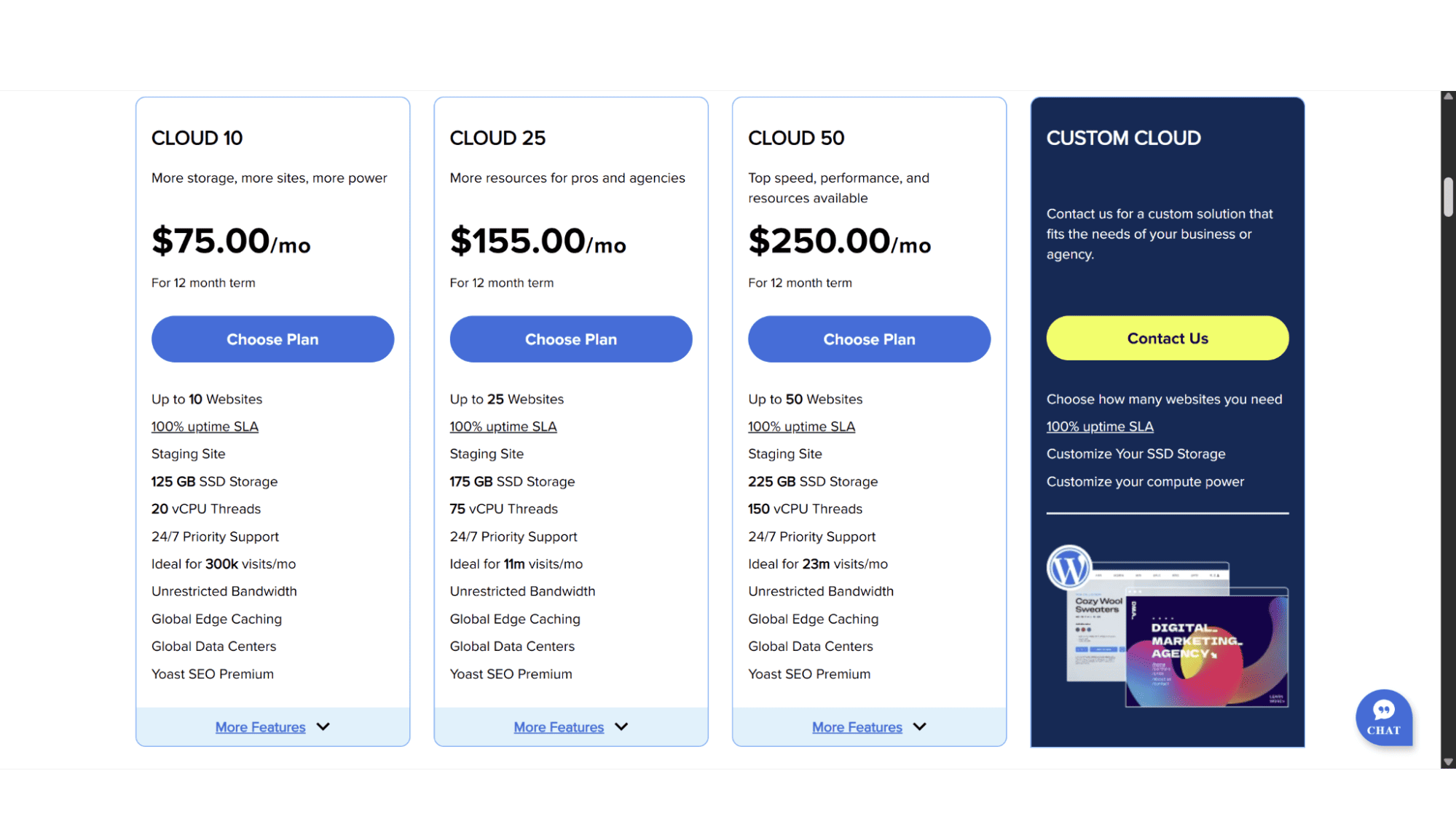
Bluehost offers potential customers three cloud hosting options to choose from, the Cloud 10, the Cloud 25, and lastly the Cloud 50. At the time of writing, all these plans came standard with a 100% uptime guarantee, automated backups, a free SSL certificate, super-fast SSD storage, and unlimited bandwidth. Let's take a look at what each one offers:
1. The Cloud 10 Plan
Priced at $75 per month with a 12-month term (remember, these often increase a lot when it comes up for renewal – so also keep that in mind), this plan is your entry ticket to their Cloud hosting. I see this as the perfect upgrade path for someone on a shared plan whose site is beginning to feel the strain and has the extra cash to spend. This plan includes:
- 20 vCPU Threads;
- 125GB SSD Storage;
- A limit of 10 websites.
This plan is a meaningful step up from shared hosting, but also a lot more expensive. It provides that crucial resource isolation that can be the difference between your site staying online during a traffic surge or crashing embarrassingly.
2. The Cloud 25 Plan
This is, in my personal and professional opinion, where the Bluehost cloud offering starts to get really interesting. The Cloud 25 plan is designed for those users who is past the "we are getting started" phase, and is now actively building a proper, high-traffic online business presence. It includes:
- 75 vCPU Threads;
- 175GB SSD Disk Space;
- A Limit of 25 Websites.
If costs aren’t an issue, then this Cloud 25 will most likely hit the sweet spot. It's powerful enough for a successful e-commerce store, or even a popular publishing site, and the limit of 25 websites also makes it a cost-effective option for developers.
3. The Cloud 50 Plan
This plan offers top speed, performance, and resources, and is suited for sites with roughly 23 million visitors monthly. It comes with:
- 150 vCPU Threads;
- 225GB SSD Storage Space;
- A Limit of 50 Websites.
For anyone running a business-critical website, this plan is the one you should consider. It offers plenty of SSD hosting space and excellent performance. Suited for agencies or high-traffic websites.
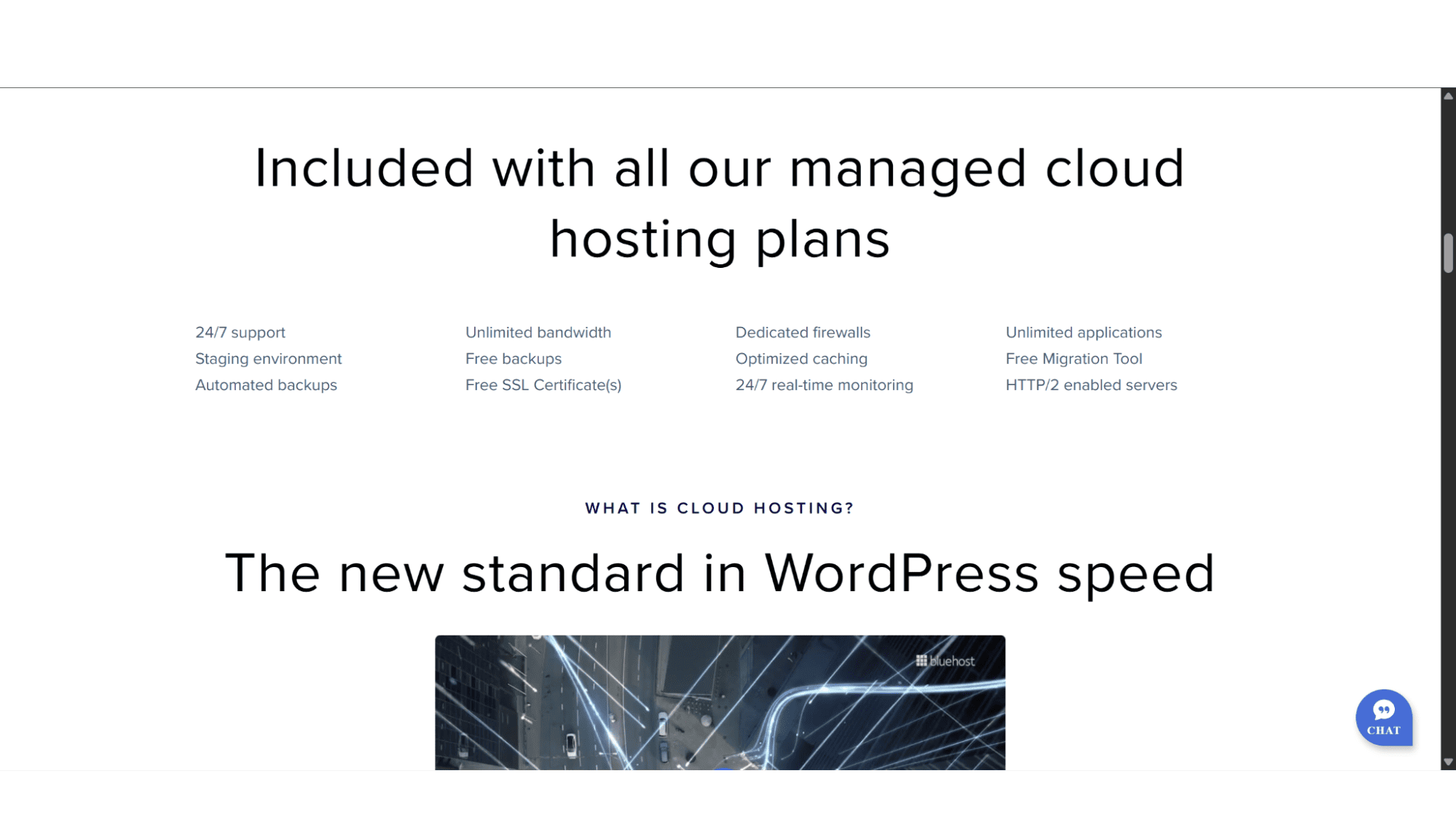
Key Features:
- 100% Uptime Guarantee;
- Fast SSD Storage;
- Good Security;
- Global CDN (Content Delivery Network);
- Unlimited Bandwidth;
- Automated Backups;
- LAMP stack (Linux, Apache, MySQL & PHP).
Registration:
To sign up for their Cloud hosting plans are really quick and easy. Simply go to their website (www.bluehost.com) and click on “Hosting” in the top main menu. It will then display a dropdown menu, and you will then click on “WordPress Cloud Hosting”. On the Cloud Hosting page you then need to decide which plan suits you best, and then click on “Choose Plan”, which will take you to the Cart page where you can choose your billing cycle – options include 1 Month, 1 Year, 2 Years, or 3 Years. The final step is then to enter your personal details and payment method on the last page to complete the checkout process.

The entire process, from landing on the page to having a live hosting account, can take less than five minutes. It’s designed to be frictionless, and it absolutely is.
Managing Your Bluehost Cloud Plan:
Some online reviews claim that users make use of cPanel to manage their cloud hosting plans with Bluehost – this is unfortunately not correct, as cPanel isn’t even included in these plans.
Bluehost’s Cloud plans are designed for WordPress, so all management of your site will be from within the WordPress dashboard itself. You take care of the site, and they take care of the server it is hosted on (fully managed).
Security:
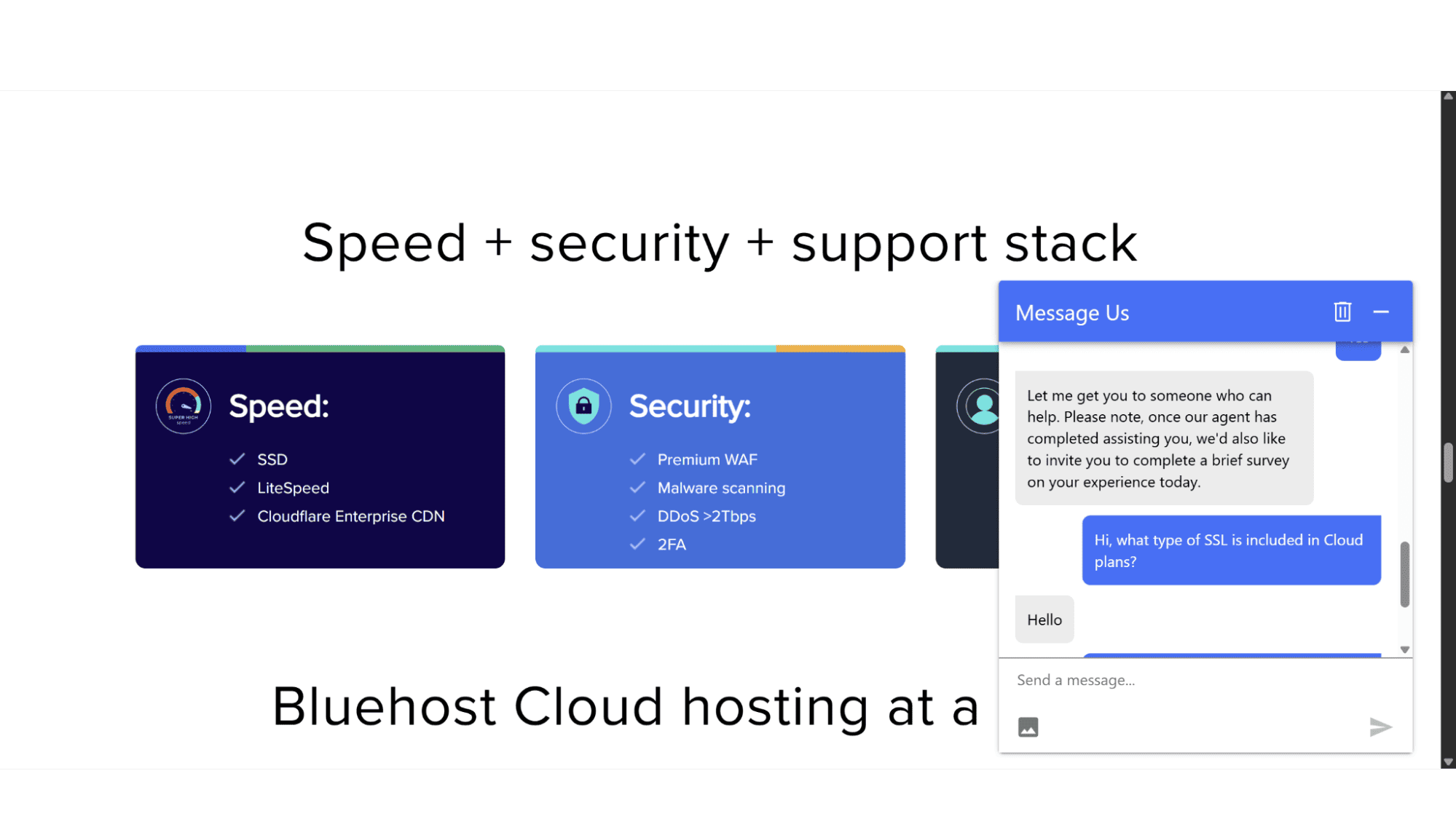
Right out of the gate, they arm you with a free Let's Encrypt SSL certificate and enable HTTP/2, so your data is encrypted. But the real peace of mind comes from the layered security measures that operate behind the scenes. They include dedicated firewalls that work in tandem with a Web Application Firewall (WAF), as well as DDoS attack protection to defend up to 2TBps of malicious traffic. For your own login, they offer two-factor authentication (2FA). Excellent security measures all round!
Support:
This is a big one. Bluehost offers 24/7 support via live chat and phone. In my experience testing their cloud support for this review, I found the agents to be very responsive and more than capable. For the target audience of these managed cloud plans (which is WordPress users), the support is generally adequate, and if you're the DIY type, their knowledge base is no afterthought – it comes packed with clear, step-by-step guides that cover virtually every common headache you might run into.
| Pros: | Cons: |
|
|
My Final Verdict
Who is Bluehost Cloud Hosting For?
After looking at what exactly they offer and what they include, I can confidently say that Bluehost Cloud Hosting is an excellent option, but for a very specific audience. It is very expensive, certainly not suited for the enterprise giants building a headless computing monolith, and it's not for the hobbyist with a simple blog either.
In my opinion, Bluehost’s Cloud plans are perfect for small to medium-sized business (SMB) whose websites have outgrown shared hosting and needs guaranteed performance and reliability, successful WooCommerce store owners who needs a stable, managed platform to ensure their revenue isn't lost to downtime, or freelance web developer or small agencies looking for a powerful, cost-effective platform to host multiple client websites on a single, simple plan.








