



To learn more about other services and read a detailed review of Kamatera, check out the posts below.
Objective expert review Kamatera.com
Kamatera VPS Hosting Review 2025
Unmatched Customization for Tech-Savvy Users.
If you’ve run a successful business website (or personal domain for that matter) that keeps growing and starts to outgrow the shared hosting that it is on, you're faced with a choice. Either go with a managed VPS server from a big-name company like InMotion and pay the pretty penny they charge for their services, or give one of the lesser-known providers like Kamatera, which might just turn out to be a diamond in the rough, a go. I recently got the opportunity to try out Kamatera’s VPS plans to evaluate and see where exactly they fit in this landscape for 2025, and this is what the review is about. The results I found were, frankly, eye-opening, so keep reading to get the full low-down.
Firstly, a bit about me - This isn't my first rodeo. I've set up servers with everyone from DigitalOcean to Linode, Bluehost and more. But Kamatera presents a different proposition entirely. They aren't just selling pre-packaged plans like the ones you find most providers offer these days but rather offer you the choice to sign up for a standard configuration, or build your own server from scratch. This option is basically a blank canvas with an incredibly powerful set of resources to choose from. So, let’s look at what they offer.
Kamatera VPS Plans Overview
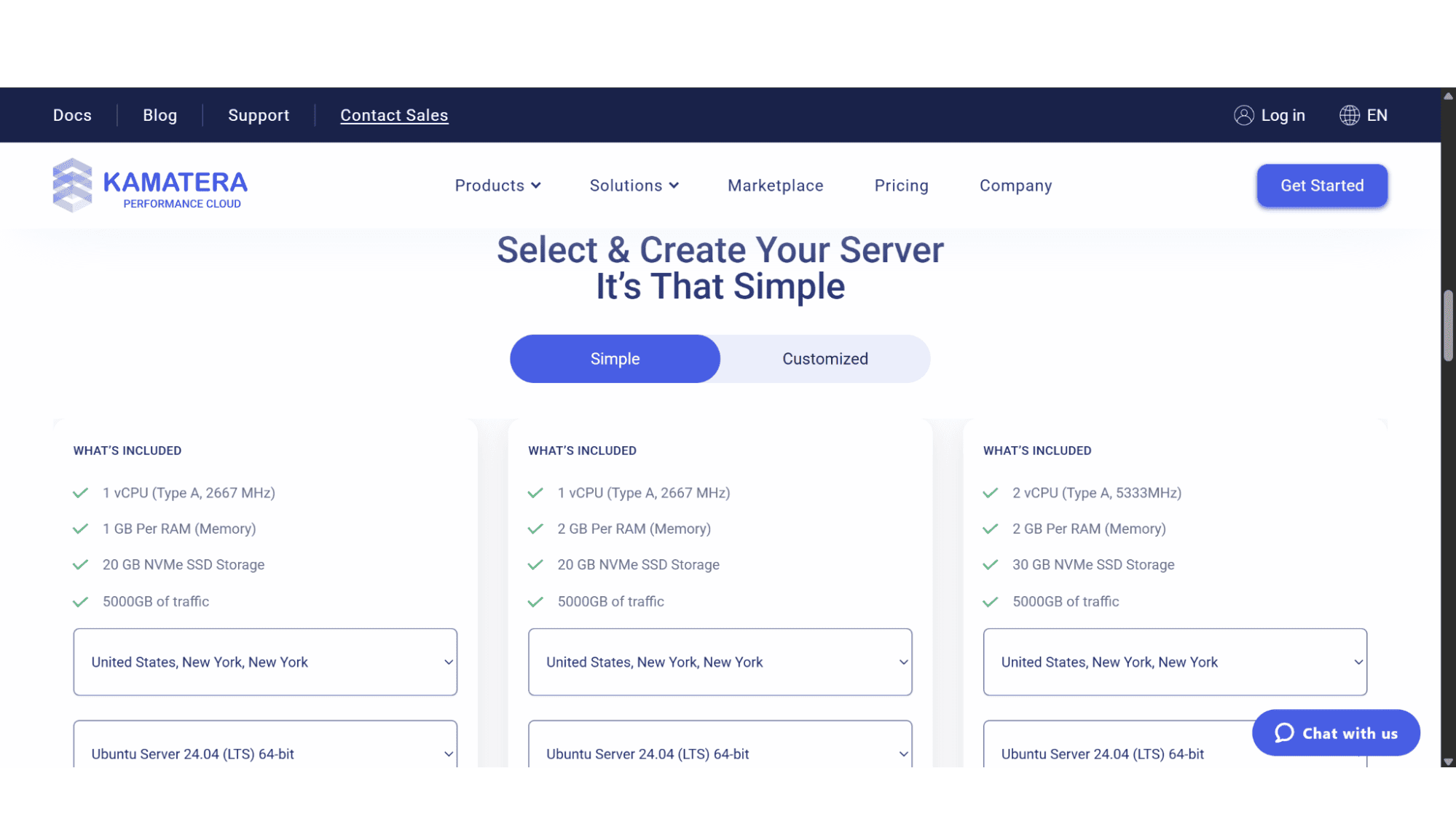
When you sign up with this provider, you have options galore when it comes to choosing a VPS plan. As mentioned before, they sell pre-packaged plans, ranging from 1x vCPU, 1GB RAM, and 20GB NVMe SSD disc space on their entry-level VPS option that comes in at a mere $4 a month, which is cheaper than most shared hosting plans on the market, up to 4x vCPU, 16GB RAM, and 100GB NVMe storage space on their top-tier option that sells for $80 per month. These plans are all fully managed, which means besides focussing on your business, you barely have to lift a finger in terms of configuration, optimization, migration, monitoring, backups, and security, as that is handled by their team of cloud experts. The plans also offer multiple hosting locations that range from the USA, Europe, to Asia and Australia, and come in both Linux and Windows based options.
Their custom configuration tool, however, is the option that stands out for me personally. It allows you to build your own server by choosing the amount of CPUs, RAM, and NVMe storage you require. It is also scalable, meaning you can change the resources on the go, without hassle.
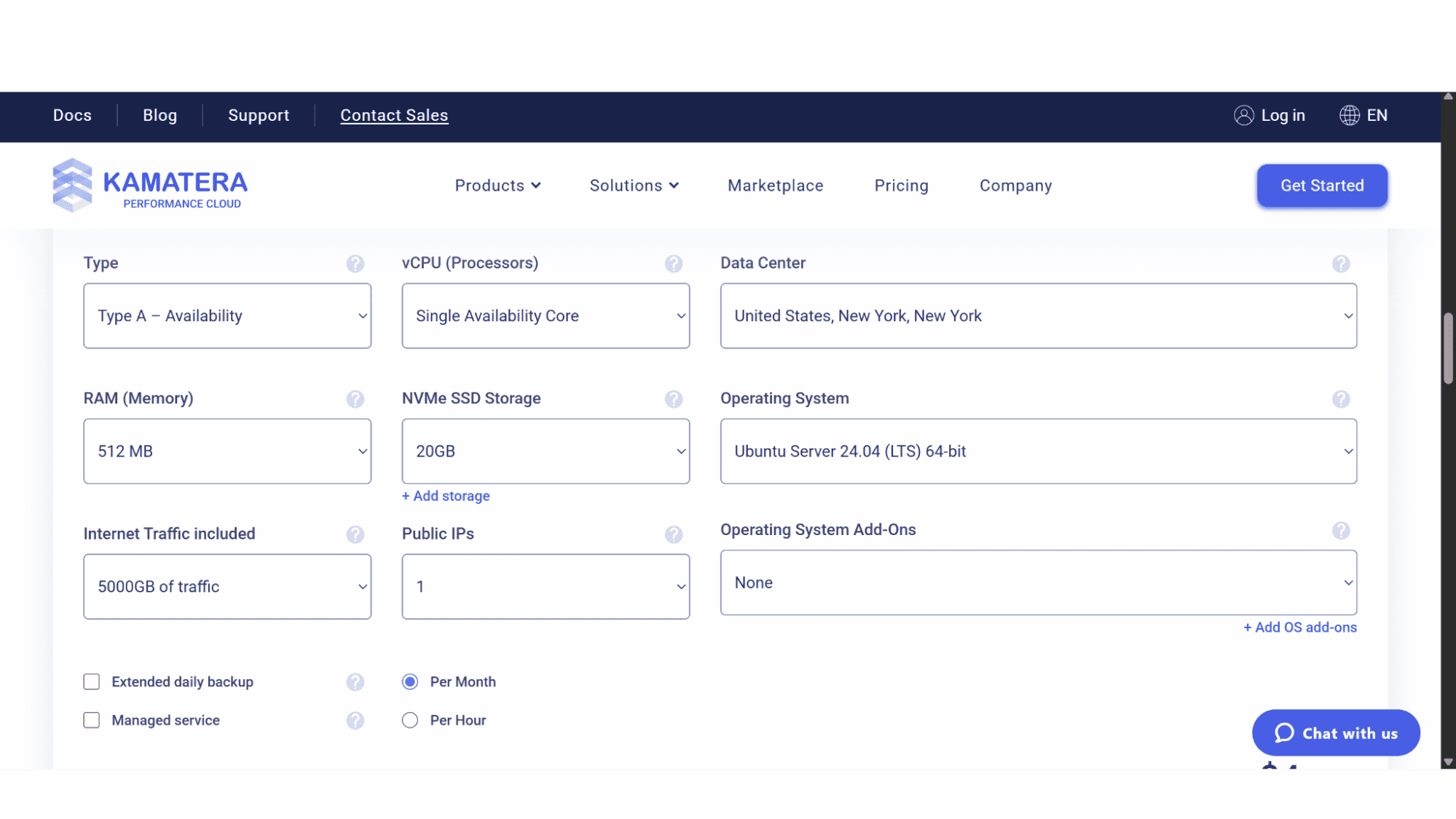
Here’s what you get to customize, with startling flexibility:
- vCPUs: Choose from 1 to 32 virtual CPUs.
- RAM: Scale from 512MB all the way up to 128GB.
- NVMe SSD Disk Space: Start with 20GB and go up to 4000GB. The performance here is fantastic.
- Operating Systems: They offer a massive library of options, including CentOS, Ubuntu, Debian, AlmaLinux, RockyLinux, Linux Mint, FreeBSD, and crucially, various Windows Server versions, such as Windows Server 2016, 2019, 2022, and 2025.
This makes Kamatera VPS an excellent option for those needing a Microsoft environment.
Traffic: Bandwidth starts at 1TB/month and can be scaled to 5TB, which is generous.
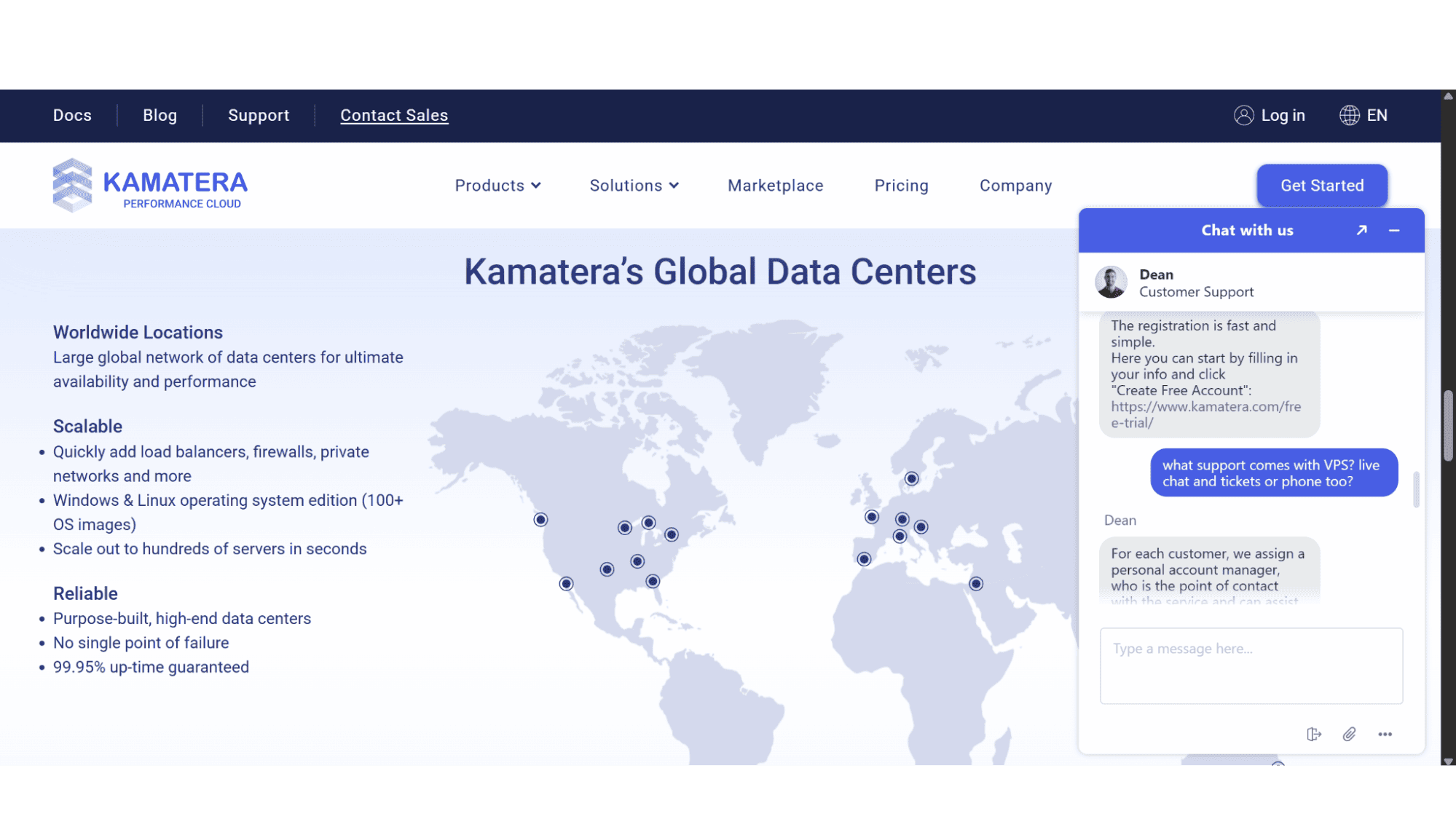
Datacenter Location: Pick from a global network of 20 data centers spanning four continents.
The Purchase & Registration Processes
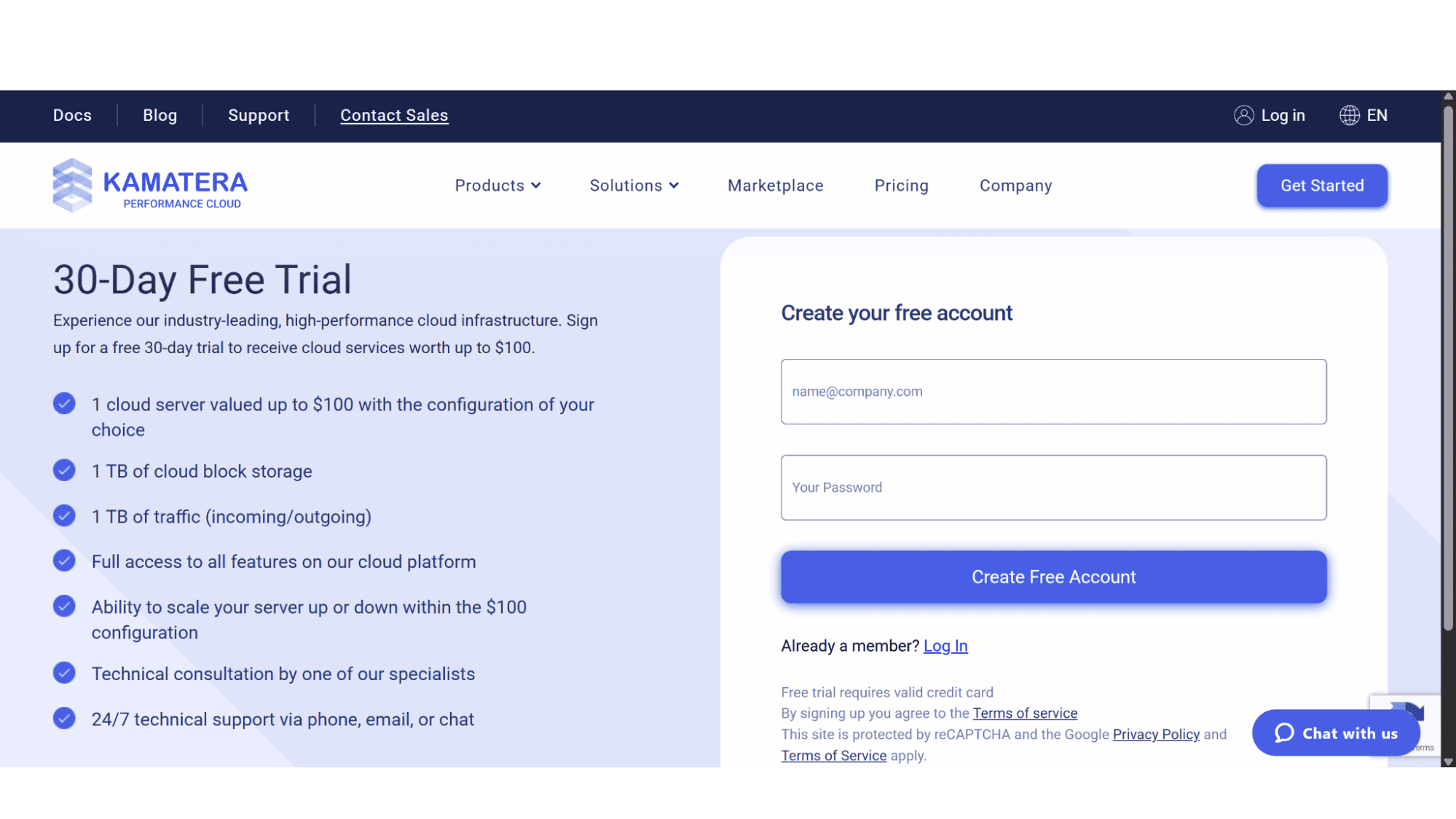
To get started with their VPS plans is a fast and easy process, although it can be a bit confusing (for me at least it was). Instead of clicking on the “Create Server” button below any of their plans, users should first create their 30-day free account by navigating to https://www.kamatera.com/free-trial/, and entering your email address and preferred password. Clicking on the buttons before this will just refresh the page.
As soon as you have created your free account, their system will send a verification email which will grant you access to their user dashboard if verification went through successfully. When you then first login, you will be prompted to add a billing profile before creating your server.
Once inside, you can deploy a new server in under a minute. The ability to create custom server images, load balancers, and firewalls all from the same interface is impressive. However, for a beginner, the sheer number of options can be overwhelming, and I would advise to start with one of their set plans. Also, if you don't know what a private network segment is, you'll probably never need to touch it. This is a dashboard built for developers and sysadmins, not for someone looking for a one-click WordPress install.
Key Features
- Scalable Fully Managed or Unmanaged VPS Servers;
- High-Performance NVMe Storage Drives;
- 30-day Free Trial;
- Huge Array of Operating System Option;
- Choice of 20 Data Center Locations;
- 99.95% Uptime Guarantee;
- Full Root Access.
Security:
Their infrastructure is highly secured as they are hosting only with reputable data centers such as Equinix and Digital Reality, and all these locations comply with ISO, PCI DSS, SOC1, SOC2, or higher quality and security protocols. Windows VPS plans by default comes with Anti-Virus, Firewall and Windows Defender, but is important to note that Linux based servers don’t include this and it will cost extra. Same goes for daily backups (Windows & Linux).
Support:
This is an area where they truly shine. For each of their VPS customers they assign a personal account manager, who is the point of contact should anything go wrong, or even if you just need clarity on something. They will assist swiftly with any possible issue or question. In addition to this, Kamatera also offers 24/7 (free) tech support via email and phone. Their agents comes across as professional and well-trained.
What’s INCLUDED in your base price
This is the most important part of any Kamatera VPS review. Understanding their model is key to avoiding surprise costs.
Control Panels: This is a huge one. cPanel, Plesk, or any other commercial control panel is not included. You have to license it separately, which can easily add $15-$30 per month to your bill.
Daily Backups: If you want automated daily backups (which you absolutely should), you must be prepared to an additional monthly cost.
IP Addresses: Additional IPs cost extra per month.
The Verdict
Who is Kamatera VPS For in 2025?
After taking everything into consideration, my conclusion is that Kamatera’s VPS options are suited for most, but definitely not for everyone.
I would say yes, if:
- You are a developer, DevOps engineer, or have solid system administration skills.
- You need to host multiple complex applications or specific software stacks and require fine-tuned control over the environment, perhaps using Docker.
- You need to run a Windows-based application server.
- Your project has unusual resource requirements that don't fit standard VPS plans.
- You want to take advantage of their free trial to build a proof-of-concept.
Maybe not, if:
- You are a small business owner who just wants to host a website and doesn't want to deal with server security and additional costs that comes with it.
My Bottom Line:
The reviews praising Kamatera's power and flexibility are spot on. It’s an incredibly powerful and scalable platform with transparent pricing. There's no magic coupon needed - the value is in the raw resources you pay for. The cons are equally clear, what could seem as an affordable VPS option can quickly become very costly when one needs to add custom cloud firewalls, daily backups and more, services not included in their Linux-based plans.
For the right user, the technical user, Kamatera VPS hosting is arguably one of the best values in 2025. For everyone else, their set plans are equally good, but be prepared to fork out a lot more for security as their website’s pricing doesn’t reflect the true cost.








