



To explore additional services and read a comprehensive analysis of HostGator, refer to the articles listed below.
Objective review HostGator.com, user reviews
HostGator Domain Registration Review 2025
Is It a Domain Registrar Giant or a Pitstop?
When you need to start building a website, the very first step you will do is laying claim to your own little piece of the internet, your very own unique domain name. This will be your address, your brand, and your first impression all rolled into one. And just like web hosting, the domain registration landscape is a very crowded one with providers promising the world just as they compete for your attention. They often display low introductory prices, free privacy, and seamless management. But as anyone who's ever tried to move a domain between registrars can tell you, the sign-up process is the easy part, and the test of a registrar is what happens down the line, like when you need to tweak settings or transfer away from them.
I’ve registered domains with everyone from GoDaddy and Namecheap over the years, and even with some of the smaller, lesser-known names in the industry, managing portfolios for everything from personal blogs to client e-commerce sites. In this hands-on review, I’m putting HostGator’s domain services under the microscope. We’ll cover everything from the initial hostgator domain search to the intricacies of a hostgator domain transfer, both to and from their platform.
What Are You Actually Getting with a HostGator Domain?
When you perform a hostgator domain search and decide to buy, you're not just renting a name for a year. You're purchasing a service package. Based on the details from their domain registration page, here’s the breakdown of what’s included and, just as importantly, what isn't when you complete a hostgator domain registration.
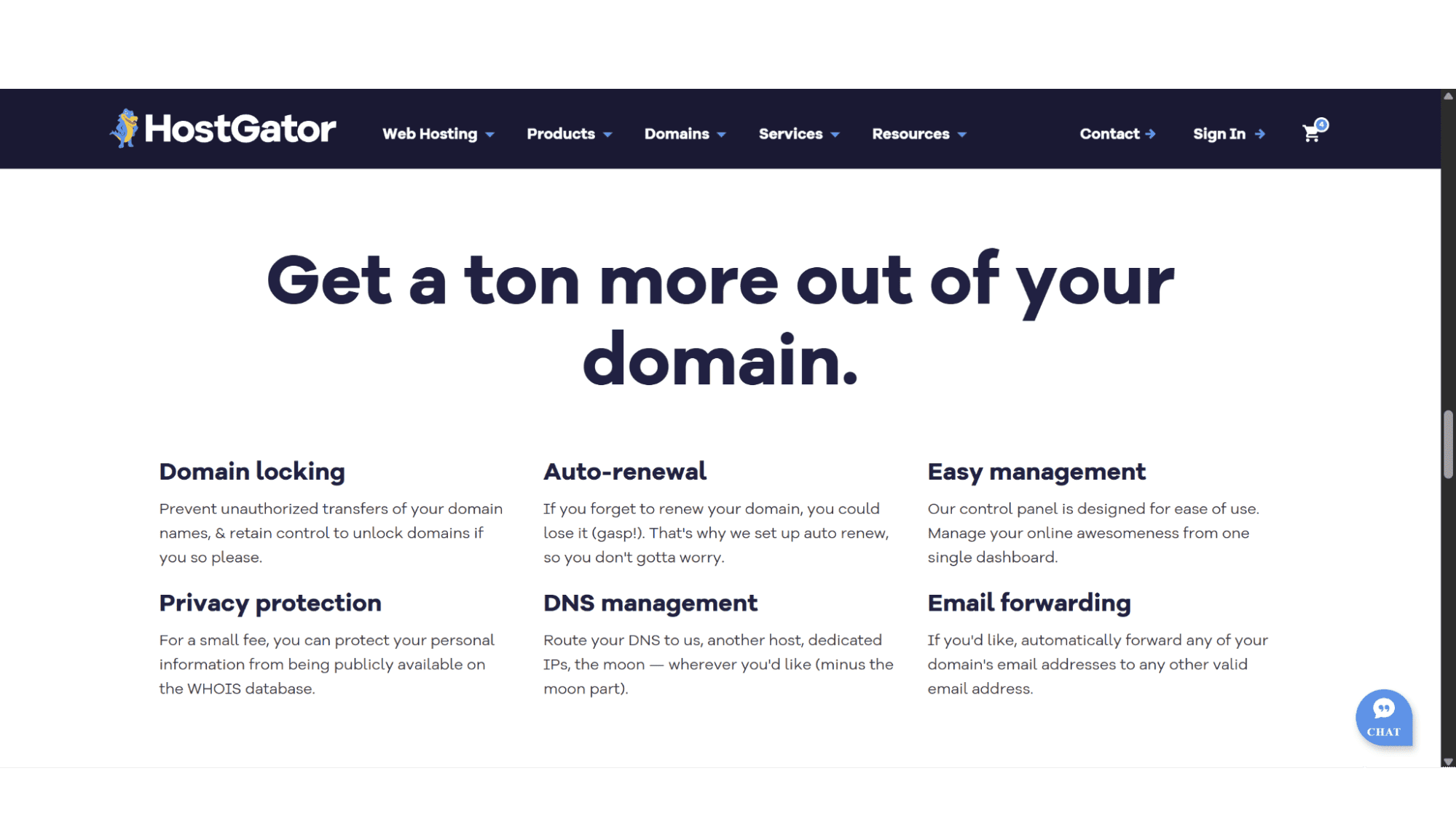
What Does HostGator Included with Domain Registrations:
Domain Privacy: This is a big one, but unfortunately not entirely free of charge as you do need to pay them a small fee for this feature. This basically hides your personal contact information in the public WHOIS database, which reduces the amount of spam one receives, as well as unsolicited contacts – In my opinion it is well worth paying that small fee for this function.
Easy Domain Management: Their control panel gives you access to all your DNS settings, options to create or delete subdomains, as well as tools to create and manage email addresses.
Domain Locking: They advertise this as if it is something special – most providers worth their salt, if not all of them has them in place by default anyway. What this does is to automatically “lock” your domain so that someone else can just transfer it away.
Domain Auto-Renewal Protection: You can enable auto-renewal to avoid the nightmare of accidentally losing your domain if it expires. Just be sure to disable this if you would like to part ways with it otherwise you will get billed.
Email Forwarding: Once again, a standard feature that most providers offer. It allows you to automatically forward any of your domain's email addresses to any other valid email address. Quick to do and a very straightforward process.
What’s Not Included or Costs Extra (The Fine Print):
Email Hosting is Separate and will cost you extra: This often creates a lot of confusion, especially for users new to hosting. When you register your domain with HostGator, it does not automatically come with professional email accounts at your domain name (you@yourdomain.com). Although you can purchase this service separately, but it is often bundled with their web hosting plans, which most people that register a domain will eventually signup for anyway.
High Domain Renewal Rates: The initial HostGator domain price is often a very attractive, but, as with most of their other products, their standard renewal rates are significantly higher, which I will discuss more in the cons section later on in this review.
Search & Registration Process
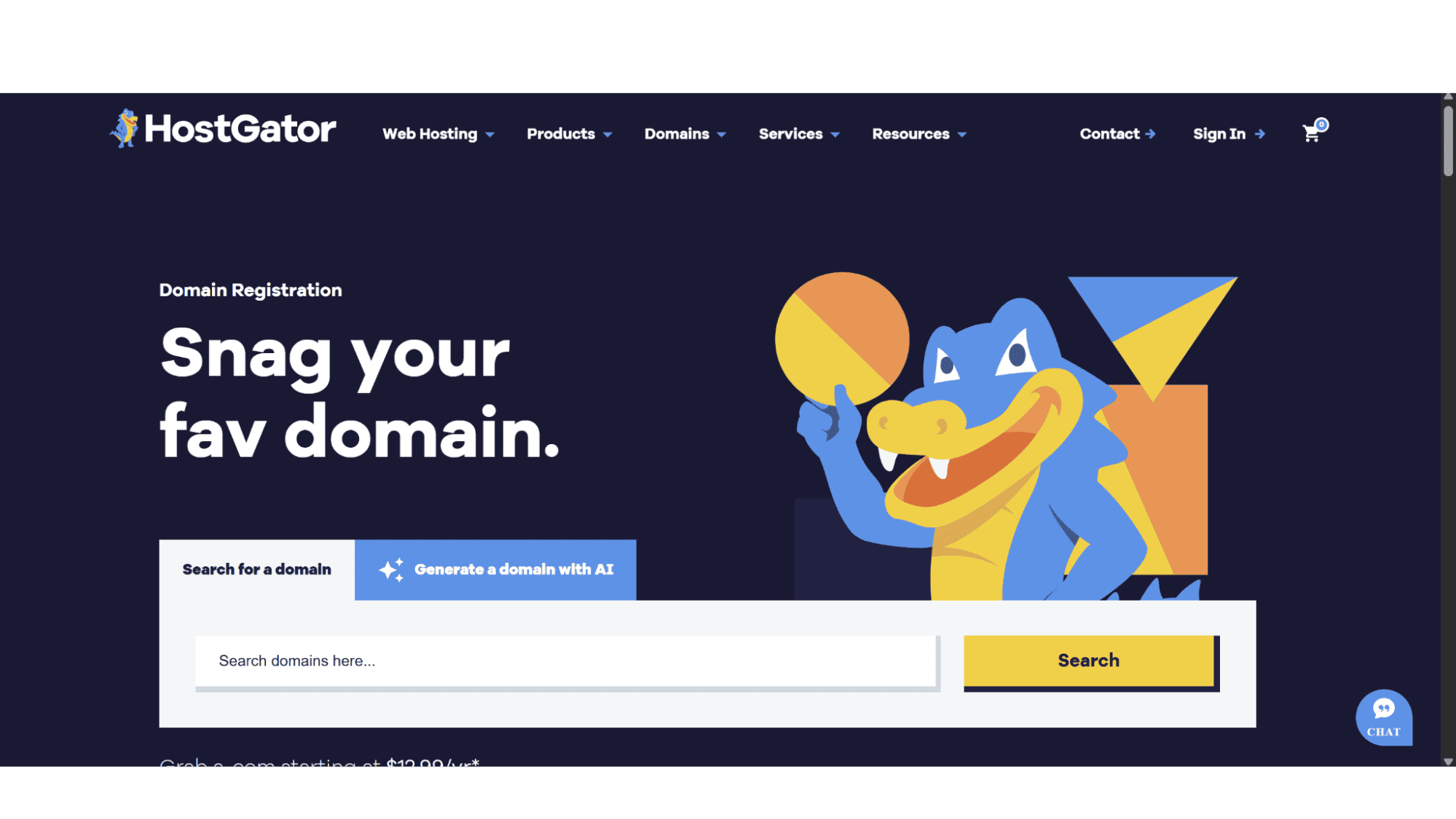
Getting started is super-quick and easy! You just need to open up your browser and head over to their website (www.hostgator.com), then hover over the “Domains” tab in the top main menu, and click on “Register Domains” (it is the only option). Their website will then direct you to their “Domains” page. You will notice a search bar where you can either search for a specific name you have in mind, or you can even use their “AI Domain Name” generator, should you need some help with deciding on one. Within seconds their system will quickly tell you if it's available, and If it's taken, they will provide a solid list of alternatives.
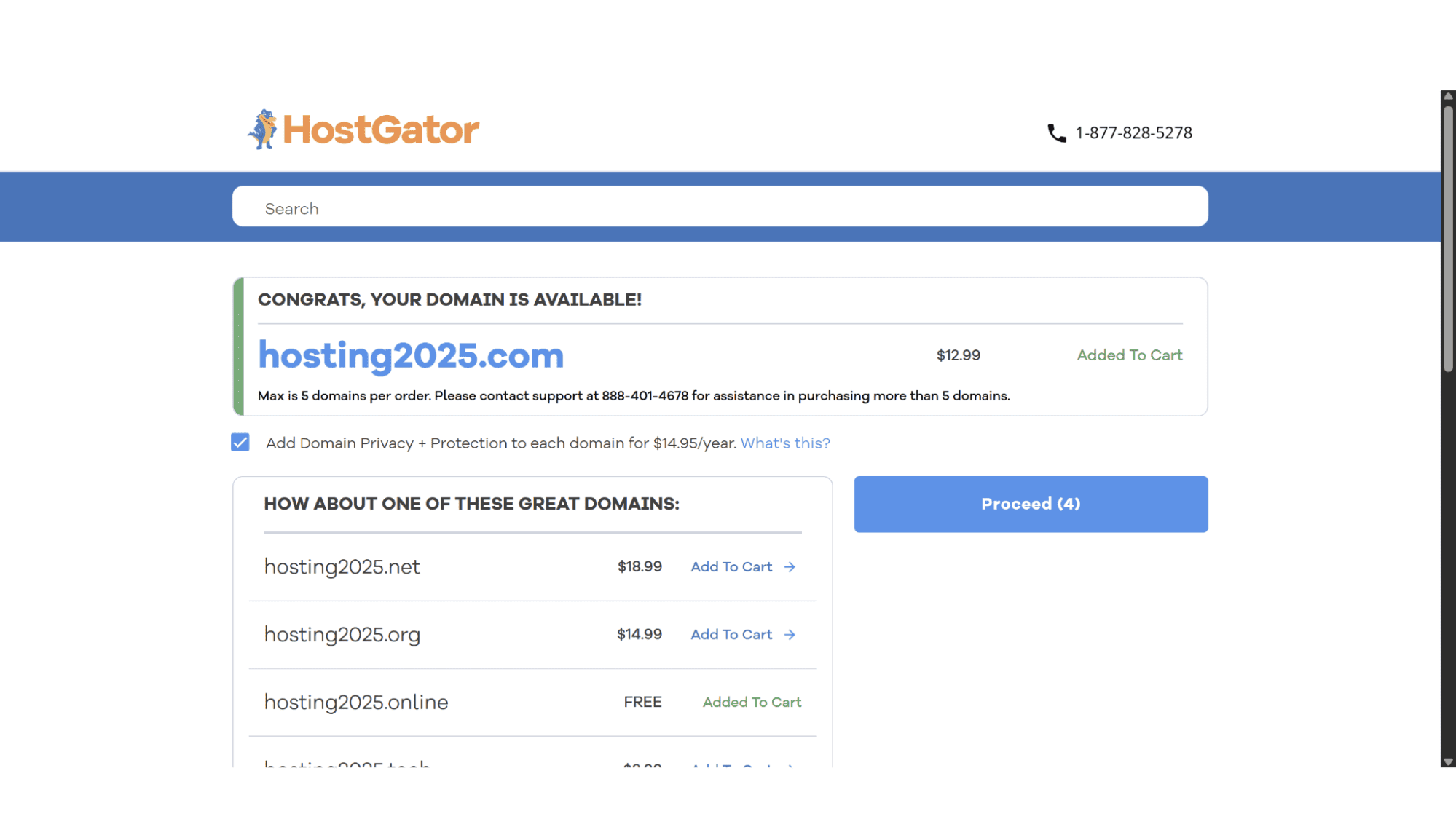
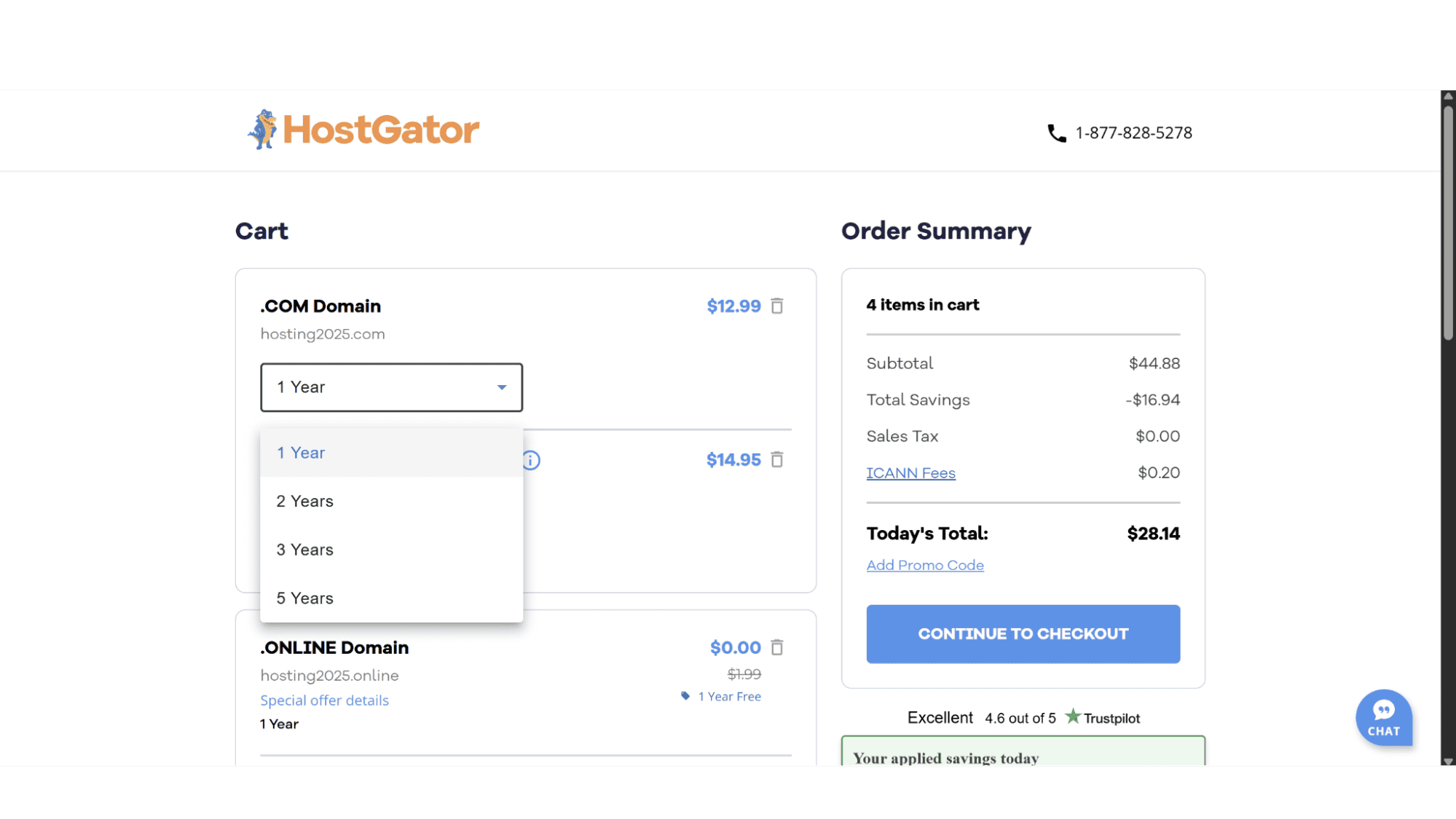
If your name is available, you will be automatically direct to the next page where you can either click on “Proceed” or add even more names (that they will suggest) to your basket. The “Proceed” button will take you to the cart page where you need to select the term you would like to register the name for, with options being 1 year, 2 years, 3 years, or 5 years. The “Continue to Checkout” button will be displayed on the right, and once you have chosen your billing term you need to click that to complete the checkout process by entering your personal and billing details. This whole process takes just a few minutes.
The Control Panel
Once you own the domain, you can manage it from your HostGator portal. The interface is clean and more user-friendly than some of the clunkier, older control panels out there. If you need to point your domain to HostGator hosting (if you bought them separately), you simply edit the nameservers to the ones provided in your hosting account – if you are unsure or worried you might break something, just ask their support and they will gladly help. It’s a simple copy-paste operation that typically propagates across the globe within a few hours. For advanced users, modifying A records and CNAME records is just as accessible.
Moving Domains To and From HostGator
This is where many registrars show their true colors, so let's break it down.
Transferring a Domain TO HostGator
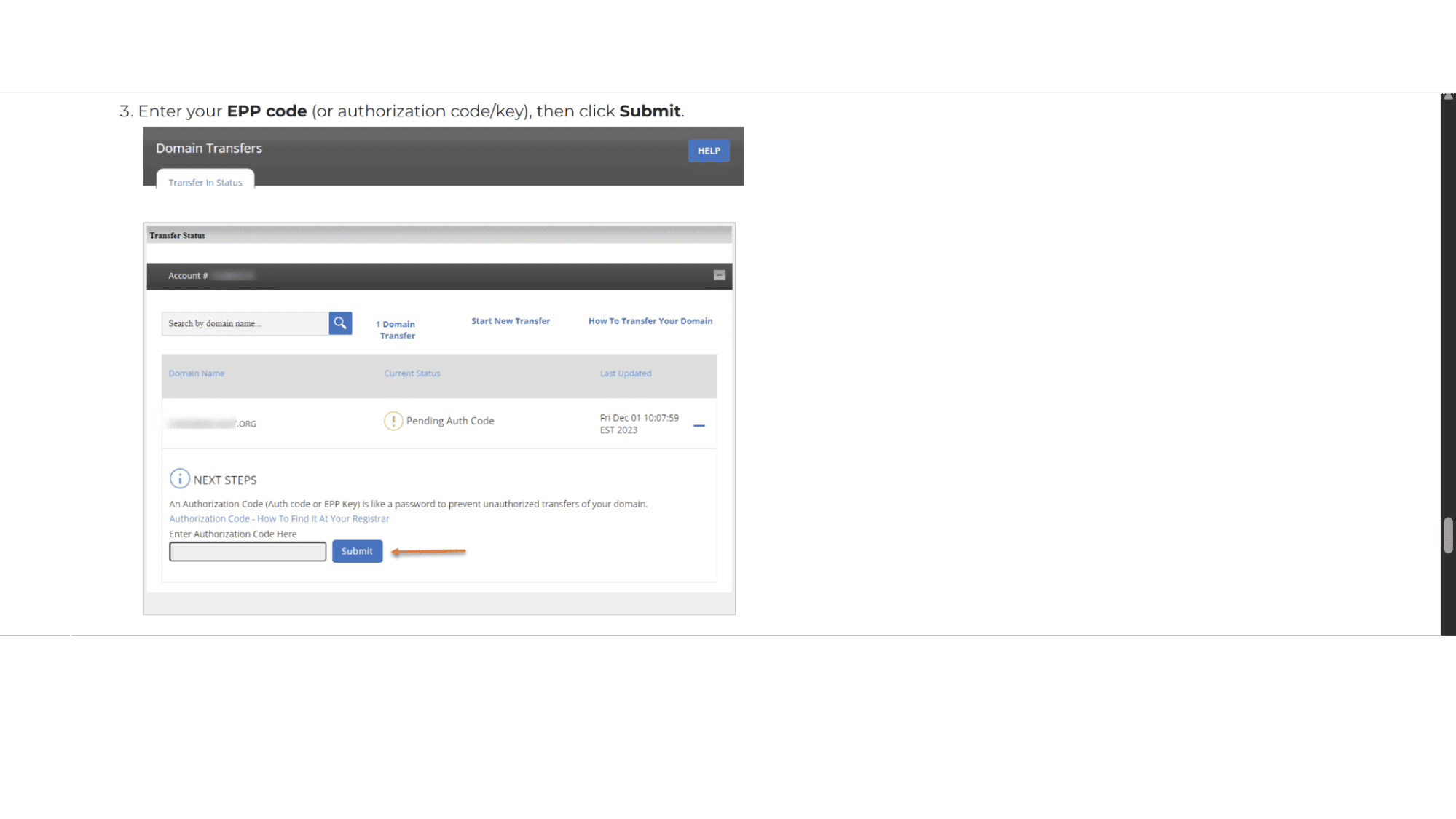
Luckily, the process is well-documented on their site. You can initiate a HostGator domain transfer from within your account panel. They require an Authorization Code (EPP code) from your current registrar and will send confirmation emails to the domain's registered owner. The process is standard and the same with most registrars. One thing users need to be aware of is that the 5-7 day completion time is set by international policy and not HostGator – so don’t get upset with them should this take longer than you hoped.
“Transfer domain from Wix to HostGator” is a very popular search on Google, and it just highlights the specific scenario that many users face. The principle is exactly the same - you unlock your domain at Wix, get the EPP code, and provide it to HostGator – as simple as that! The key is ensuring your Wix account is in good standing, and all invoices are paid, and very importantly, the domain is more than 60 days old, otherwise the transfer can’t be done.
Even if you transfer your domain away from HostGator, you can still keep your website and hosting with them. To get your domain pointing to your HostGator site, you'll first need the name servers from your HostGator welcome email or control panel - they usually look like ns1.hostgator.com and ns2.hostgator.com. Then, log into the account where you bought your domain, like GoDaddy or Namecheap. Find the section for managing DNS or name servers. Replace the current name servers there with the ones HostGator gave you. Save the changes, and that's it – you are all set. Just remember, it can take up to 48 hours for this switch to fully propagate across the internet.
Transferring a Domain AWAY from HostGator:
The “how to transfer a domain away from hostgator” is another very popular search by users. A lot of providers make it as hard as possible to find the correct page, or follow the correct steps to transfer a domain away from them – makes sense as they are losing business and will do anything to try and keep it, but I'm happy to report that HostGator doesn't make it unnecessarily difficult. The process for how to transfer a domain away from HostGator is clear:
1. Log into your account panel on HostGator.
2. Make sure your domain is unlocked.
3. Request your Authorization Code (EPP code) from the domain management section.
4. Provide this code to your new registrar.
The “Transfer domain from HostGator” process is truly hassle free. A clear sign of a reputable registrar.
Domains vs. Hosting
It is very important to understand that a HostGator domain registration and WordPress hosting are two different products. You can buy your domain from HostGator and host your WordPress site anywhere else, or vice-versa.
However, if you want an all-in-one solution, HostGator does offer WordPress hosting plans. These are separate purchases but can be easily linked to your existing domain. Their WordPress plans come standard with WordPress pre-installed.
The Pros and Cons
Having looked at what they offer, here is what I found.
Pros:
Transparent First-Year Pricing: The initial cost to buying your domain from HostGator is very competitive.
User-Friendly Interface: The domain management panel is intuitive and super-easy to use, making it perfect for both beginners and pros.
Straightforward Transfers: They don't play games when you want to transfer your domain away, which builds trust.
Cons:
Domain Privacy: This is a significant value-add and a privacy must-have, but unfortunately it will cost you extra.
High Renewal Prices: This is the biggest drawback. Like many large registrars, the renewal cost can be nearly double the introductory price. You must factor this into your long-term budget.
Upsells at Checkout: While easy to deselect, the checkout process is designed to get you to add on extra services you may not need.
No Standalone Email: The fact that email hosting isn't included with the domain might be a surprise for some first-time buyers.
My Conclusion
Who Should Consider Registering a HostGator Domain in 2025?
So, after looking at all this, what's the final verdict in this “HostGator Domain Registration Review”?
If you're looking for a hassle-free place to register your first domain, especially if you're planning to use HostGator for hosting anyway, it's a solid choice. The easy management is a huge win for beginners and they don’t try to stop you when you need to move away.
However, for domain investors or those with a large portfolio of domains where price is the primary factor, you might find better long-term value with specialized registrars focused solely on domains. The renewal pricing is the main sticking point.
For everyone else, the small business owner, the blogger, the freelancer – HostGator domain services are reliable, user-friendly, and respect your ability to move your property if needed. Just go in with your eyes open about the renewal costs, and you’ll have a perfectly positive experience securing your corner of the web.








