



For more insights into other services and an in-depth look at GoDaddy, take a look at the posts below.
Objective review GoDaddy.com, user reviews
GoDaddy Domain Registration Review 2025
Is The Giant Still King of the Hill?
Let's be honest, when most people think of buying a domain name or getting a hosting plan, one of the first names, if not the first, that pops into their head will be GoDaddy. They have been around for what feels like forever and is the undisputed heavyweight champion of domain registrars, visible everywhere from Super Bowl ads to influencer sponsorships, they spend millions each year to get your attention. But in a market flooded with so many providers and options, does being the biggest name in the game also mean being the best?
I've been registering and managing domains for longer than I care to remember, and I have worked with GoDaddy (as well as other companies) quite extensively, so I do know what I am talking about when it comes to this provider. In this review, I will write what it's actually like to use them for your “GoDaddy domain registration”, from the initial search and registration process, right through to transferring to and from this provider.
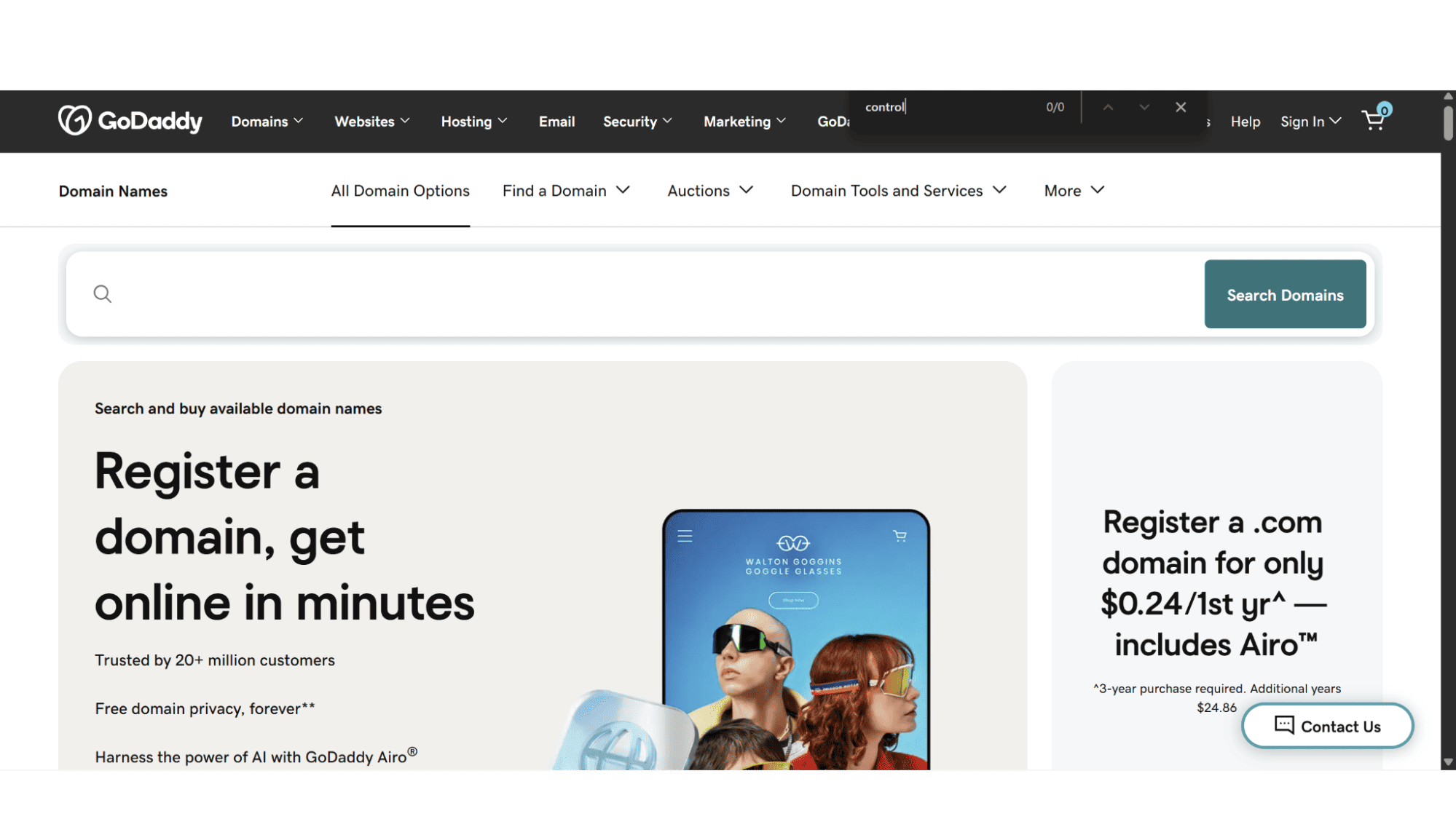
First Look
What is Actually in the Deal with a GoDaddy Domain?
When you sign up and complete your GoDaddy domain registration, you're not just getting a unique name on the internet, you are buying into their ecosystem of products. Based on their current offerings at the time of writing, here is the real deal on what you get and what you'll be paying extra for.
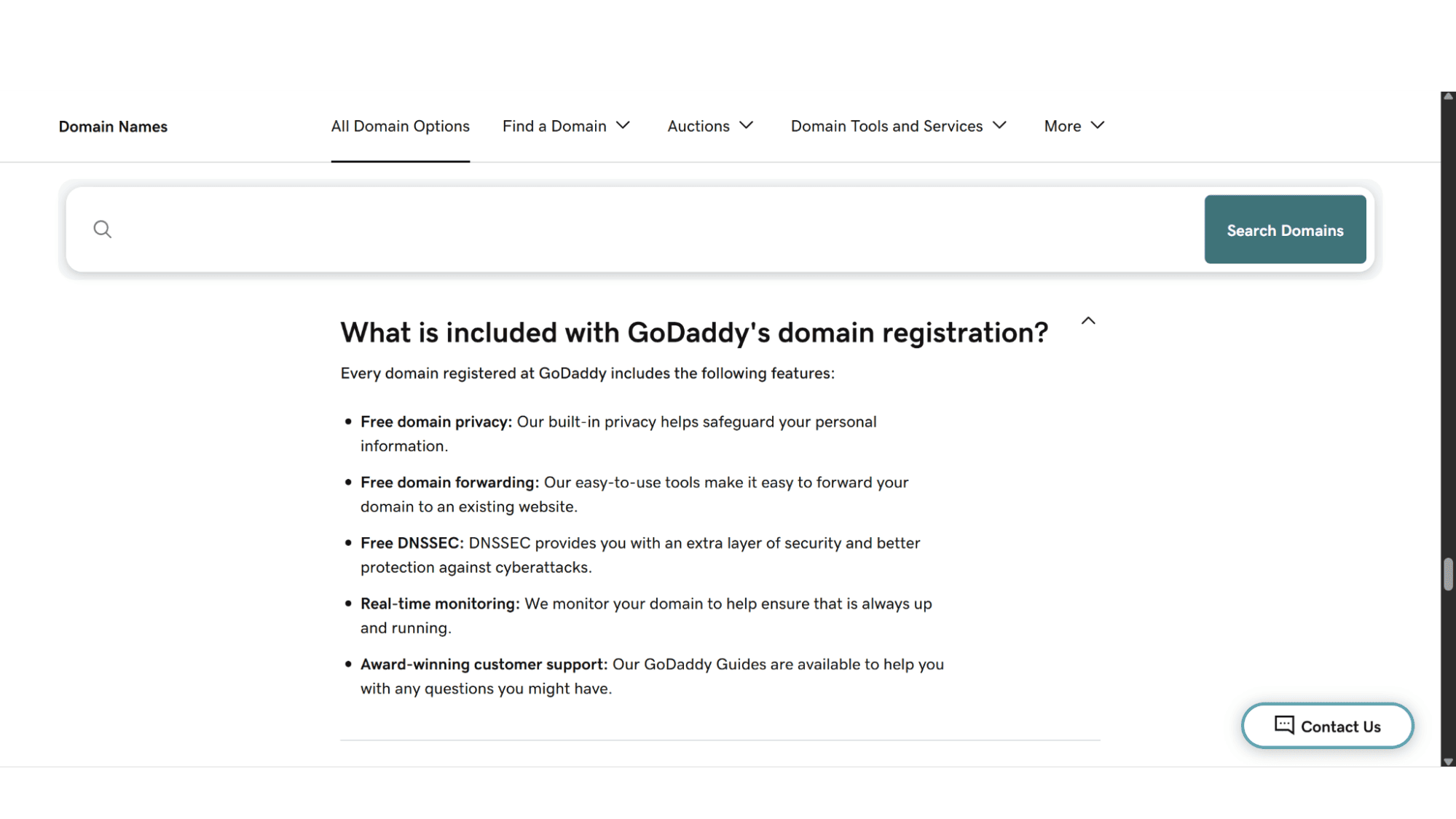
What GoDaddy Includes (For Free):
Access to basic DNS records: This provider grants one access to your zone files so that you can add or edit your domain’s A records, CNAME records, MX records, and more. This gives you some control over where your domain points to, whether it is for hosting mail at another provider, for example, Microsoft 365 Exchange, or to host your website with someone else but keep your domain with GoDaddy.
Auto Domain Locking: This feature is enabled by default, which is a good thing. It prevents unauthorized transfers away from your account. If there is one thing GoDaddy loves, it is more revenue, and the thing they hate most is losing revenue – so it comes as no surprise that they have this enabled to prevent losing business.
Domain Auto-Renewal Protection: Most providers worth their salt offer this. You can set your domain to renew automatically, which is absolutely critical for bigger companies with hundreds of users, to avoid the heart-stopping panic of an expired domain, as this will also prevent all users from accessing their mail, and the website will go down too. But, in the event that you want your domain to expire, just remember to turn it off otherwise, you will be billed again.
Forwarding & Masking: This is a handy tool. You can easily forward your domain (for example, yourdomain.com to yourdomain.com/blog) or even mask the destination URL, an easy, quick, and dirty way to set up a simple redirect without actually needing hosting.
Domain Privacy: GoDaddy includes domain privacy for free with all its domain registrations. This works by replacing your personal information with proxy info in the public WHOIS directory. One thing to be aware of is that domain protection isn’t included free of charge – there is a difference between the two, and I will discuss that point further under the “what’s not included” section.
What’s Not Included or Costs Extra (The Reality Check):
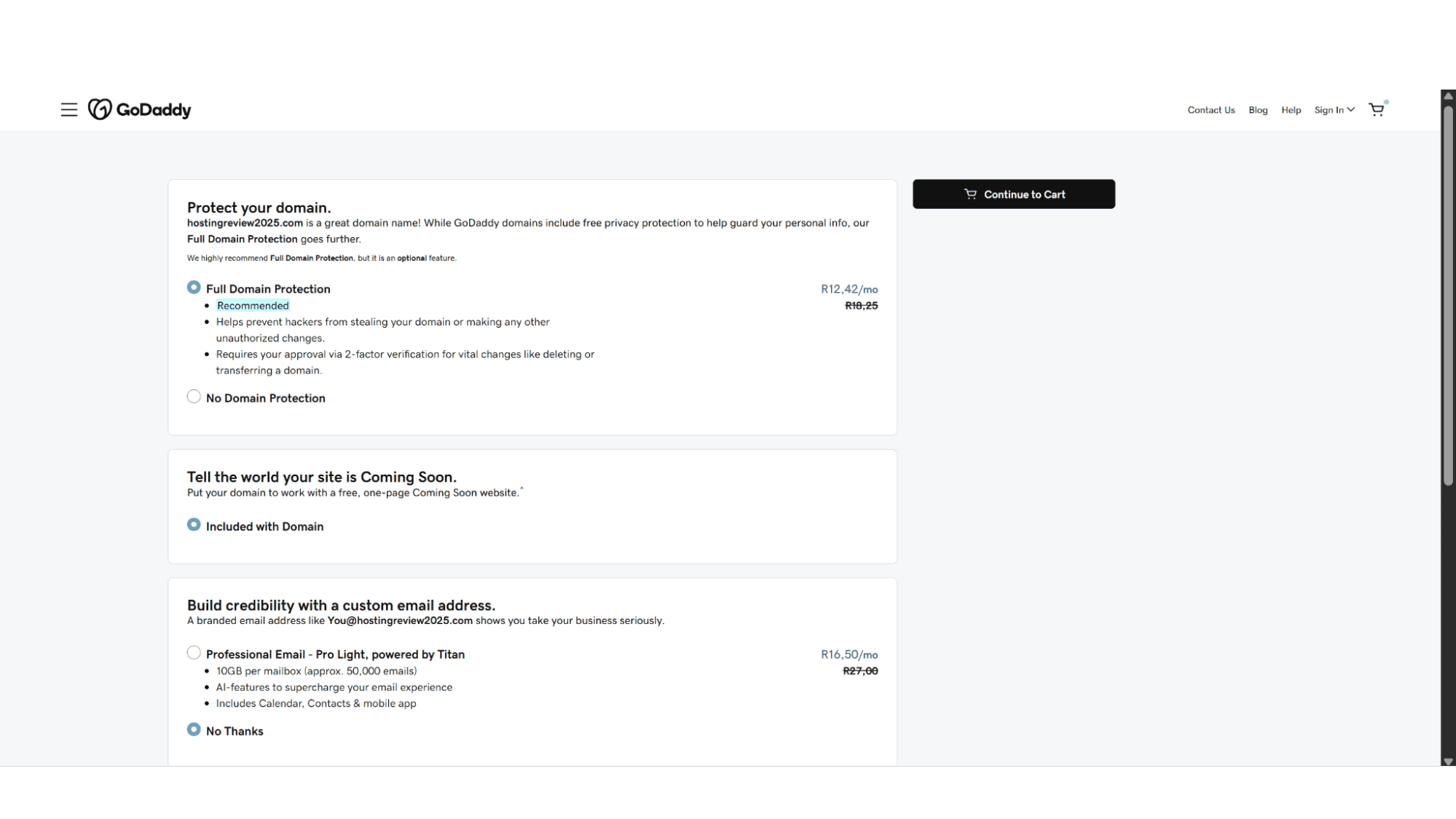
Domain Protection: In my opinion, this is the big one. Unlike some registrars who include it for free, GoDaddy charges an annual fee for this. What this is in a nutshell is to act as a privacy screen for your domain. Instead of your personal information being visible to anyone (including spammers, scrapers, and telemarketers), GoDaddy replaces it with the contact information of a generic proxy service. It also secures your domain by requiring identity verification before allowing actions like domain transfers, DNS updates, or changes to contact information. And lastly, it comes with an expiration protection, which gives you 90 days to renew your domain if it accidentally expires.
Email Hosting is NOT Included: Registering a GoDaddy domain does not get you a professional email address like you@yourdomain.com for free. This is a separate service, and if you need one, be prepared to pay extra, as this is one of their paid services. They heavily promote their Microsoft 365 integration at checkout, which is a robust solution but adds a substantial recurring cost. Personally, I feel one needs to go the Exchange mail route if you are serious about your business.
Hosting is a Different Product: As with emails, a GoDaddy domain and GoDaddy domain hosting are sold separately. This hosting giant is a master at bundling them during checkout, but one needs to understand that they are different products, and you will be billed for each.
Very High Renewal Fees: This is common practice in the industry to charge more when domains come up for renewal, however, I feel GoDaddy takes this a bit far! The initial GoDaddy domain registration price is often a fantastic, attention-grabbing deal. But you must be prepared for the renewal price, which can be two to three times the first-year cost – so do yourself a favour and read the fine print before signing up. This is probably the most negative topic when you read online reviews about GoDaddy.
Domain Search and Registration Process
One thing I have to give GoDaddy credit for is that they make it super-easy to buy their products, or to register a domain with them, the whole experience is as slick as they come. Once you are on their website (www.godaddy.com), you will notice a search field, which serves as the GoDaddy domain checker. This tool is front and center on their website – you can’t miss it.
How it works is as follows - You type in your desired domain name, click the “Search Domain” button, and the GoDaddy domain names search results will appear in the next screen. If the name you wanted is taken, they will provide a long list of alternative names, which will include new TLDs (like .io, .co, .tech). The GoDaddy domain search functionality is, without a doubt, very powerful and user-friendly.
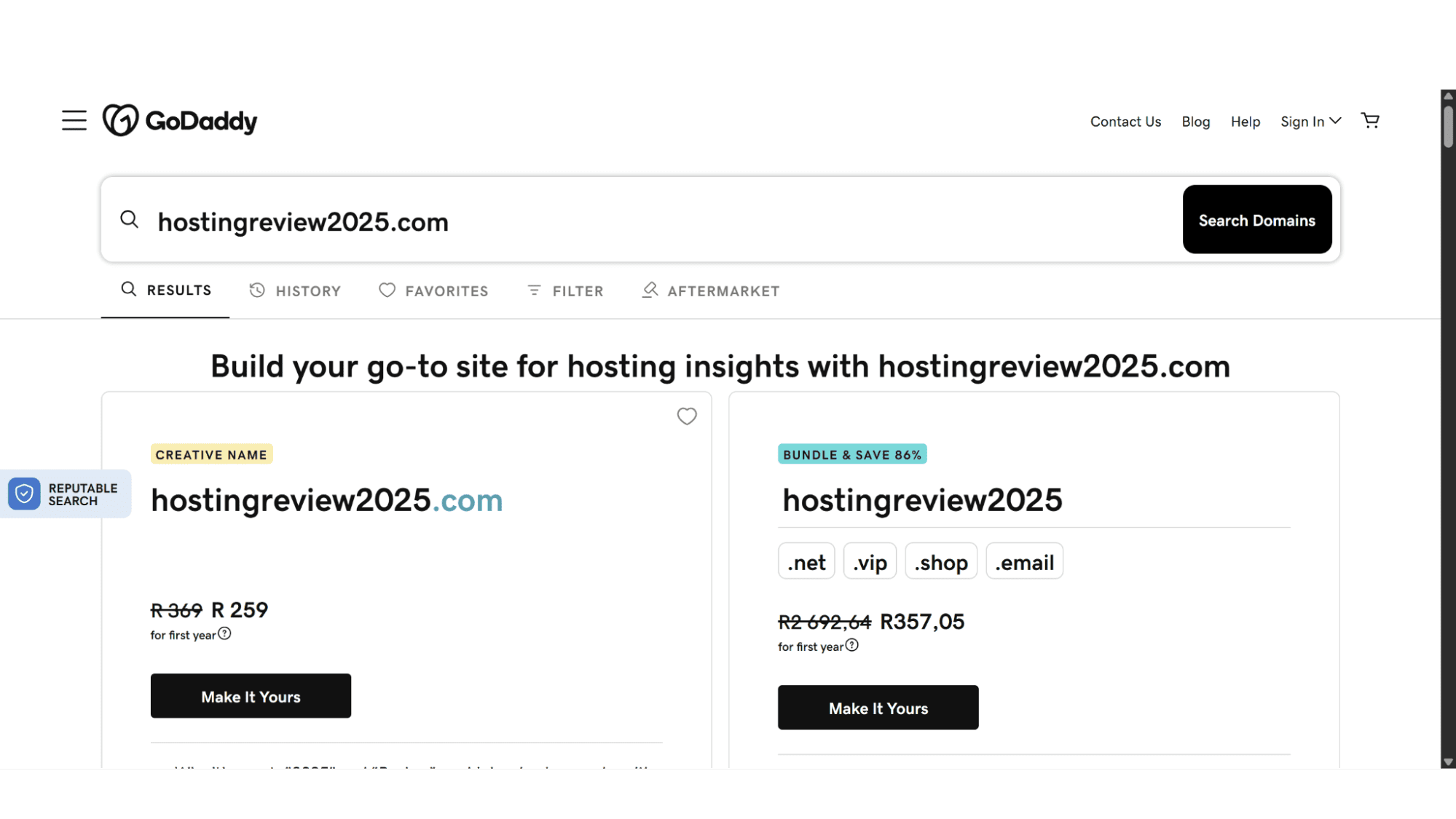
If your name is available, their system will direct you to the next page, and this is where the upsells begin and where GoDaddy truly excels – at selling. They will display bundle offers to also get the same name in other extensions, this is one of their ways of tricking new customers into believing they need these names to secure their business against copycats. My advice – just ignore this and continue to checkout.
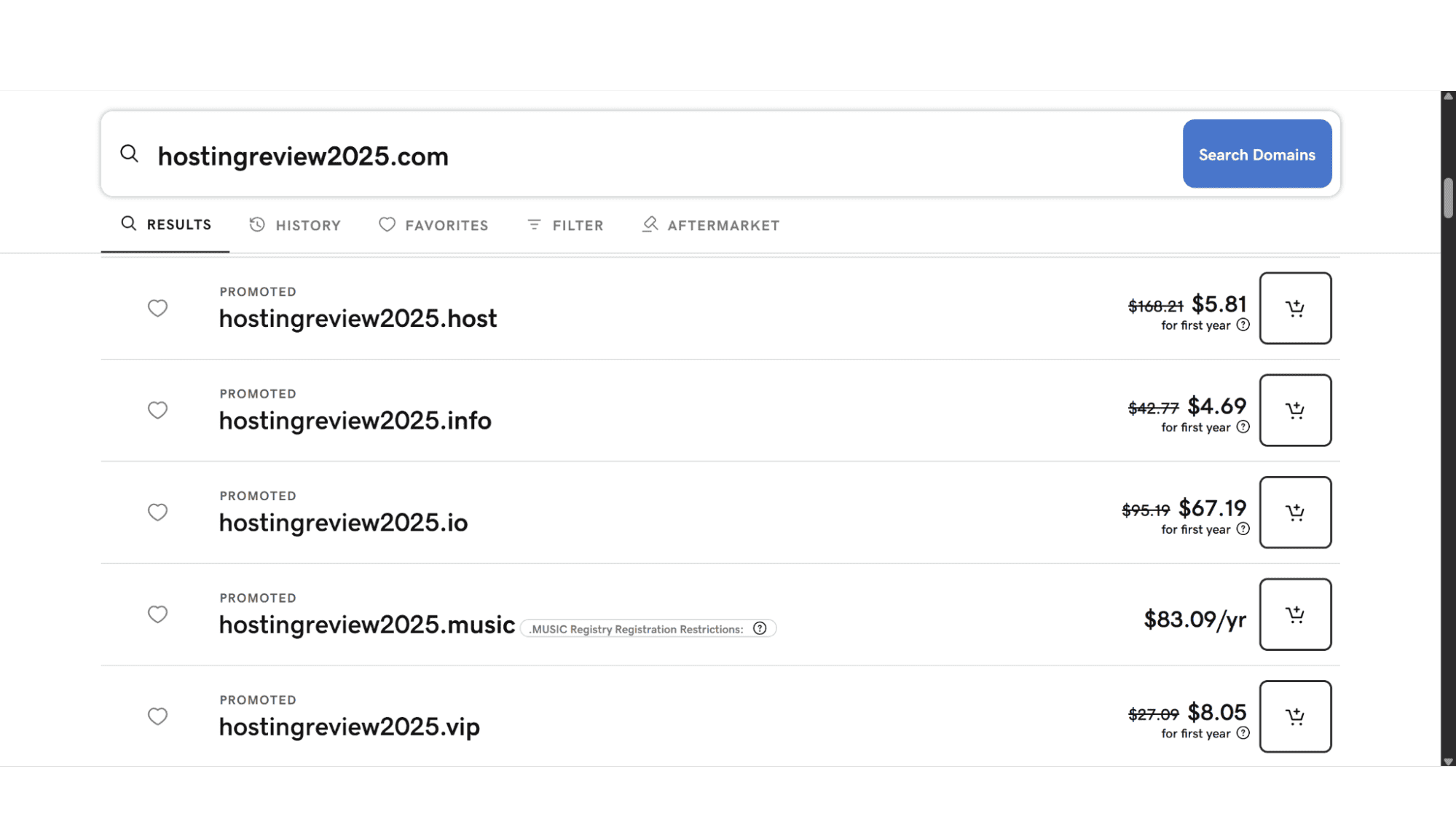
The checkout process is a masterclass in conversion. You'll be offered everything from GoDaddy domain hosting and Microsoft 365 email plans, to premium SSL certificates and professional website builders, to name just a few. Some of these can be valuable as mentioned before, but for a beginner, it's easy to end up with a cart full of products you don’t actually need, and that's going to triple the expected price (not to mention what it is going to cost with their renewal prices when that time comes). You need to be vigilant and deselect all the pre-checked add-ons.
Managing Your Domain
GoDaddy’s account dashboard is a central hub for all your products with them. Managing your DNS is straightforward, but I do feel it is a bit cluttered with promotions for other services. If you need to point your domain to a third-party host, it is also a simple and easy process - you just update the nameservers to those provided by your hosting company. The process of a GoDaddy domain transfer to and from another registrar is also clearly laid out in the domain settings, where you can unlock the domain and request your authorization code (EPP code). We will look at that in the next section.
Moving Domains To and From GoDaddy
This is the true test of any good registrar, so let’s take a look at how easy they make it.
Transferring a Domain TO GoDaddy
How to transfer domain to GoDaddy.
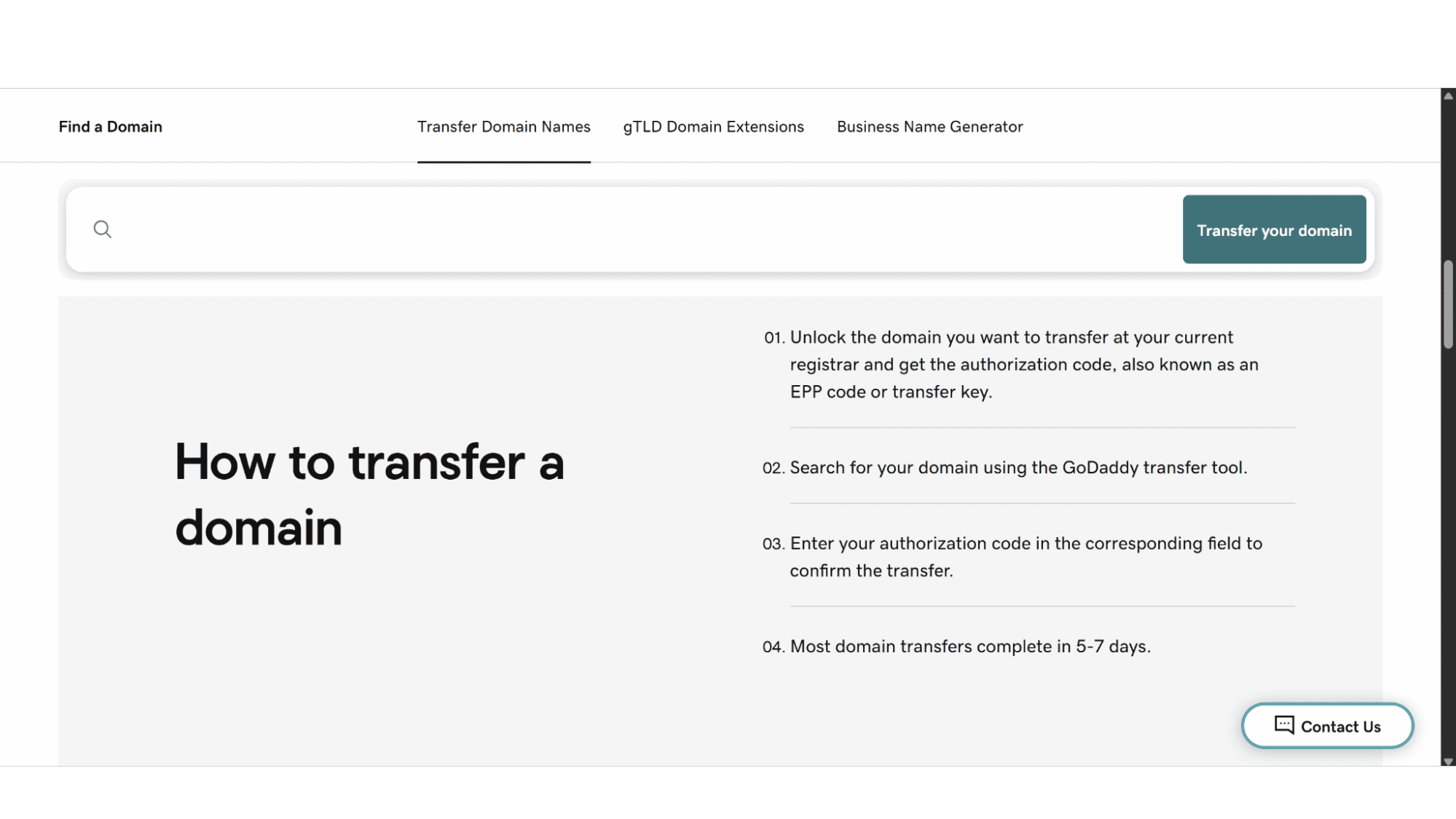
The process to transfer domain to GoDaddy is well-documented in their knowledge base, and their support staff would be more than willing to assist with every step of the way. You initiate the “transfer a domain to GoDaddy” process from their transfer page by entering the domain name, and then simply follow the steps. They do require the standard EPP code from your current registrar, which is standard practice amongst providers. The “move domain to GoDaddy” process is generally smooth, and they often run promotions where a GoDaddy domain transfer is even cheaper than a new registration – again, one of their ways to grab your attention and convert you into a paying customer. It is important to note though, that transferring a domain automatically adds one year to its registration term.
Transferring a Domain AWAY from GoDaddy
Godaddy domain transfer out.
Historically, this had a reputation for being difficult, and I can vouch for that myself! But lately, it has improved significantly, making it easier to move away from them. The steps you need to follow are:
1. Unlock the domain in your GoDaddy control panel.
2. Request the authorization code (EPP code). They will email it to the registered owner's email address.
3. Initiate the transfer at your new registrar or hosting provider and provide the code.
You will be bombarded with "Are you sure?" pages offering you discounts to stay, which is annoying to say the least, but they don't actively block you from leaving. The GoDaddy domain transfer out process is now relatively straightforward, which is a credit to them.
GoDaddy, Domains, and WordPress
It's also important to understand that a GoDaddy domain and a WordPress site are separate. You can buy your GoDaddy domain name and host your WordPress site on any number of other platforms, or with them, but you will need to purchase hosting extra. I know this has been mentioned before, but I feel it is important to state it again.
However, if you want this integrated solution, GoDaddy offers managed GoDaddy domain hosting specifically for WordPress. These are all-in-one plans that often include a Godaddy free domain for the first year, which can be a decent value for an total beginner. Their WordPress plans come with WordPress pre-installed, a one-click staging environment, and automated WordPress updates.
My Final Verdict
Here is my honest view on this provider, without trying to sugar coating anything:
Pros:
Unbeatable First-Year Deals: The initial cost for a GoDaddy domain registration is often the cheapest you'll find. But be aware the renewal cost will be much higher!
Powerful Search & Suggestions: The GoDaddy domain checker and name generation tools are excellent. Definitely worth checking out.
Huge Variety of Domain Extensions: This provider has one of the biggest, if not the biggest, variety of domain extensions to choose from.
Mature and Robust Platform: The DNS management and control panel are full-featured, reliable, and super easy to use.
Straightforward Transfer-Out: This wasn’t always the case, but recently they've made it easier to leave, which builds a base level of trust.
Cons:
The Renewal Price Shock: This is the single biggest drawback. Budget for the long-term cost, not the introductory price. Their renewal prices are sky high!
The Checkout Upsell Trap: All these extra options come across as aggressive and can be confusing for new users, leading them to make unintended purchases.
Domain Protection Costs Extra: As if their fees weren’t high enough already, you will need to pay extra for this.
Cluttered Interface: The user experience can feel very crowded with ads for their other services.
My Conclusion
So, where does this leave us? If you're a cost-conscious buyer, a domain investor with a large portfolio, or someone who values simplicity and hates upselling, you will likely find better long-term value elsewhere. This provider will drive you up the walls with their pricing, so best would be to search for another, more affordable one.
However, for a complete beginner who wants a one-stop-shop and is willing to pay a premium for convenience and brand recognition, GoDaddy can be a valid choice. Their tools are powerful, and if you take advantage of a bundled deal that includes a Free GoDaddy domain with hosting, the first-year value can be compelling.
So, what is my final take? GoDaddy is a competent, powerful registrar. Just go in with your eyes wide open, and I can’t highlight this enough. Understand that the low entry price is a gateway, and the real cost of doing business with the giant reveals itself at renewal time. For the savvy user who can navigate the upsells and budget for the future, it remains a viable, if not always the most economical, option for securing your domain name registration with GoDaddy.








