



To learn more about other services and read a detailed review of AWS, check out the posts below.
Objective expert review AWS.Amazon.com
Amazon Lightsail VPS Review 2026
Cloud Simplicity for the Rest of Us
Amazon is one of those companies that needs very little to no introduction. Everyone has heard of it and more likely than not, you have probably clicked from one of their URL’s today without even realising it. They are a household name that’s become a verb, so yeah, introducing it feels like explaining what "the internet" is. I recently got the opportunity to review their VPS services, and as someone who's ventured into the intimidating expanse of the AWS realm more than once, I was genuinely curious – Is Lightsail the real deal to deliver the raw power of the cloud without being overly complicated?
First, let me explain what Lightsail is. Amazon Lightsail is a simplified, and more user-friendly cloud hosting platform from Amazon Web Services (AWS), that was designed for mostly with developers and small businesses in mind. It is for anyone who needs to launch and manage virtual servers (VPS), websites, or applications quickly and with predictable and straightforward pricing.
Amazon Lightsail sits in a fascinating spot. It's designed to be the straightforward, predictable-cost little brother to Amazon's vast, and somewhat very confusing EC2 server ecosystem. For newbies, It's the obvious choice when you need a real virtual private server but want to avoid the dizzying menu of configurations that makes sense only to the technically inclined.
In this review, I will look at its pricing structure, plan options, and overall value to see if it truly is the approachable face of AWS.
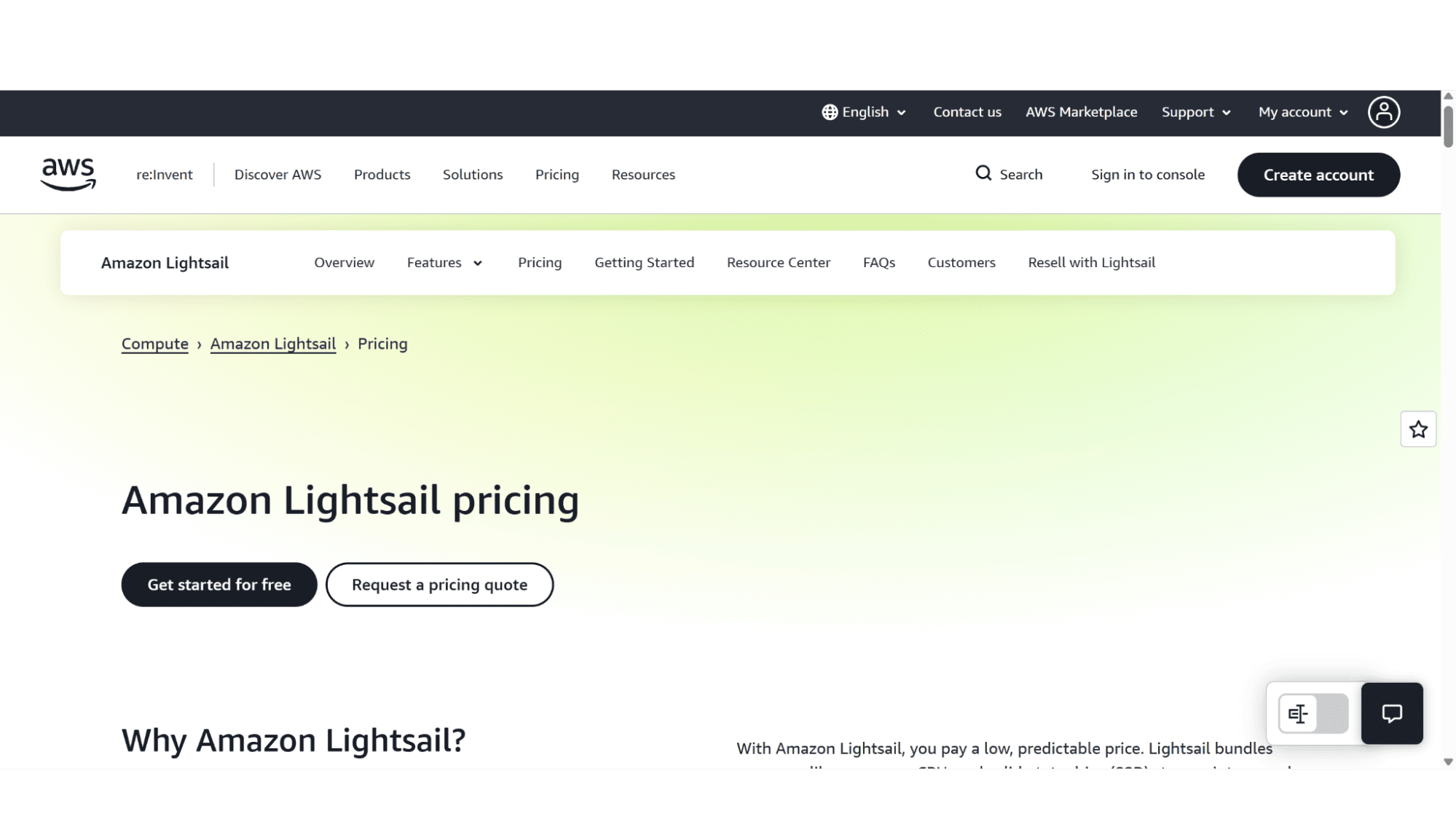
Amazon Lightsail VPS Hosting Plans Overview 2026
Predictable Bundles in a Complex World
The first thing that hits you on the Lightsail pricing page is the sheer number of options they present, there’s options that come with IPv4 addresses, options with IPV6 addresses, options in Linux and Windows, Containers, the list goes on – this, in my opinion, is still enough to scare of potential “newbie” clients, as it does come across a bit overwhelming.
Unlike traditional hosts with three or four plans, Lightsail offers a true spectrum of options. You can choose between Linux or Windows and then pick a bundle that matches your needs for RAM, vCPU, SSD storage, and data transfer. What I really like is that you get a predictable monthly price for a known set of resources you choose. There are no renewal rate hikes, just the listed cost.
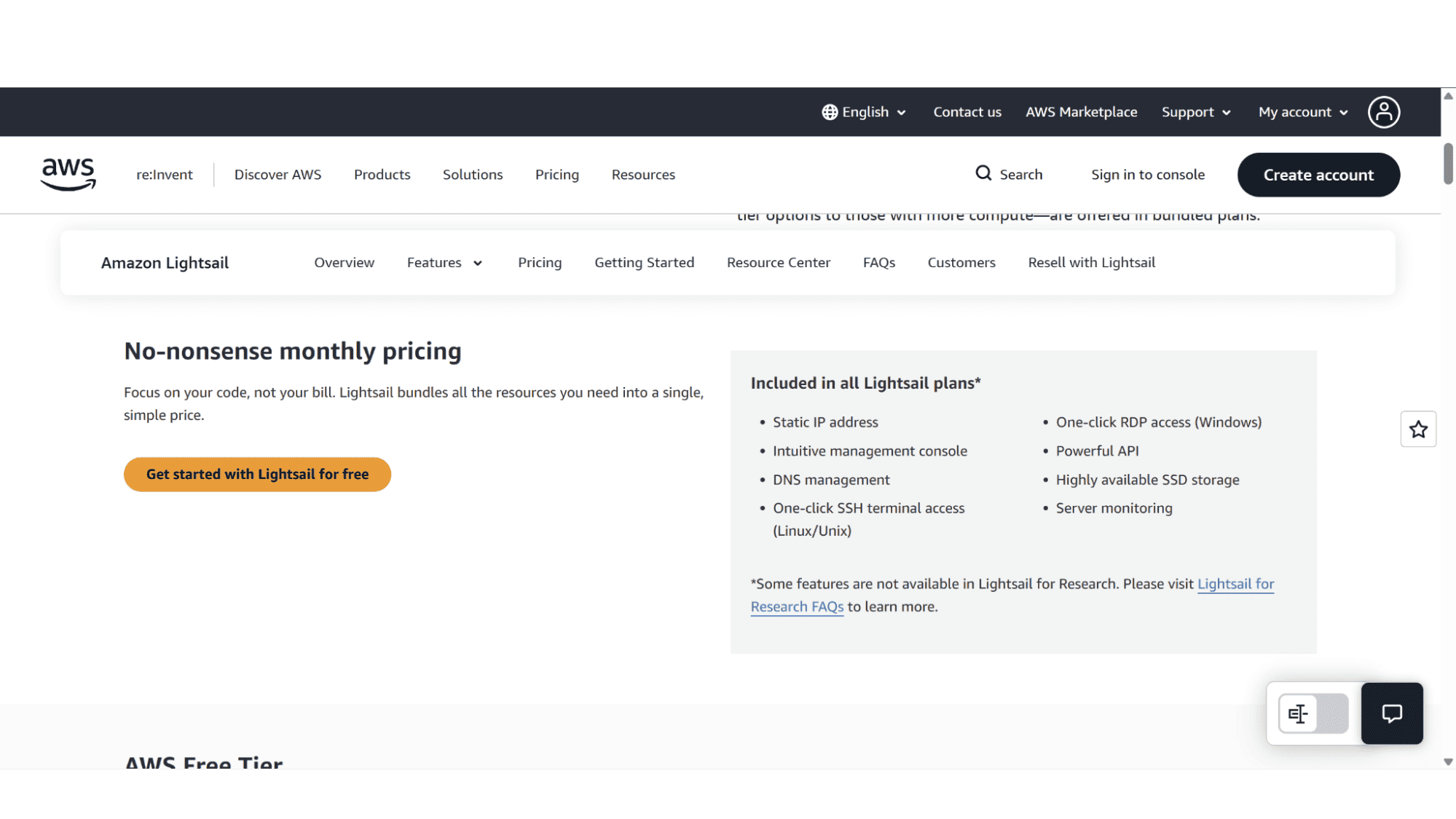
Every single AWS Lightsail plan, doesn’t matter which one, from the smallest to their top of the line most powerful VPS, comes with a static IP address, a super-easy to use management console, DNS management, one-click SSH or RDP access, as well as server monitoring. It's a simple and straightforward, "here's your server" approach. Let's look at the core of their offering.
The Entry-Level Bundles
Your Cloud Starting Point
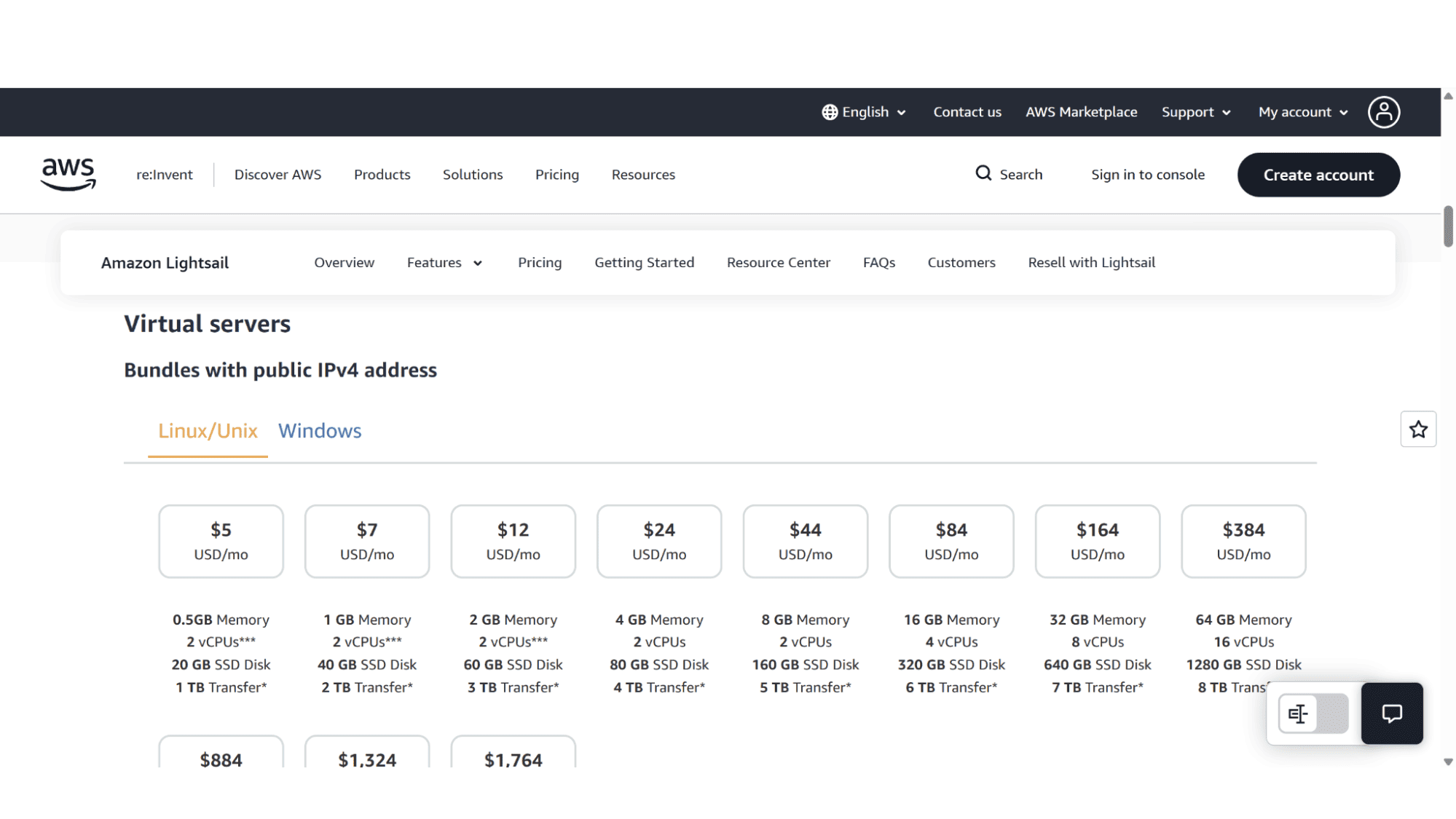
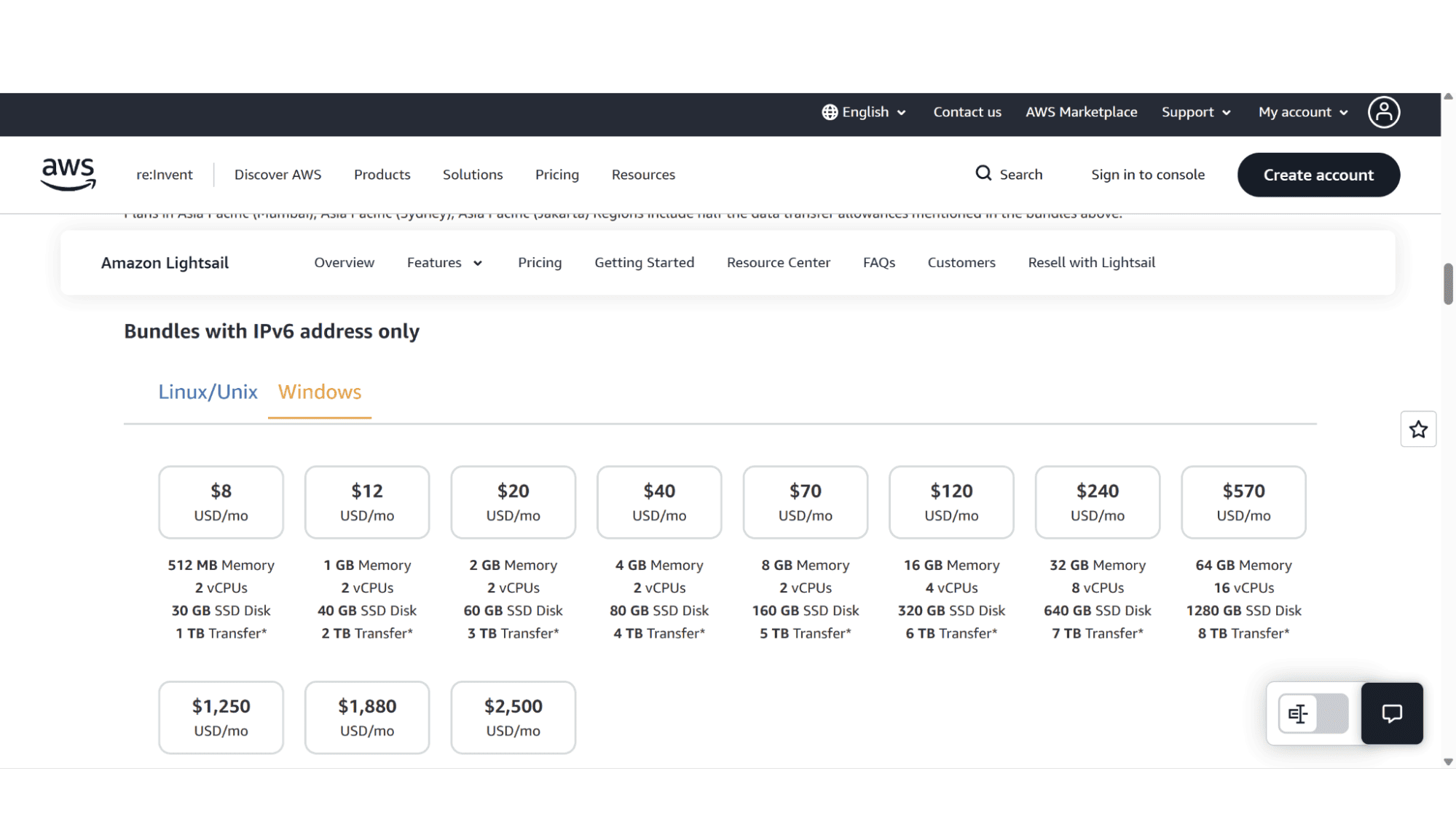
For Linux users, you can start for just $3.50 USD per month with a plan that includes 512MB RAM, 2 vCPUs, 20GB SSD disk space, and 1TB of data transfer, using an IPv6 address. The step-up $5 USD/month plan with a public IPv4 address offers the same specs and is a good starting point for anyone looking at upgrading to a VPS plan. The Windows equivalent of these starts at $8 and $9.5 per month respectively.
These types of plans are perfect for small personal projects, development environments like staging sites, or even lightweight web apps. The resources are modest but should be enough to start with, and the included data transfer is rather generous for an entry-level plan. It's an incredibly low-risk way to get a VPS AWS instance up and running.
The Mid-Range Power
Handling Real Workloads
This is where Amazon Lightsail starts to shine for growing websites and applications. With plans like the $12 per month Linux bundle, which includes 2GB RAM, 2 vCPU, 60GB SSD, 1 IPv4 address, and 3TB of bandwidth, or the $24 per month option, that comes with 4GB RAM, 2 vCPU, 80GB SSD, and 4TB of traffic, you have choices that is sure to meet your exact needs. The Windows equivalents of these are $22 per month and $44 per month, respectively.
The plans in these tiers are designed to easily handle any busy business website, medium-sized e-commerce stores, or custom applications. The storage and transfer allowances are decent and should allow you to be able to focus on building your site or app without constantly keeping an eye on the usage.
The High-Performance Tiers
Enterprise-Grade Power
When you need that little extra out of your VPS, power that goes beyond the standard specs, Lightsail scales up seamlessly. Their VPS plan that goes for $84 per month Linux plan boasts 16GB RAM, 4 vCPUs, a 320GB blazing-fast SSD storage drive, and a whopping 6TB of bandwidth. Not enough? Well, at the top end of the spectrum, their $384 per month plan offers a massive 64GB RAM, 16 vCPUs, and 1280GB of Super-fast SSD storage.
It is worth noting that there is a significant limitation on the data transfer allowances for plans in the Asia Pacific (Mumbai and Sydney) regions, which are almost half of what's listed for other regions. So, if you fall within that area, keep this in mind.
The Purchase & Registration Process
To sign up for a AWS Lightsail VPS server is super-easy..if you know where to go on their vast, intimidating website. Simply open your browser and go to www.aws.amazon.com, then click on “Products” in the top main menu. You will then see tabs displayed on the left-hand side. Click on “Compute” and then “Browse all compute products”. On the page that displays next you will need to click on “Compute Services”, and then lastly on “Amazon Lightsail”. Too many steps if you ask me!
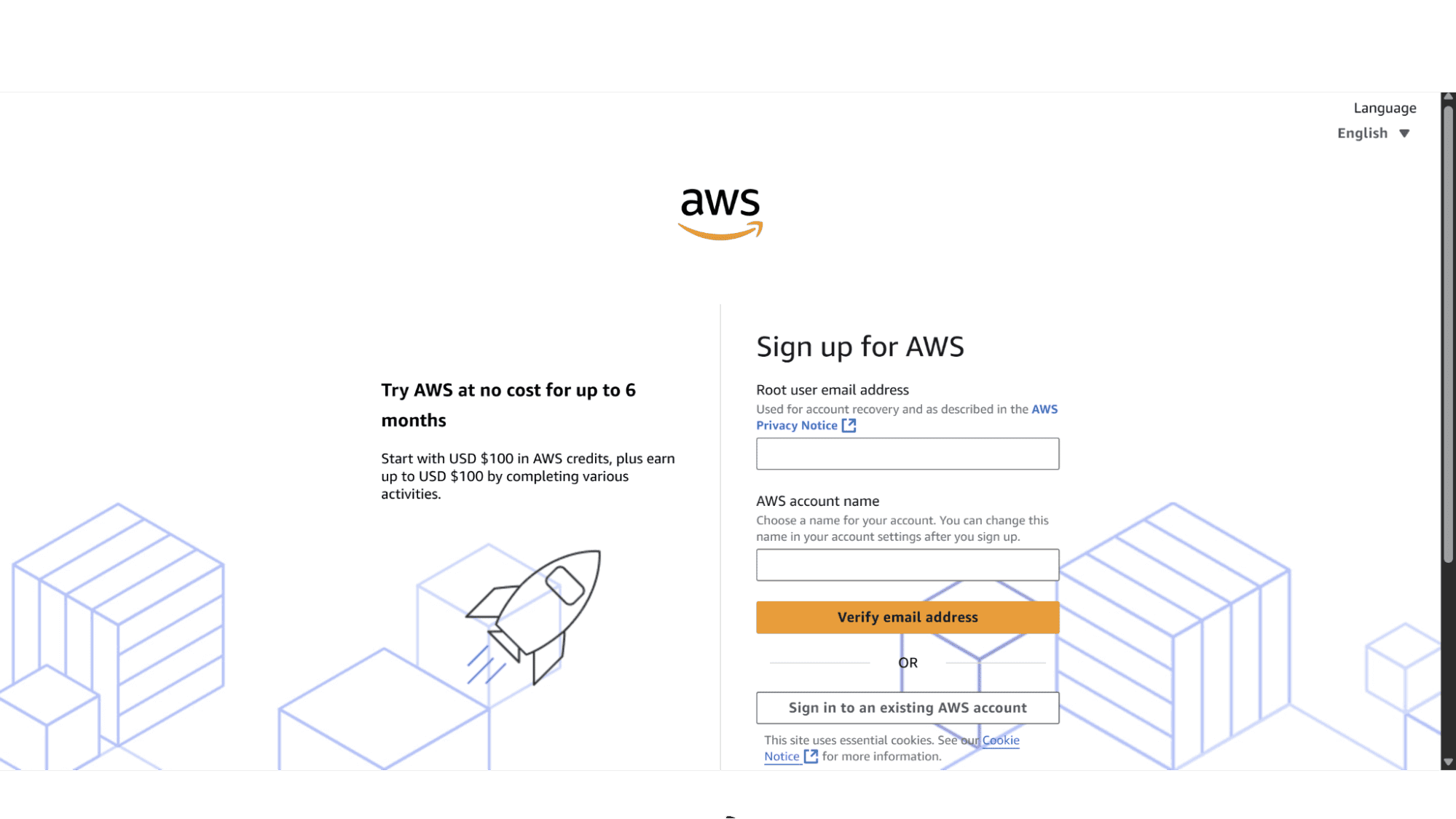
Their VPS page will display all the options. Before you can choose your server, you will need to create an account if you don’t already have one. They’ll ask for your email, a password, and some basic contact and payment information, and they need a card on file even though there’s a free tier to start with. Once you’re in, you’d go to the Lightsail service directly from the AWS console. From there, you hit “Create instance,” which is just AWS-speak for spinning up your server.
Not as streamlined as some providers unfortunately.
Key Features:
What is Included in Every Plan:
Clear Pricing: The price they advertise next to the plan is what you will be paying. No introductory teaser rates that explode at renewal, and no nasty surprises come months end.
Static IP & DNS Management: Most providers offer this nowadays. This is essential for hosting websites reliably.
Intuitive Console: All plans come with a user-friendly interface that allows you to control your Amazon VPS.
SSD Storage & Monitoring: They only make use of high-performance SSD storage drives on all their plans, and I expect nothing less from such a tech giant! High-performance drives and basic health tracking come standard.
Free Tier Option: This is their version of a free trial. All new AWS Lightsail accounts get select bundles free for the first three months.
Big Variety of Data Center Locations: When you sign up for a AWS Lightsail VPS server, you will get to choose between multiple data centers in the US, Canada, Asia-Pacific, and Europe.
What's Not Included:
Managed Hosting: Lightsail is simplified, not fully managed. They give you full root access and you are responsible for your own server security, patches, and software updates. There's no cPanel included by default, although their panel is super-easy to use, so you should have no problems there.
Unmetered Bandwidth: Unlike some traditional hosts, transfer is metered. But, that being said, you get a generous monthly allowance that should be more than enough for most users.
Basic Backups: Automated snapshots are not included by default and will cost you an additional fee per month should you opt to take it.
Phone Support: Direct phone support is not part of the standard package. Support is primarily through tickets and community forums only, though the AWS documentation is extensive and should give solutions to most common issues you might encounter.
Support & Security
The DIY Reality
Lightsail provides 24/7 customer support via email and tickets, while business plans and above will also include live chat and phone support, so in other word the more you pay, the better the help you will receive. For many coming from traditional hosting, this can feel like being left in the deep end if you are just starting out with an entry-level plan. So, the onus is on you to describe your issue clearly and in detail when logging a ticket.
Security is almost entirely the end users responsibility. AWS provides a robust, and very secure infrastructure, but securing your own individual server, like setting up firewalls (Security Groups), installing SSL certificates (which are free via Let's Encrypt but you must install them yourself), and applying operating system updates is your job. This is the biggest mental shift from a managed VPS provider.
Pros & Cons
Pros:
- Transparent and affordable monthly pricing with no renewal traps or nasty month end surprises.
- You can scale effortlessly from tiny projects to powerful applications.
- Part of this global and ultra-reliable AWS infrastructure.
- Clean, user-friendly console that’s easy to use, even for total beginners.
- You can choose between both Linux and Windows server operating systems.
Cons:
- Can feel intimidating for absolute beginners with no sysadmin or hosting experience. But then again, most platforms will.
- Support depends on the plan you are on
- Security and maintenance are primarily the end user's responsibility.
- Data transfer is metered, not unmetered.
- Regional limitations on transfer allowances can be a hidden catch for some.
My Verdict
Is Amazon Lightsail the Right Option for You in 2026?
It has an immense amount going for it, especially its honest pricing. But it demands a specific mindset. Is it the right fit? I'd say...
A Definite yes, if you're a developer, a tech-savvy small business owner, or someone eager to learn server management. Amazon is at the forefront of the tech world and signing up with them means you are using a trusted, stable and very secure platform backed by expert support.
Maybe not, if you are a total beginner. If this is the case you will more likely than not sign up for one of their entry-level plans, which means you will get limited support. As mentioned before, the onus of doing updates, patches, and securing your server is your responsibility. If the mere thought of configuring a firewall rule gives you anxiety, look for a solution with more guardrails.
My Bottom Line: Taking everything into account, Amazon Lightsail delivers exactly what it promises - a straightforward path to a powerful VPS on the very reliable AWS cloud. The hardware is excellent, the price is locked in with no hefty renewal hikes, and it removes the billing fear associated with the mainstream AWS brand. I do feel, however, that their website in general is not that user-friendly as it was even hard for me, an IT professional, to find the correct page and product line for their VPS plans. If you are considering them, just go in with your eyes wide open - you're renting a well-equipped, blank slate server. For the right user who doesn't mind getting their hands dirty, it's an empowering and cost-effective powerhouse. Definitely worth trying out!








