
Every website has the prefix http:// in its address.
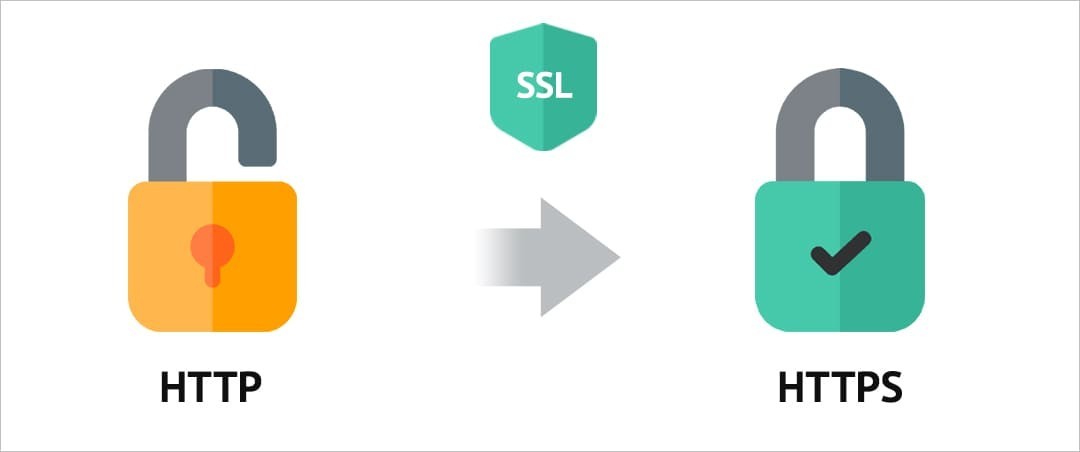
HTTP is a network protocol (technical rules) that allows the browser to load web pages. Data transmitted via the HTTP protocol is not secure, meaning it is not encrypted.
HTTPS is an improved protocol that provides greater data protection.
To switch a website from the standard HTTP protocol to the secure HTTPS, you need an SSL certificate.
How does the HTTPS protocol work?
As mentioned earlier, HTTPS (HTTP Secure) is an extension of the HTTP protocol that uses an encrypted connection.
This is how it works:
1. The user enters the website name in the browser.
2. The browser "asks" the server if there is an SSL certificate installed on the website.
3. In response to the browser's request, the server sends a copy of the SSL certificate and the public key.
4. The browser verifies the authenticity of the certificate by requesting information about it from the certification center that issued it.
5. If the information is confirmed, the browser generates a session key, encrypts it with the received public key, and sends it to the server.
6. The server decrypts this message and stores the session key.
7. After this, a secure (encrypted) connection is established between the server and the browser using the HTTPS protocol.
Why is the HTTPS protocol necessary?
A website can function with the basic HTTP protocol. Visitors will have access to all pages, images, videos, etc., but owners should consider search engine requirements and care about user safety:
- Websites with HTTPS will have better performance in search engine results;
- It is not safe for users to enter their personal information (e.g., passwords, bank card numbers) on HTTP websites, where it is easier for attackers to steal the data.
Websites operating with the secure HTTPS protocol are more difficult to hack and are safer for users.
How is an SSL certificate structured?
SSL (Secure Sockets Layer) is a cryptographic protocol designed for the secure exchange and storage of information on websites.
Official SSL certificates are distributed as a set of text files - keys. SSL certificates vary based on the method used to verify the owner's rights to issue them. The simplest option is verifying domain ownership. For more complex certificate types that secure an entire company's infrastructure, company information verification is required.
A digital certificate contains the following information:
- The purpose of the certificate is to ensure a secure connection between the browser and the server;
- The domain name for which the SSL certificate is issued;
- The legal entity that owns the certificate;
- The physical location of the certificate owner (city, country);
- The issuance date and expiration date of the certificate;
- The name of the certification authority;
- The encryption algorithm used;
- The public key used by the server.
This information allows the client's browser to:
- Verify the authenticity of the certificate.
- Confirm that it was issued by a trusted organization specifically for a particular domain.
- Conclude that the connection established with the server is secure.
Additional possibilities
1. An SSL certificate can be issued for one or several domain name "mirrors," for example, site.com and www.site.com.
2. There are certificates that, in addition to the main domain, protect all its subdomains - wildcard certificates (subdomain1.site.com, subdomain2.site.com).
3. A special category of SSL certificates is multi-domain certificates, which protect several domains at once.
How to view information about the certificate
If a website uses an SSL certificate, the "lock" icon in the browser's address bar will be closed. If there is no certificate, it will be open.
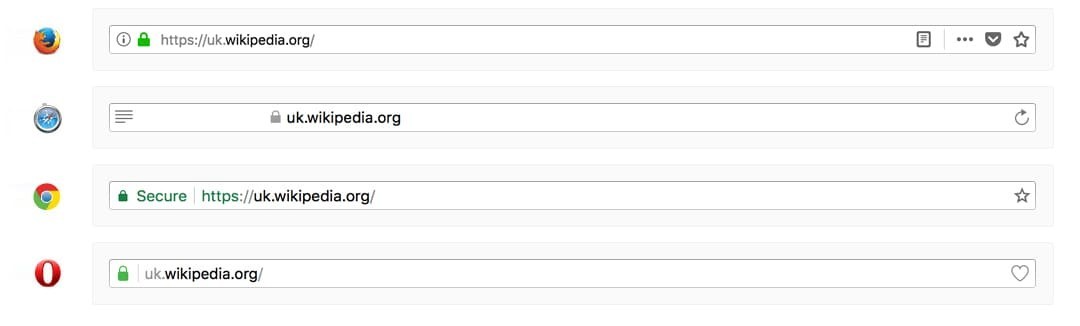
The browser provides the user with complete information about the SSL certificate used on the website.
1. To view this information in Google Chrome, click on the icon at the beginning of the browser's address bar.
2. Select "Certificate" from the menu.
3. The opened window will show all the information about the certificate:
- For which domain it was created;
- The name of the organization that issued the certificate;
- The validity period of the certificate.
4. Specialists can view additional technical information about the certificate and the organizations involved in its issuance in the "Details" and "Certification Path" tabs.
Interaction with the browser
Browsers have built-in certificates from all official certification authorities:
- Verisign;
- NortonLifeLock (formerly Symantec Corporation);
- RapidSSL;
- Comodo;
- Let's Encrypt;
- and others.
The browser checks which certification center issued the SSL certificate and verifies its authenticity using the corresponding public key. Upon successful certificate verification, the connection to the website via HTTPS is established, and in case of an error, the browser will show the user a warning that the website is unsafe.
Types of SSL certificates
There are three types of SSL certificates.
- Paid official certificates issued by one of the trusted centers;
- Free certificates from Let's Encrypt;
- Self-signed (self-certified) certificates.
How to obtain an official certificate for a website
For most websites, a basic-level SSL certificate with domain validation (DV certificates, from Domain Validation) will suffice.
Issuance of such certificates takes just a few minutes.
- Visit our catalog and choose a reliable company that offers SSL certificates.
- Register on the company's website and provide information about yourself.
- Confirm that you are the domain owner.
- Create a request for the certificate.
- The SSL certificate will be generated automatically.
There are several ways to confirm domain ownership:
Verification via email. The certification center sends you a verification email containing a link to confirm the domain. They can send this email either to the address specified in the domain information or to one of the addresses related to the specific domain: admin@, administrator@, hostmaster@, postmaster@, webmaster@
Verification using a DNS record. With this method, you need to create a special record in the domain's DNS zone, and then the certification center's software will check for its presence.
Verification via the HTTP protocol. The organization issuing the certificate will provide you with a special file with a specific name and content. You need to upload this file to your website, after which the certification center will check its availability via the HTTP protocol and confirm the possibility of issuing a certificate.
Official SSL certificates are paid. Such certificates are issued for a period of 1-4 years. The cost, depending on the validity period, starts from 3-5 USD.
Conclusions
- SSL certificates provide a connection between the user and the website server using the HTTPS protocol, which is more secure than the familiar HTTP.
- The presence of an SSL certificate guarantees better site ranking by search engines
- Certificates can be paid (issued by official certification centers), free (from Let's Encrypt), and self-signed.
- For e-commerce websites, it is better to use official certificates. For small projects by beginner webmasters, free certificates from Let's Encrypt are suitable. For websites used within a company's internal network, self-signed certificates can be applied.