

InterServer discounts and promo codes
1


Visit website
InterServer.net
InterServer Deals
Anyone who has signed up for a hosting plan before will know that hosting costs can add up quickly. If you are trying to get a new project going or if you are a developer that needs a sandbox to test some code before going live, the last thing you want is to spend money on a server you might barely touch. That is where InterServer has always stood out for me personally. They are one of the older providers and have been around since 1999, but they have stayed relevant by keeping things simple and refusing to play the "bait-and-switch" game with pricing.
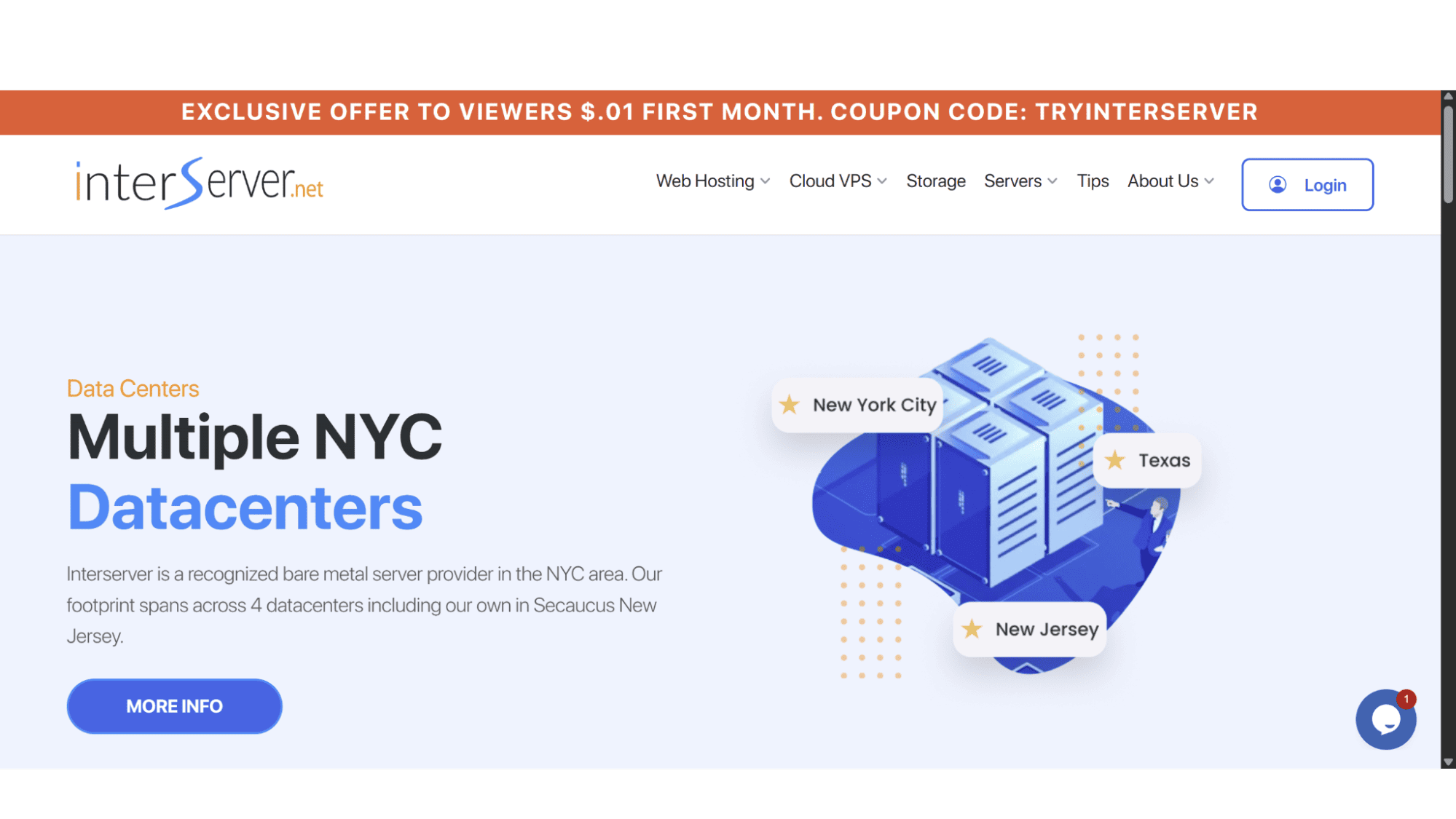
Right now, they have an excellent deal floating around. It is the "onepennycoupon" that you can find on the Hostings.info website – https://hostings.info/hosting/sales. This coupon will drop the price of your first month of hosting for only 1 penny!.
Current Coupons and Discounts
Interserver only offers monthly billing on all their products, and offer some discounts that gets automatically applied at checkout, but these, however, are restricted to their shared hosting plans only. As mentioned before, there is also a discount “onepennycoupon” which users can use to take advantage off on their VPS plans. This coupon will grant them 50% once off discount for the first month, and you can find this coupon on the Hostings.info website - https://hostings.info/hosting/sales.
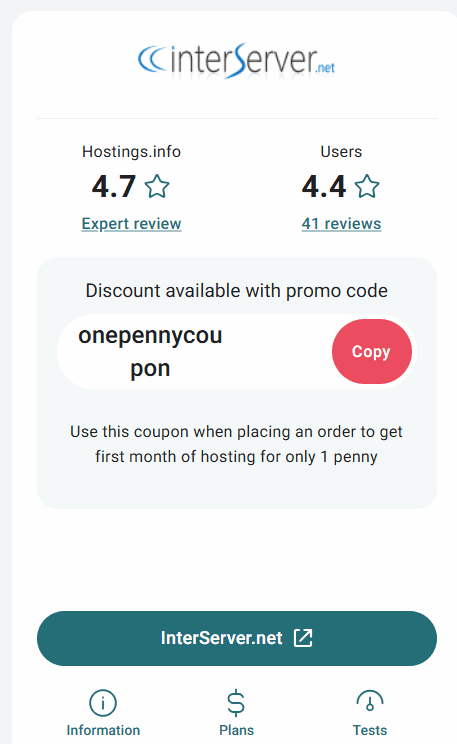
After combing through their site, the only other active discount is on their shared hosting plans:
- $2.5 for The First Month | On Their WordPress Shared Hosting Plan | For New Customers Signing Up for a Monthly Billing Commitment. (Renews at $8 per month)
- $2.5 for The First Month | On Their Standard Shared Hosting Plan | For New Customers Signing Up for a Monthly Billing Commitment. (Renews at $5 per month)
- $2.5 for The First Month | On Their Windows Shared Hosting Plan | For New Customers Signing Up for a Monthly Billing Commitment. (Renews at $8 per month)
When you apply the "onepenny" code at checkout on any of their VPS server plans it automatically applies 50% discount for the first month. A great offer for getting started with a VPS server.
How to Apply a Promo Code
To use the coupon is easy and straightforward.
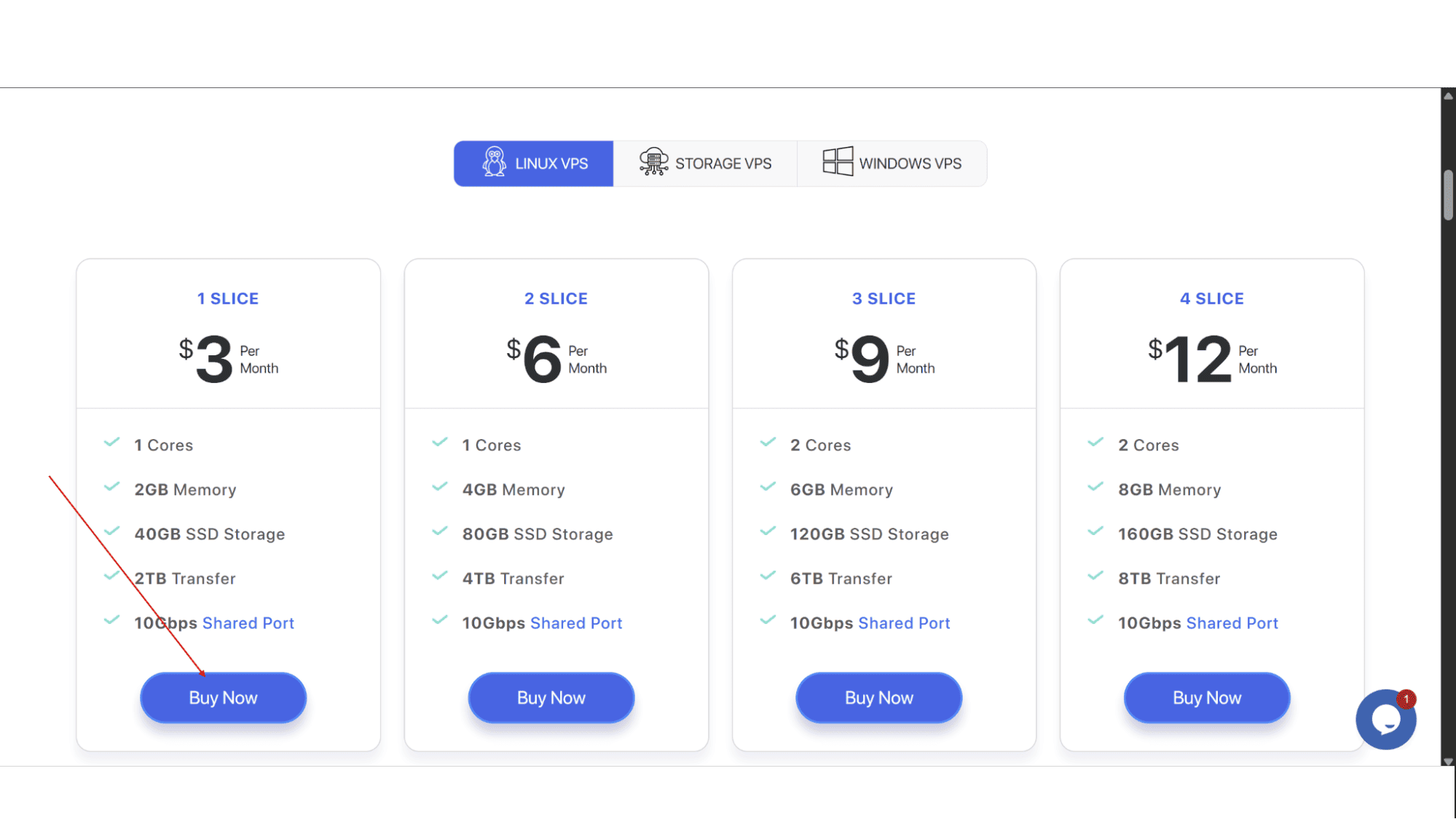
Step 1: Go to the Interserver website (www.interserver.net) and navigate to their VPS server page, then choose the plan you would like and click on the “Buy Now” button.
Step 2: You will be asked to sign in if you are an existing customer, or you will need to create a new account if you are not.
Step 3: The next page will display all the specs you chose, as well as an order summary and a text field to enter a coupon code. In this field you need to type “onepennycoupon” and the discount will get applied automatically.
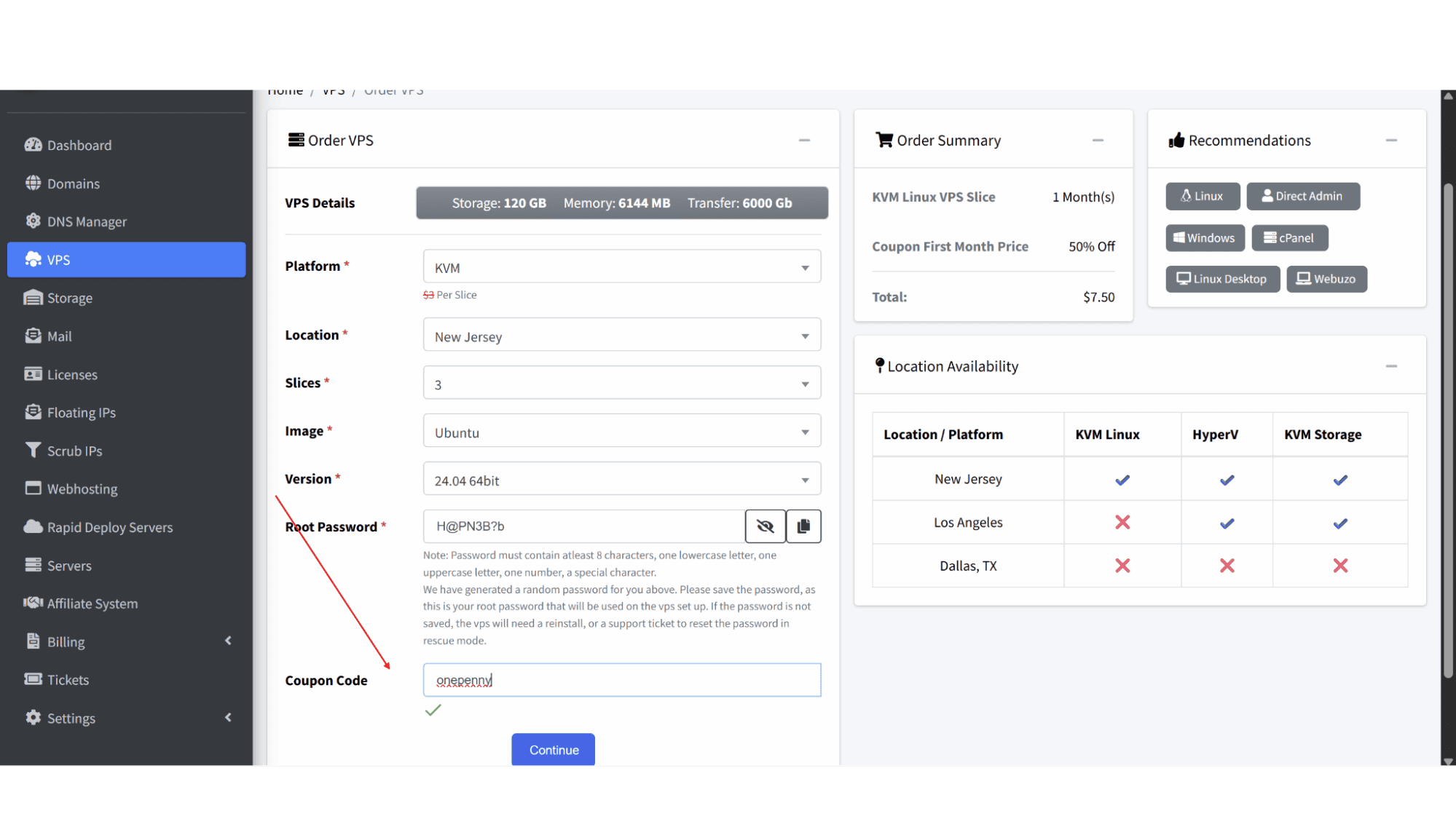
Step 4: Make sure the total amount under the order summary is now 50% less. You should see the discount reflected immediately in the subtotal.
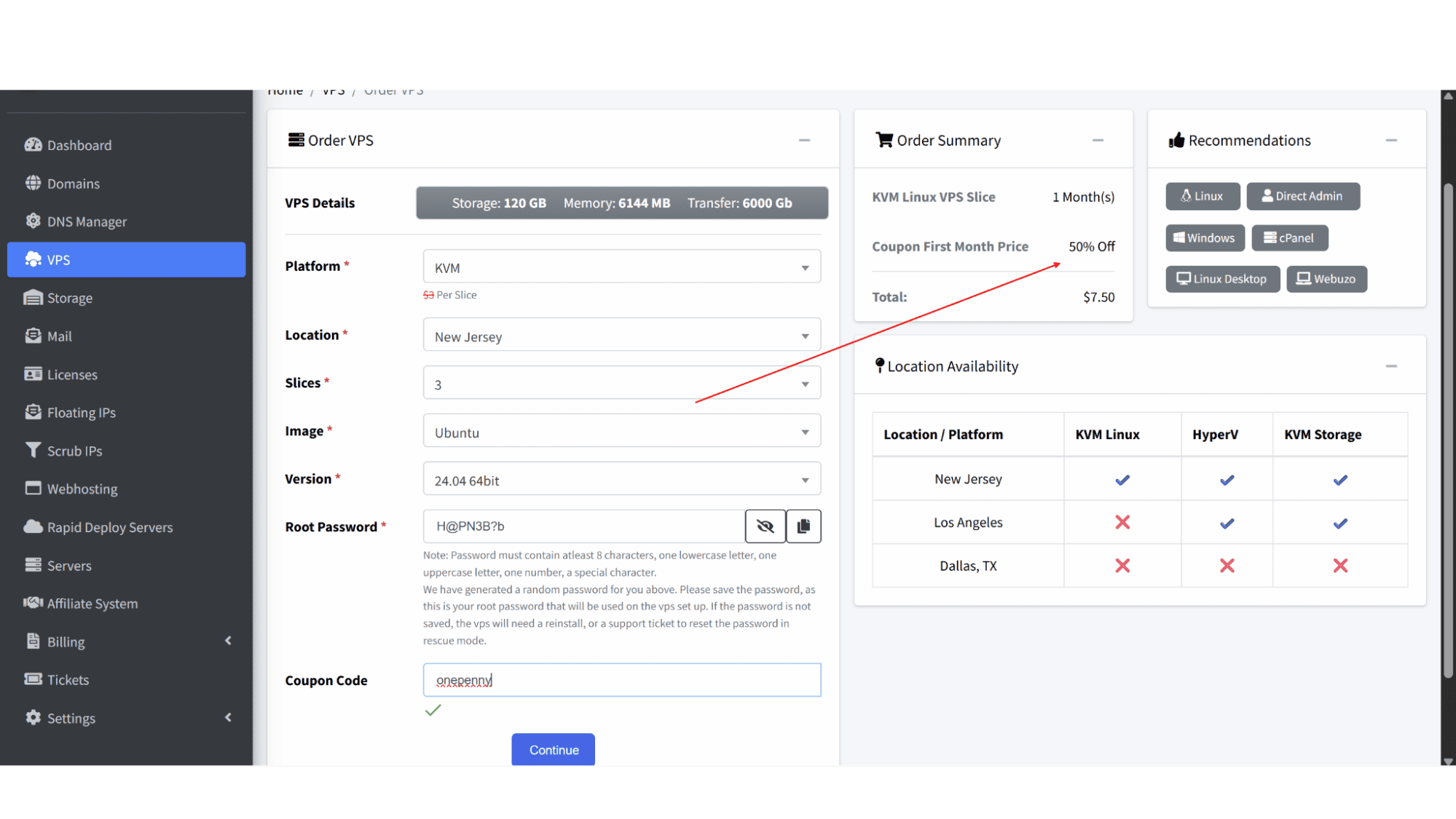
Step 5: Complete payment with your billing details.
What to Do If the Code Doesn't Work
Step 1: Double check that you have the correct spelling of the coupon, and make sure it is "onepenny".
Step 2: Verify that you chose a VPS plan as any other product will block the coupon from being applied.
Step 3: If you still have any issues, reach out to InterServer’s live chat support. Their team typically responds fast and is quite good at sorting out any problems.
My Expert Opinion
If you’re a freelancer who needs a quick staging environment, or a hobbyist who wants to learn server admin without blowing your budget, this deal is perfect. It is an affordable way to test their network and support. Just set a calendar reminder to cancel before the month ends if you don’t want to keep it.
Frequently Asked Questions
1. I applied the "onepenny" code, but the total isn't showing a 50%b discount?
Double-check that you have selected a VPS plan. This code usually doesn't apply to their shared hosting or dedicated servers. Also, ensure you aren't adding expensive add-ons during the initial order.
2. Does this coupon work for the Windows VPS or just Linux?
It should work for both. Just remember the base price is higher for Windows due to licensing fees.
3. If I use the discount for the first month, can I get a refund if I hate it?
InterServer has a standard 30-day money-back guarantee. If you cancel within the first month, you'd be owed a refund on what you paid. The focus is usually on the guarantee for the renewal payments, but they will refund you if you cancel within the trial window.
4. I'm an existing customer. Can I use "onepenny" on a second VPS?
Typically, these codes are reserved for new customers or new accounts. If you try to apply it to an existing billing account, the system will likely reject it, but it’s worth a try.
5. Is the VPS managed or unmanaged at this price?
InterServer’s VPS offerings are self-managed, meaning you handle the software. However, their support team helps with network or hardware-level issues, just not with configuring your specific applications.








