

Garmtech discounts and promo codes
1


Visit website
Garmtech.com
GARMTECH Deals
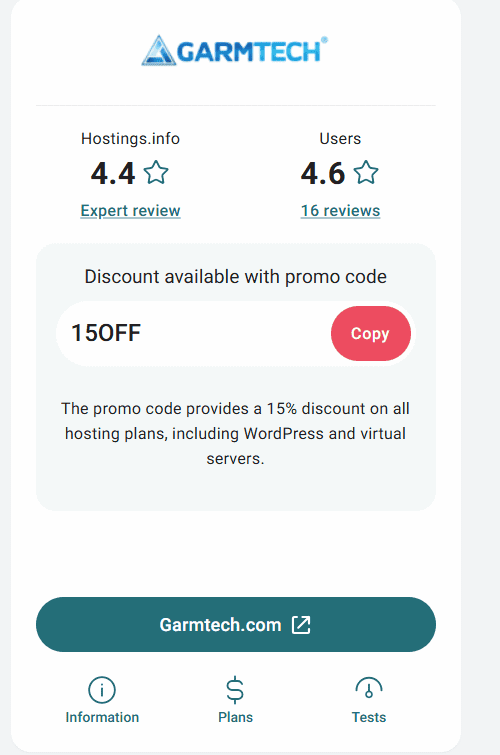
Take Advantage of Huge Savings with the "15OFF" Coupon
If you are tired of hosting companies that charge ridiculous rates when it comes to renewal or try to upsell a bunch of mostly useless add-ons on checkout, the GARMTECH is a breath of fresh air. They first opened their doors in 2013, and over the years they have earned (and kept) loyal customers by prioritizing reliable uptime and affordable pricing. Besides their already great pricing, new users can get even more discount by using the “15OFF” coupon that can be found on the Hostings.info website at checkout - https://hostings.info/hosting/sales.

Current Coupons and Discounts
GARMTECH keeps their pricing structure refreshingly simple and offers some decent discounts on longer commitments. For those looking to squeeze out the maximum value, the code "15OFF", which can be found on the Hostings.info website as mentioned earlier, delivers an extra 15% discount on any shared hosting or VPS server plan.
I have gone through their site in detail and also chatted to their very helpful and friendly support team, and here are the current discounts on offer:
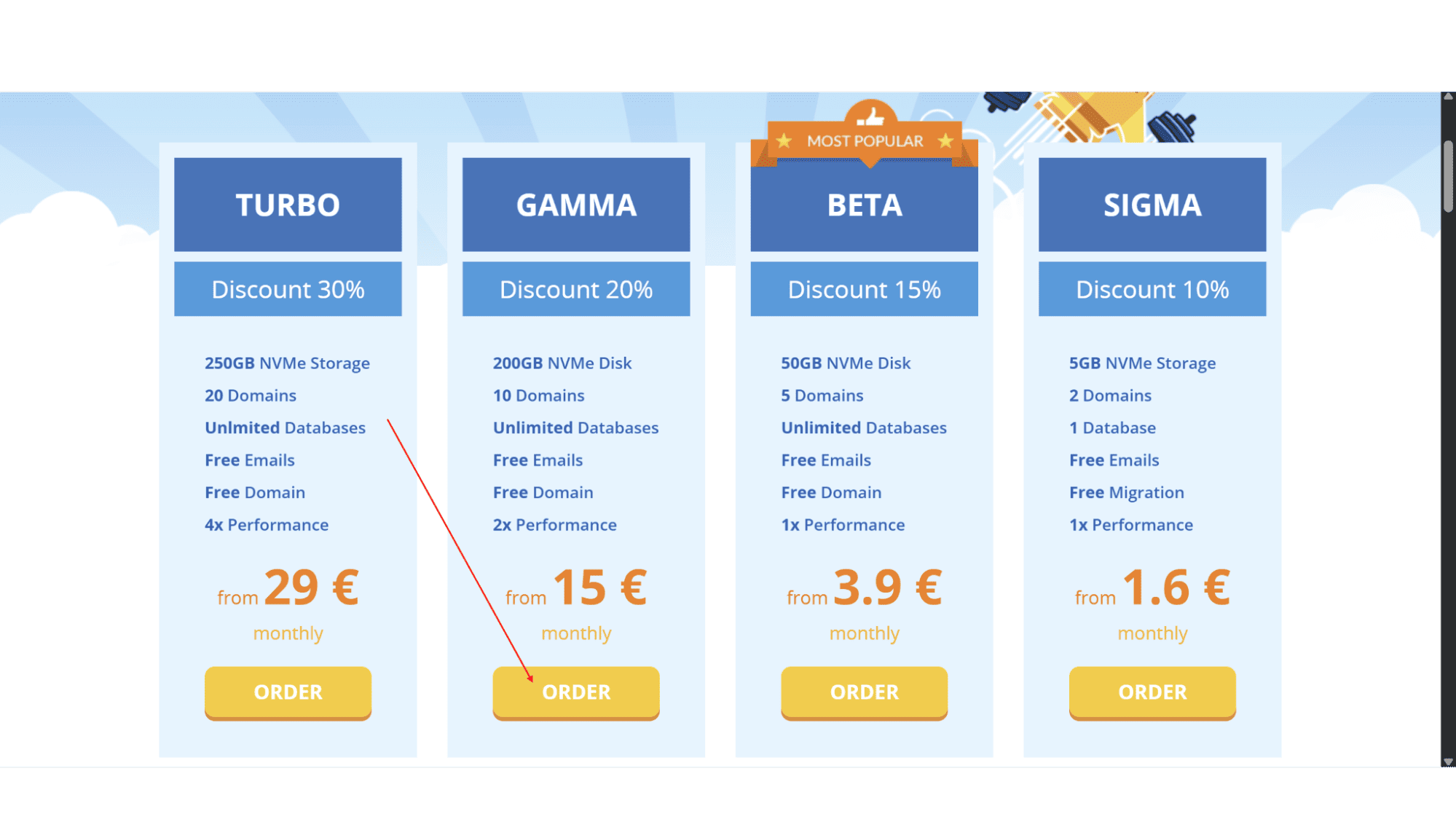
- 30% Off | On Their “Turbo” Shared Hosting Plan | For New Customers Signing Up for a 3-year Commitment.
- 20% Off | On Their “Gamma” Shared Hosting Plan | For New Customers Signing Up for a 3-year Commitment.
- 15% Off | On Their “Beta” Shared Hosting Plan | For New Customers Signing Up for a 3-year Commitment.
- 10% Off | On Their “Sigma” Shared Hosting Plan | For New Customers Signing Up for a 3-year Commitment.
- 15% Off | On Any Shared Hosting or Cloud Hosting Plan | For New Registrations Using the Code "SAVE15".
How to Apply a Promo Code
Step 1: Go to the GARMTECH website (www.garmtech.com) and click on “Hosting” for shared hosting options, or “Cloud” for VPS servers.
Step 2: Decide on which plan you would like and click on “Order”.
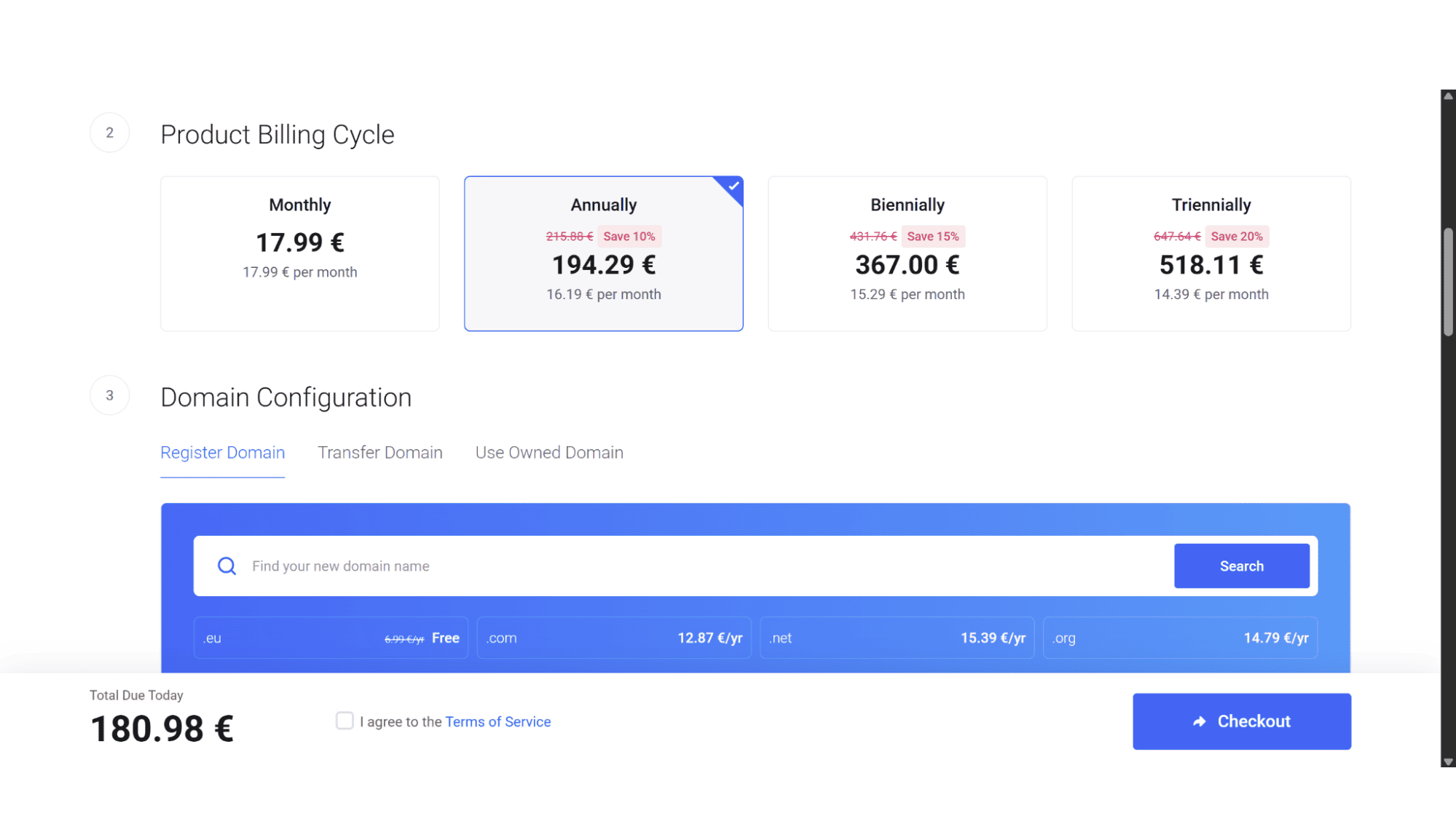
Step 3: On the configure page, choose your preferred billing cycle and any additional extras you would like.
Step 4: Still on the same page, scroll all the way down past the add-ons, and you will see a small line of text “Have a promo code?” Click on this.
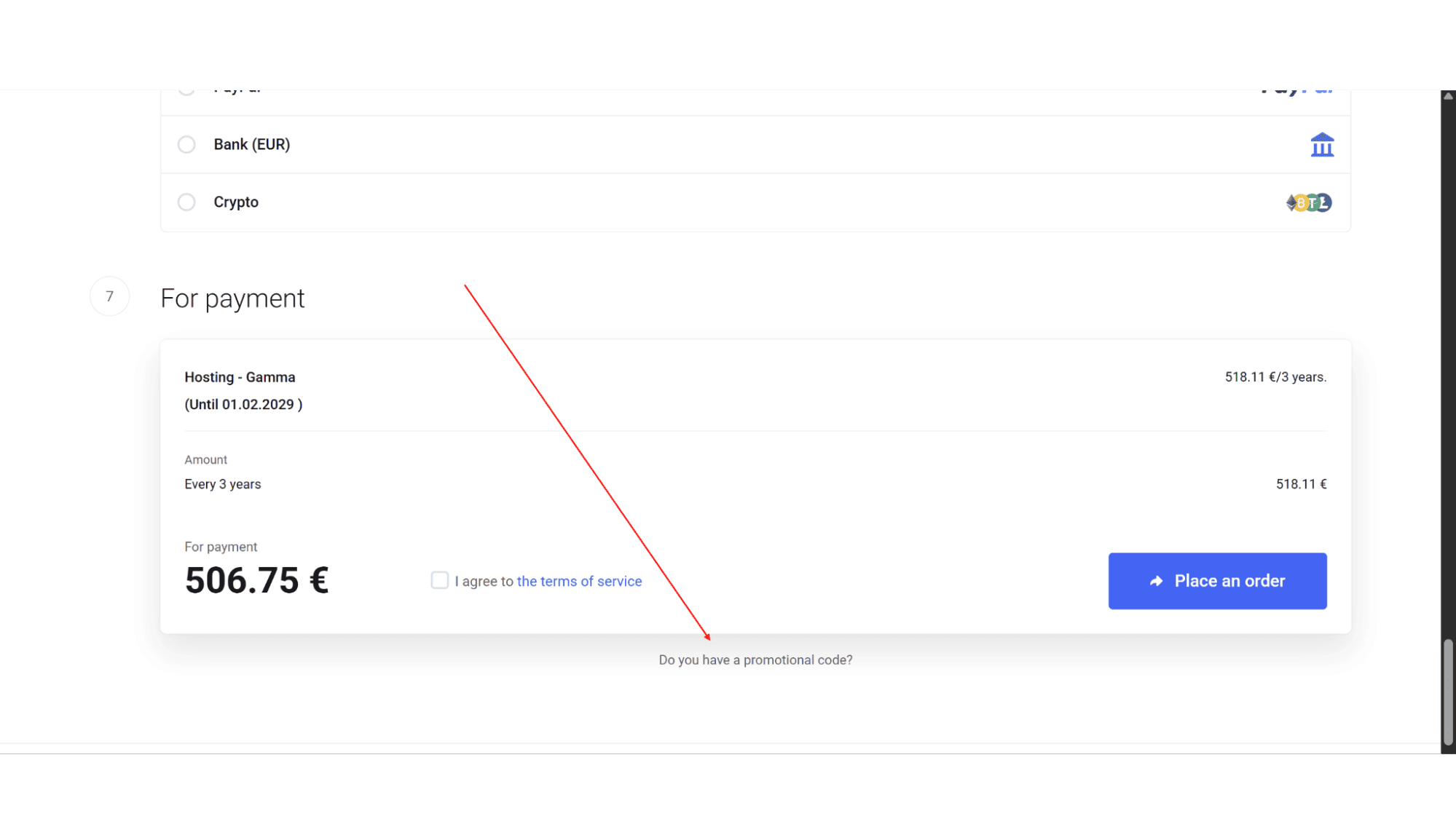
Step 5: Enter “15OFF” and click "Apply".
Step 6: The total amount should now be 15% less. Make sure the total updates with the discount applied.
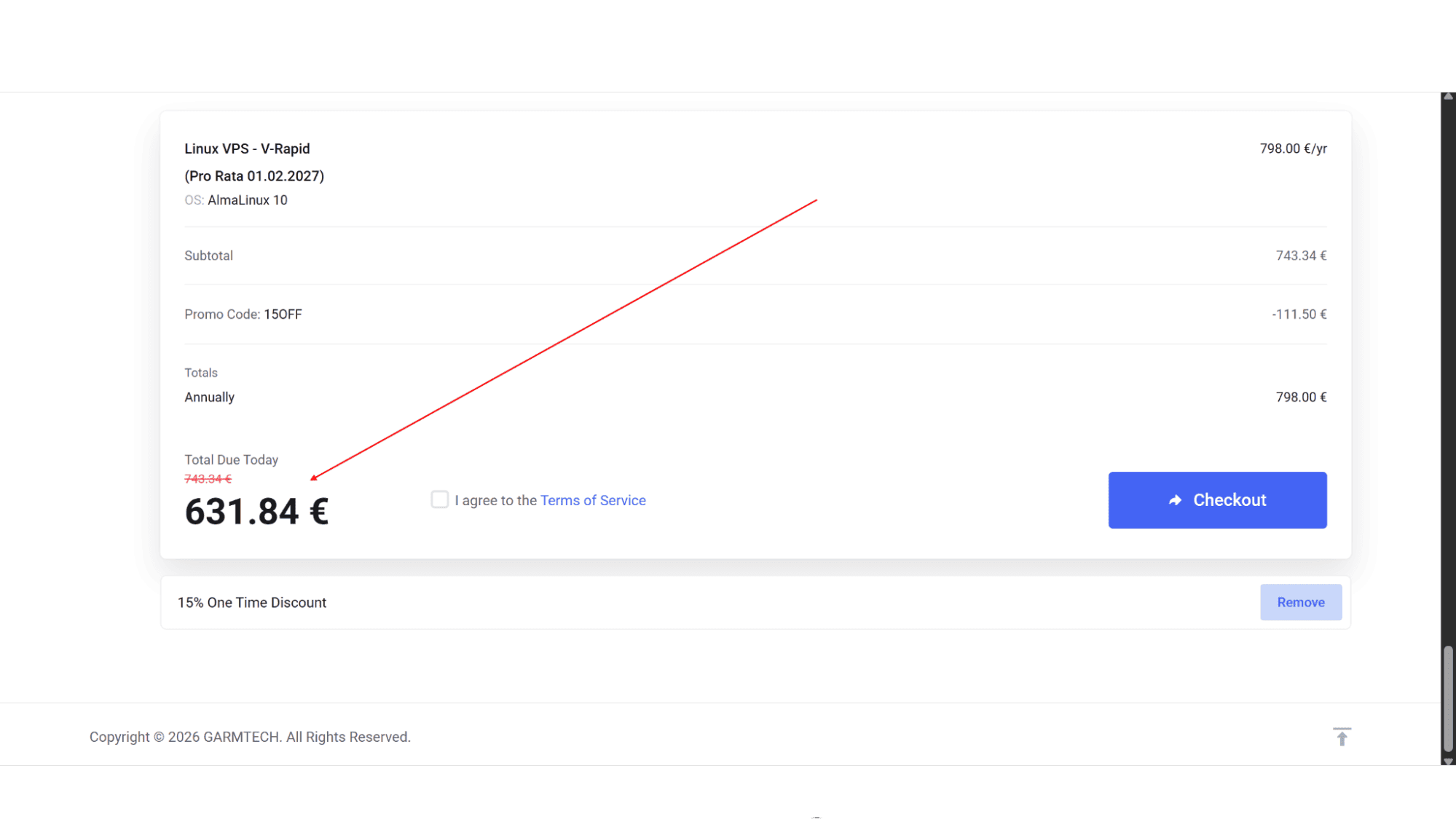
Step 7: Complete checkout with your personal and billing details.
What to Do If the Promotional Coupon Code Doesn't Work
Step 1: Make sure you have spelled it correctly, there should be no spaces, and that you have clicked on “Apply”.
Step 2: Double check you are on the final checkout page. This box isn't active on earlier pages.
Step 3: Verify you are buying a standard plan and not a custom quote.
Step 4: If all still fails, get in touch with the GARMTECH support agents – they would be more than happy to assist. After all, it is a new sale for them!
My Expert Opinion
GARMTECH consistently delivers reliable cPanel-based hosting with a strong focus on transparent pricing and excellent uptime. In my opinion they are best suited for web designers, freelancers, and small business owners who need to host multiple sites without any nasty renewal surprises.
A Friendly Warning: Don't go too crazy with addons during checkout. Their base cPanel plans already include email and SSL, so skip the extras unless you have a specific need.
Frequently Asked Questions
1. Is the "15OFF" discount really for the entire duration of your plan?
A: Yes, as long as you maintain the same service and billing cycle without interruptions.
2. Can I use this code on a dedicated server?
A: Absolutely. The code applies across all their product lines, from shared hosting to VPS servers. Just make sure to validate it before paying.
3. What if I need help managing my VPS?
A: Their unmanaged VPS puts you in control, but they offer Managed Support add-ons if you want help with cPanel or security patches.
4. What payment methods work with the discount?
A: The discount applies regardless of method. They accept major credit cards and PayPal. PayPal usually gets accounts activated fastest.
5. Do I get a refund if I cancel early?
A: Yes, you receive a prorated refund for unused time. Just remember to backup your files first, as they purge servers after cancellation.








