

Fornex discounts and promo codes
1


Visit website
Fornex.com
Fornex Deals
Power Meets Affordability with the "FOR10X" Coupon Code
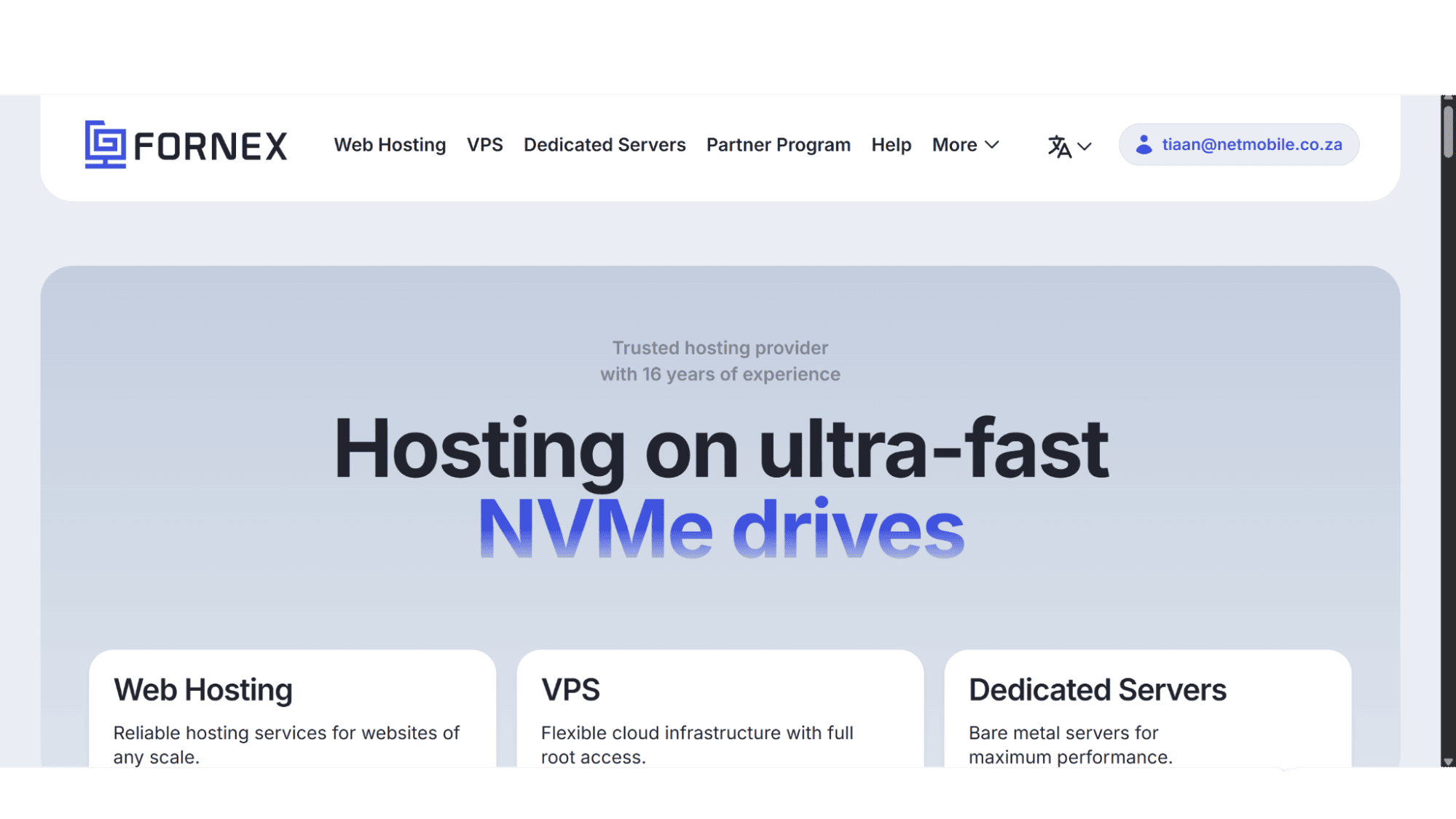
Fornex is a reliable hosting provider that has been in operation since 2009. Over the years they have established themselves as a solid provider, offering affordable, but high-performance hosting to thousands of seemingly happy clients around the globe. This provider focus on high-availability hardware and a network that can handle serious traffic spikes without breaking a sweat, and their prices are very competitive, but there are ways to stretch that value even further.
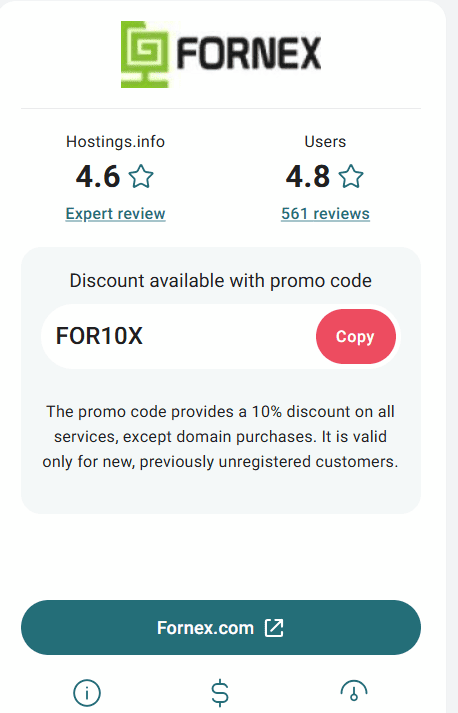
With the “FOR10X” coupon which can be found on the Hostings.info website - https://hostings.info/hosting/sales, new users can score a 10% discount on their purchases.
Current Coupons and Discounts
Fornex’s hosting prices are straightforward and instead of flashy 24-hour sales, they offer decent discounts depending on the billing cycle you choose. I have gone through their website and have listed the discounts on offer below:
- 5% Off | On All Shared Hosting Plans | Available for New Users Choosing a 3-month Billing Cycle.
- 10% Off | On All Shared Hosting Plans | Available for New Users Choosing a 6-month Billing Cycle.
- 20% Off | On All Shared Hosting Plans | Available for New Users Choosing a 12-month Billing Cycle.
- 5% Off | On All VPS & Dedicated Server Plans | Available for New Users Choosing a 3-month Billing Cycle.
- 10% Off | On All VPS & Dedicated Server Plans | Available for New Users Choosing a 6-month Billing Cycle.
- 15% Off | On All VPS & Dedicated Server Plans | Available for New Users Choosing a 12-month Billing Cycle.
On top of these savings, new users can take advantage of an additional 10% discount by using the "FOR10X" coupon code.
How to Apply a Promo Code
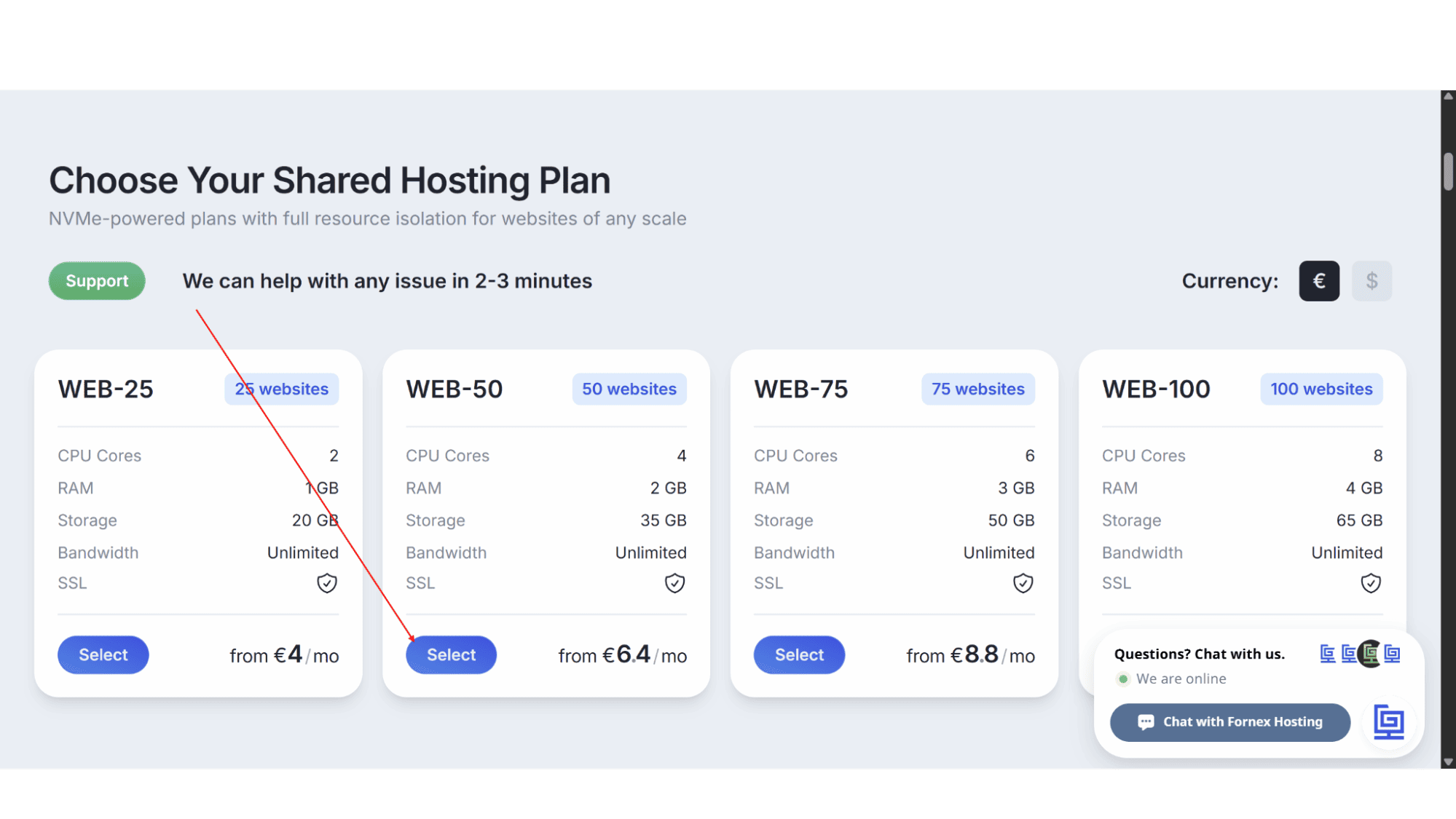
Step 1: Go to the Fornex website (www.fornex.com), choose the plan you want and click “Select”.
Step 2: Choose your preferred data center location and billing cycle.
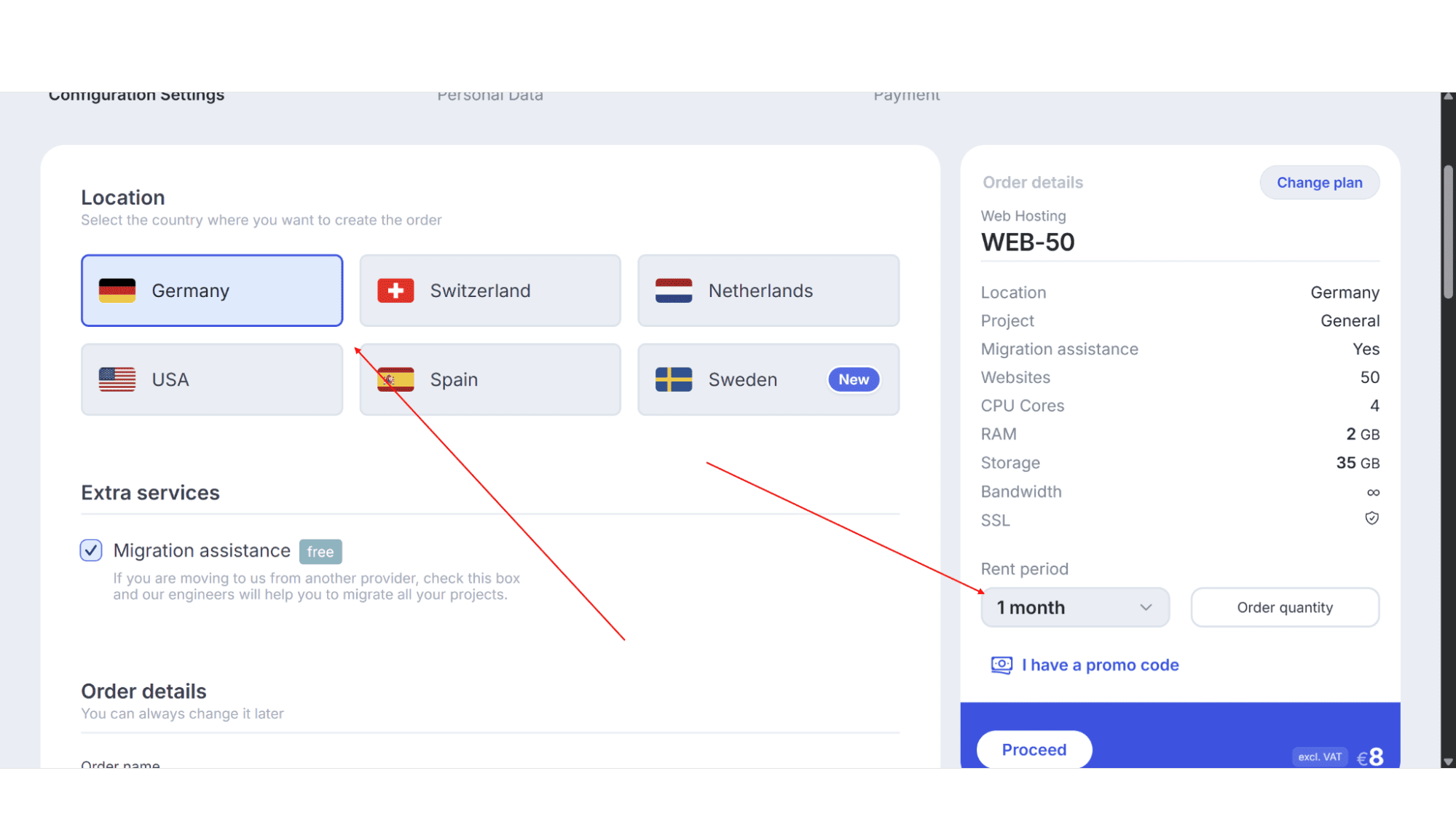
Step 3: On the right-hand side below where you choose the billing cycle, there is a line of text “I have a promo code” – click on that.
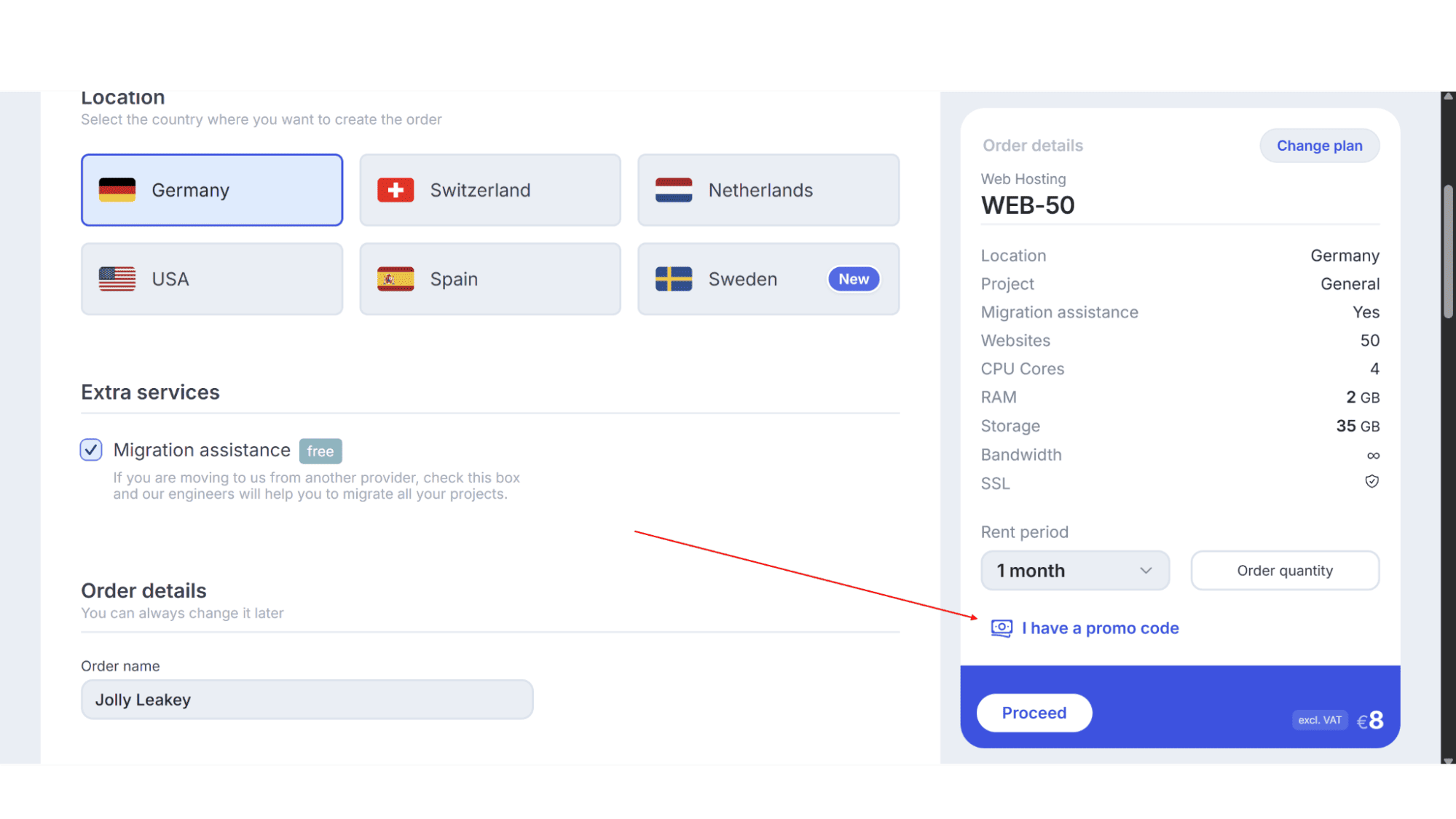
Step 4: Carefully type "FOR10X" in the text field.
Step 5: The total amount should update automatically and reflect the 10% discount.
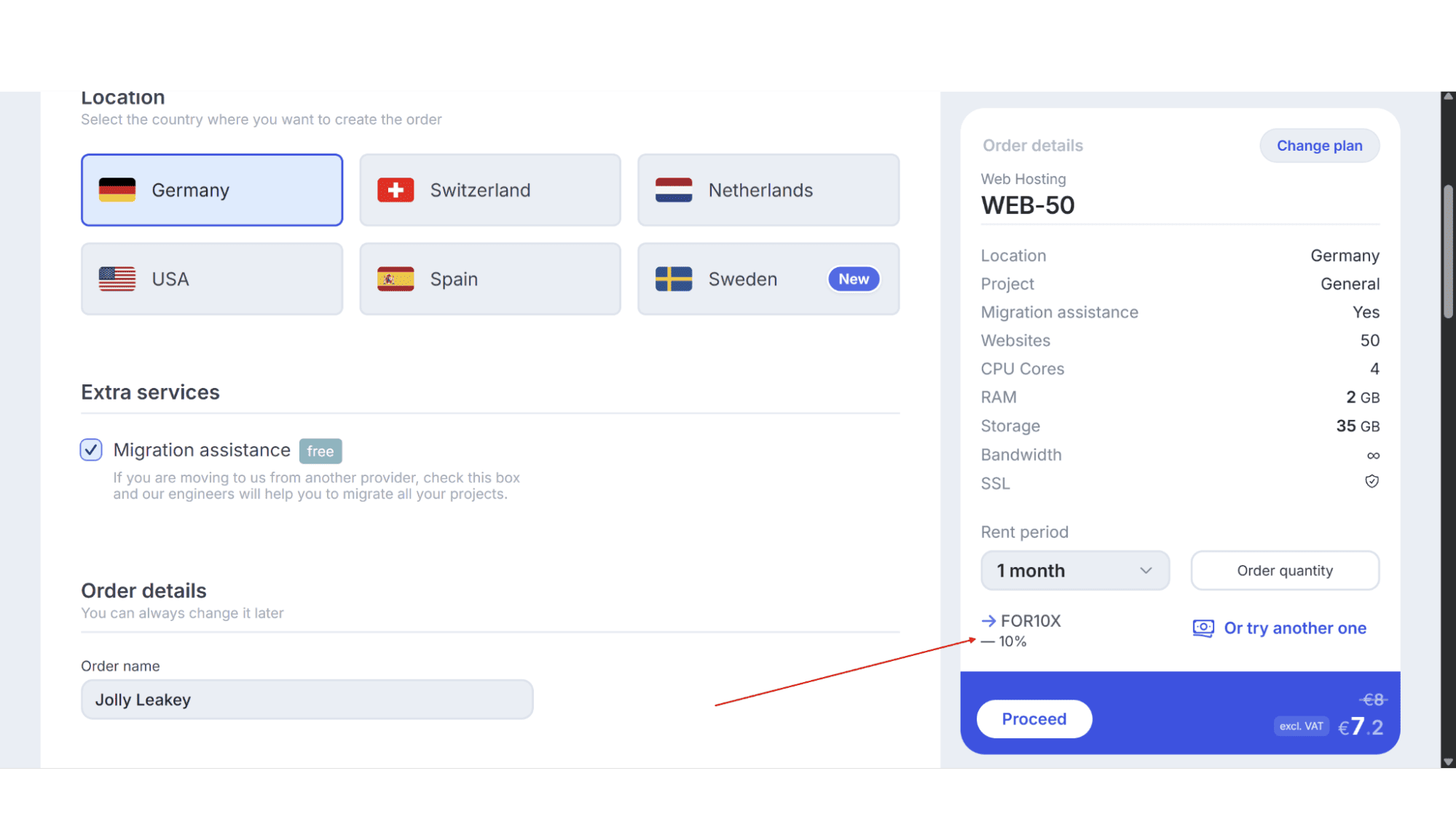
Step 7: Enter your personal and payment details to complete the signup process.
What to Do If the Coupon Code Doesn't Work
Step 1: Make sure that you have the correct spelling and that there are no spaces before or after the code.
Step 2: Take a look at the fine print and double check that there aren’t any terms and conditions on that specific product that prevents the use of coupons.
Step 3: If you are still having problems, get in touch with their support team for assistance.
My Expert Opinion
Fornex, in my opinion, is an excellent choice for users looking for reliable and affordable hosting. Their network is incredibly stable, and they use premium bandwidth to ensure low latency, which is crucial for e-commerce or gaming servers. By taking advantage of the “FOR10X” coupon, new users can get an incredible deal.
My honest advice? Skip the pre-installed scripts during the setup on their VPS servers. Fornex gives you full root access on most plans, so you have the freedom to build your environment exactly how you want it.
Frequently Asked Questions
1. If I choose the 6-month billing cycle, can I still use this coupon for discount?
A: Yes, this coupon works on all their plans and billing cycles.
2. Can I upgrade the RAM or CPU later without migrating to a new server?
A: Yes. Their plans are scalable, so you can usually ask for any upgrades through the client panel without migrating to a new server.
3. Are there traffic limits on their shared hosting plans?
A: Traffic is unmetered but there is a "fair usage" policy in place.
4. Does the "FOR10X" coupon work for domain renewals too?
A: No, it doesn’t. The code is for their hosting plans only.
5. What if I need help migrating to a bigger plan later?
A: Fornex upgrades are easy and straightforward. If you aren't sure how to handle the data transfer, just ask their support team for assistance.








